


 中文 (台灣)
  日本語
日本語  한국어
한국어  Italiano
  Français
  Português
  Español

Top 10 YouTube Music Playlist Downloaders Worth Trying!
- Category:YouTube Music Tips
- Kate
- 2026-07-21
For a long time, YouTube Music has entertained us with great songs and playlists on websites and apps. Now, it’s available in many countries. Since its offline feature, we have been able to download songs and playlists offline. But sometimes, there are issues with this download. You can’t download the YouTube Music playlist if you are not a subscriber. It may seem costly for others, especially if they are fans of music from YouTube. Adding that, people make a habit of keeping or downloading the playlist to watch offline. So, this article is written about the top 10 YouTube Music playlist downloaders that are worth trying.
Why Do You Need a YouTube Music Playlist Downloader?
YouTube Music is an online streaming service where you can listen to many songs and playlists. These are accessible via various devices connected to the internet, such as TVs, tablets, phones, computers, and smart speakers. Most content is available in high audio quality, while many also offer lossless audio, with additional spatial audio or Atmos support for compatible devices. YouTube Music is a great place to listen to and download music, but sometimes money is hard. Adding that there are also limitations in using this download feature. The downloaded songs can only be played within the official app, and subscription costs can strain budgets. With over 100 million subscribers, we always think about how to save money and keep the songs with us longer. That’s when a YouTube Music playlist downloader becomes important. Let’s say you are now tight on budget but are a fan of music from YouTube Music; YouTube Music downloaders are your heroes. It allows you to save content longer for free, ensuring your favorite songs stay with you beyond the subscription expiry.
What to Consider in Selecting a Good YouTube Music Downloader?
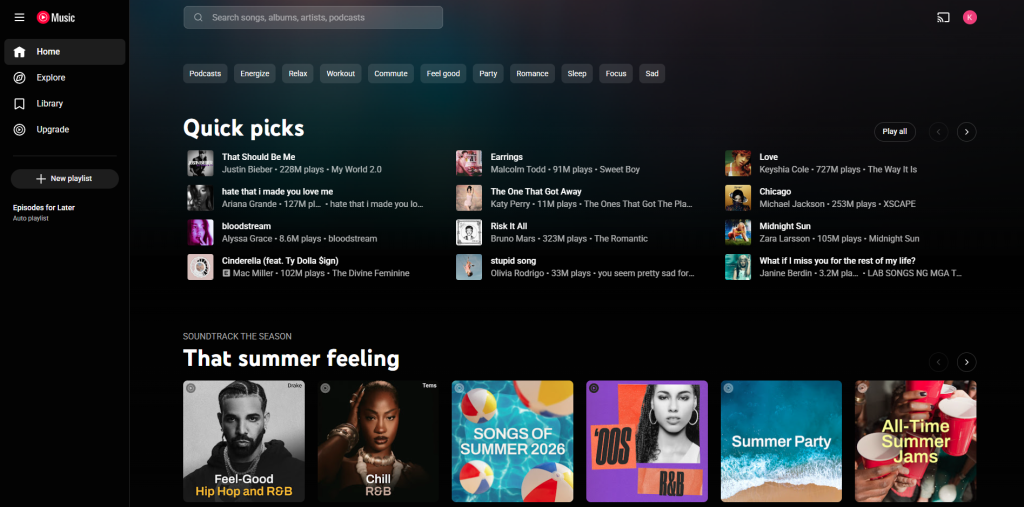
Before choosing a YouTube Music playlist downloader, matching your specific music download needs is crucial. Let’s briefly explore the criteria we used to rate these top downloaders:
Download Quality. Evaluate the bitrate and overall audio quality of the downloaded songs. Some video downloaders offer varying levels of audio quality (like 320kbps) for optimal listening.
Output Format. Consider the supported output formats by the downloader. Ensure compatibility with your devices (like MP3 players or phones) or preferred playback platforms.
Download Speed. Assess the downloader’s efficiency in fetching entire playlists swiftly. A faster downloader translates to quicker access to your desired content.
Metadata and Lyrics Options. Check if the downloader allows keeping the song covers and ID3 tag information (like artist, album name). This feature is crucial for those who want to keep their music library organized or those with lyrics viewing preferences.
Ease of Use. Evaluate the user-friendliness of the downloader. The best downloaders boast intuitive interfaces and straightforward processes for hassle-free playlist downloads from YouTube Music.
Best 10 YouTube Playlist Downloaders You Must Try
Ready for YouTube Music playlists anytime, anywhere? Discover the best 10 YouTube Music playlist downloaders we have here! They make listening to YouTube Music offline super easy. Here are those online and desktop YouTube Music playlist downloaders.
| Desktop YouTube Music Playlist Downloaders | Musicfre | 4K YouTube to MP3 | SnapDownloader | iTubeGo | ByClick Downloader |
| Output Format | MP3, M4A, FLAC, WAV, M4A, AIFF | MP3, M4A, OGG | MP3, M4A, AAC | MP3, M4A, WAV, AAC | MP3 |
| Supported OS | Windows, Mac | Windows, Mac, Linux | Windows, Mac | Windows, Mac, Android | Windows |
| Playlist Support | Yes | Yes | Yes | Yes | Yes |
| Batch Download | Yes | Yes | Yes | Yes | Yes |
| Best For | YouTube & Spotify Music playlists downloads and conversion | High-quality audio saving | Fast batch downloads | Format flexibility | Windows users |
| Price | Free / Paid version | Free / Paid version | Free trial / Paid | Free trial / Paid | Free / Paid |
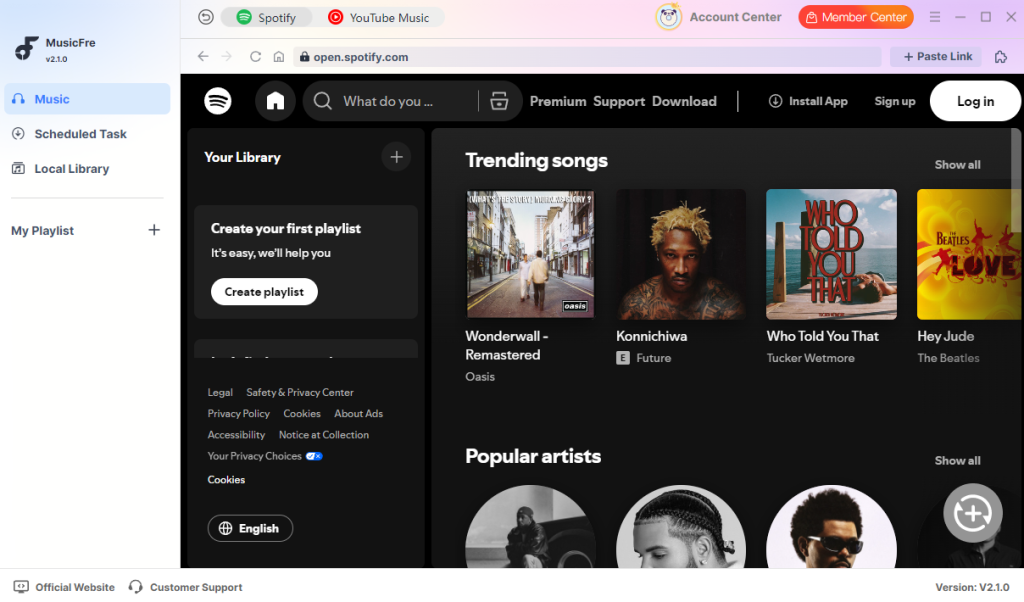
1MusicFre
Musicfre is a practical desktop YouTube Music playlist downloader built for users who want to save songs and playlists for offline listening. Instead of downloading tracks one by one, you can paste a YouTube Music playlist link into Musicfre, choose your preferred audio quality, and download multiple songs at once.
This tool is especially useful for music lovers who often collect playlists from YouTube Music. Whether you want to save pop songs, albums, relaxing background music, podcasts, workout mixes, or study playlists, Musicfre helps you keep your favorite audio content available offline anytime.
As a desktop YouTube Music playlist downloader, Musicfre provides a more stable downloading experience than other YouTube converters. It is suitable for handling long playlists and batch downloads, helping users save time and organize their music collection more easily. Its clean interface also makes the process simple for beginners, you can convert YouTube to MP3 in just 3 simple steps.






- Easy to download full YouTube playlists, supporting over 100 songs at a time.
- Supports MP3, FLAC, AAC, and other output formats.
- Beginner-friendly interface with simple steps.
- Works on both Spotify and YouTube streaming services.
- Fast download speed for daily use.

- Only works on Windows and Mac computers.

Pricing
- $23.95/month
- $69.95/year
- $89.95/lifetime
Supported OS
MusicFre is available on Windows 7/8/10/11 and Mac devices.
24K YouTube to MP3
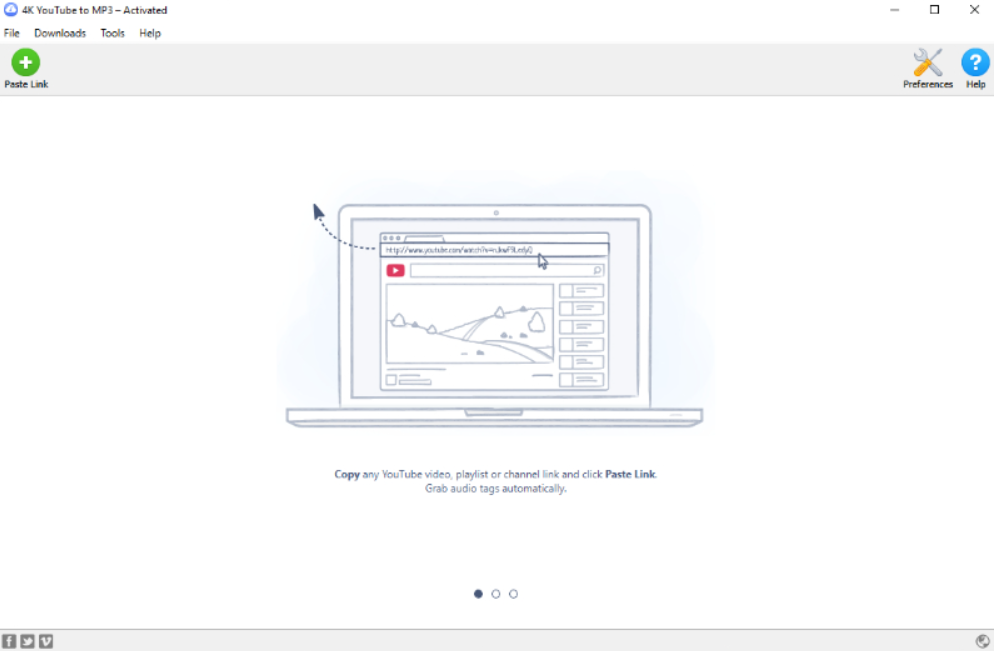
The 4K YouTube to MP3 is designed to allow you to capture high-quality YouTube Music songs for offline listening. It involves accessing and downloading YouTube Music content with the playlist links provided. This tool facilitates providing high-quality audio (up to 320kbps) from YouTube Music to listen to offline.
- 4K YouTube to MP3 allows for high-quality audio downloads.
- It supports batch downloads, allowing you to save multiple songs from the entire playlist.
- Offer fast download speeds, optimizing the process of saving audio.
- Only works on the YouTube platform.
- You need to pay for an upgrade for unlimited downloads.
Pricing
- Lite: $10/year
- Person: $15/lifetime
- Pro: $45/lifetime
- Bundle: $48.75/lifetime
Supported OS
4K Video Downloader is available on Windows and Mac devices.
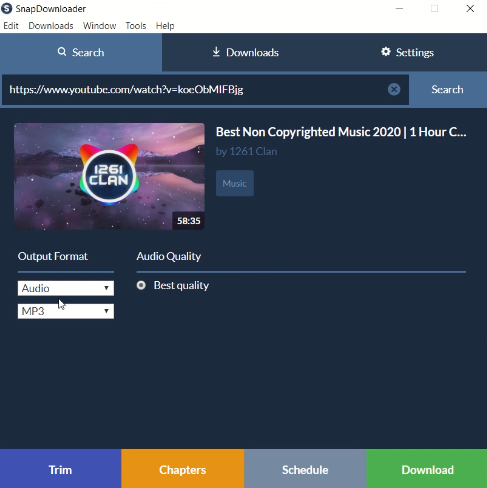
3SnapDownloader
SnapDownloader is a powerful desktop YouTube playlist downloader for Windows and macOS. It supports downloading videos from YouTube and many other websites in up to 8K resolution. Users can save YouTube playlists as MP4 videos or MP3 audio files. It also offers useful features like batch downloads, format conversion, and scheduled downloads. For users who often download large playlists, SnapDownloader can be a reliable choice.
- Supports YouTube playlist and channel downloads.
- Downloads videos up to 8K.
- Supports MP4, MP3, and other formats.
- Works with many video websites.
- Mainly a paid tool after the free trial.
- Not available for Linux.
Pricing
- $9.95/year
- $7.99/month
- $69.99/lifetime
Supported OS
SnapDownloader is available on Windows and Mac devices.
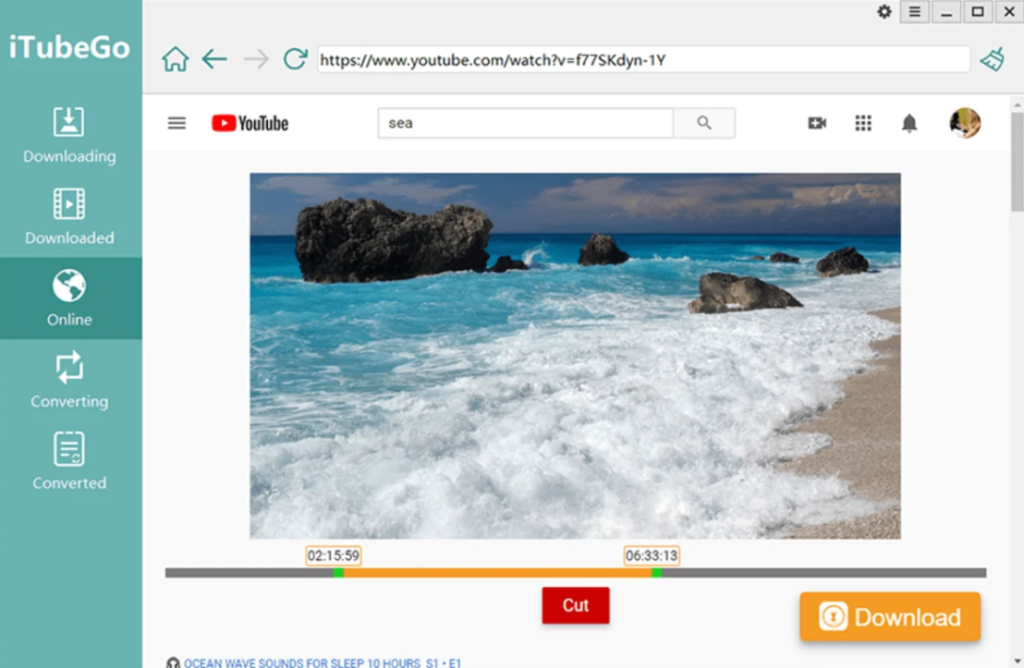
4iTubeGo YouTube Downloader
iTubeGo supports YouTube playlists, channels, videos, and audio downloads on PC and Mac. It allows you to download videos in HD, 4K, and 8K quality when available. It also supports many output formats, including MP4, MP3, MOV, AAC, and WAV. For users who need both video and music playlist downloading, iTubeGo is a strong option. It also supports downloading subtitles and converting videos into audio files.
- Supports YouTube playlists, channels, and subtitles.
- Downloads videos up to 8K.
- Offers many output formats.
- Available on Windows, Mac, and Android.
- Free trial has limitations.
- Full features require a paid version.
- Interface may feel feature-heavy for beginners.
Pricing
- $9.95/month
- $25.99/year
- $39.95/lifetime
Supported OS
iTuneGo is available on Windows, Mac, and Android devices.
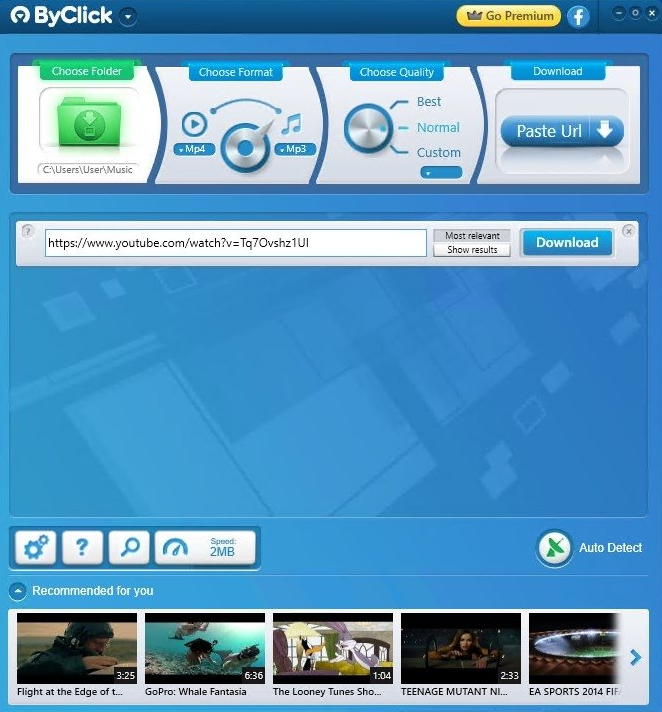
5ByClick Downloader
The ByClick Downloader is a user-friendly tool designed to download YouTube Music content for offline listening. Its main function is to allow users to save their favorite YouTube Music playlists and songs directly onto their device in high quality. Whether you’re on a long flight or in a place with limited internet access, this tool ensures your favorite music is always within reach. It’s more than just a downloader; it’s an essential tool for any YouTube Music enthusiast who values flexibility and convenience.
- The tool offers reliable functions to download full YouTube playlists, making it a dependable choice for users.
- It can download content up to 320kbps audio quality (and up to 8K for video content).
- It’s known for quick and efficient downloads from over 40+ popular video and music sites.
- The tool is primarily designed for Windows OS, which may not serve users looking for a Mac or multi-platform desktop downloader.
- Some users have reported that the automatic download detection pop-ups can occasionally cause confusion or distraction during browsing.
- The price for the Premium version is higher than that of some other single-platform YouTube downloaders.
Pricing
- $19.99/lifetime
Supported OS
ByClick Downloader is available on Windows devices.
| Online YouTube Music Playlist Downloaders | Loader.to | Y2Mate | OneForAllDownloader | AudioCleaner AI | KeepVid |
| Output Format | MP3, M4A, WEBM, AAC, FLAC, OPUS, OGG, WAV | MP3, MP4 | MP3 | MP3 | MP3 |
| Playlist Support | Yes | Yes | Yes | Yes | Yes |
| Audio Quality | High | Medium | High | Medium | High |
| Download Speed | High | Medium | High | Medium | High |
| Installation Needed | No | No | No | No | No |
| Price | Free | Free | Free | Free / Online | Free |
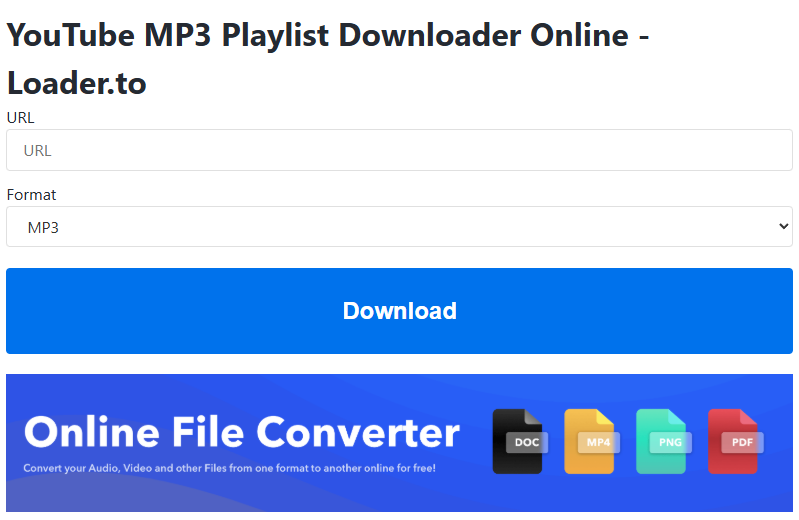
6Loader.to
Loader.to is a handy browser-based music converter for users who want to save YouTube Music playlists without installing extra software. It keeps the process straightforward: paste the playlist link, select the audio output, and wait for the tool to process the tracks.
This downloader is better suited for casual music downloads, such as short playlists, podcast collections, or daily listening mixes. Since it runs online, it is convenient when you are using a shared computer or do not want to install a desktop program.
- No software installation required.
- Supports YouTube playlist conversion.
- Offers MP3 and MP4 formats.
- Works directly in a web browser.
- Download stability may vary.
- Ads or pop-ups may affect user experience.
- Large playlists may take longer to convert.
7Y2Mate
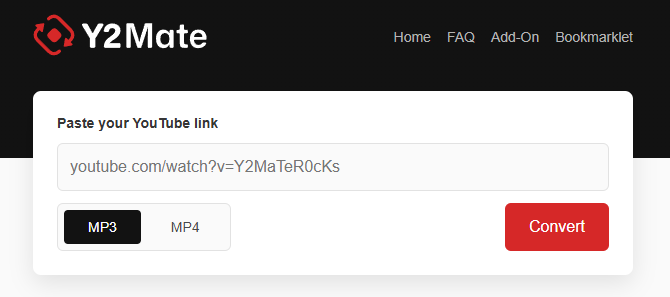
Y2Mate’s biggest advantage is accessibility. You can open the website, paste a YouTube Music link, and start converting tracks with only a few clicks. It is a good choice if you only need to download several songs occasionally. However, for users who frequently handle large playlists, Y2Mate may feel less efficient than dedicated desktop software.
- Easy to access from any browser.
- Good for occasional song downloads.
- No software installation needed.
- Simple download workflow.
- Not the best option for large playlists.
- Pop-ups may appear.
- Audio quality options can be limited.
8OneForAllDownloader
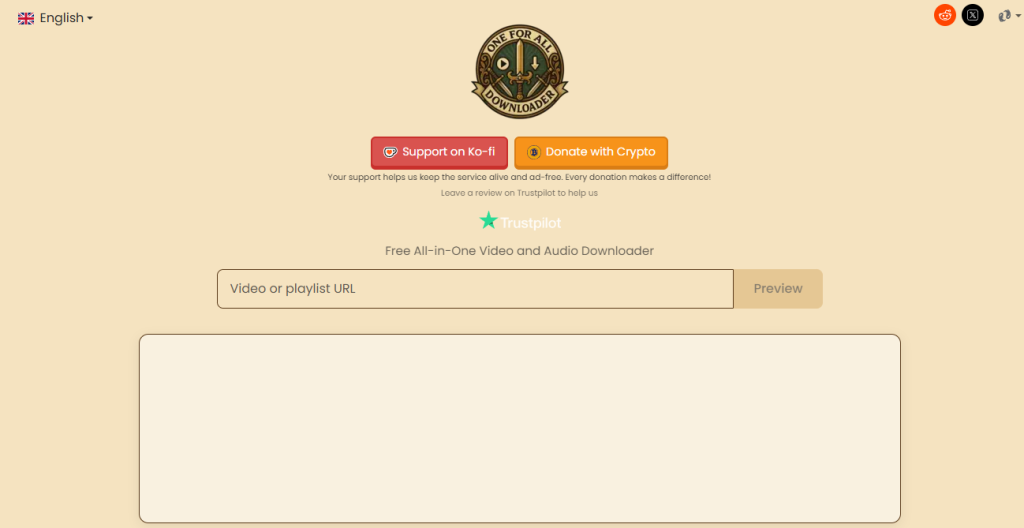
OneForAllDownloader is a flexible online downloader that supports YouTube Music as well as other popular platforms. If you often collect audio from different websites, this tool can be more convenient than a single-platform downloader. For YouTube Music playlists, it helps users save audio content for offline listening. It is especially useful for people who want a free web tool that can handle different types of online audio sources.
- Supports multiple platforms.
- Good for users who download from more than YouTube Music.
- Free to use online.
- Clean and direct operation.
- Playlist features may not be as advanced as desktop tools.
- Processing time depends on playlist size.
- Some output options may vary by source.
9AudioCleaner AI
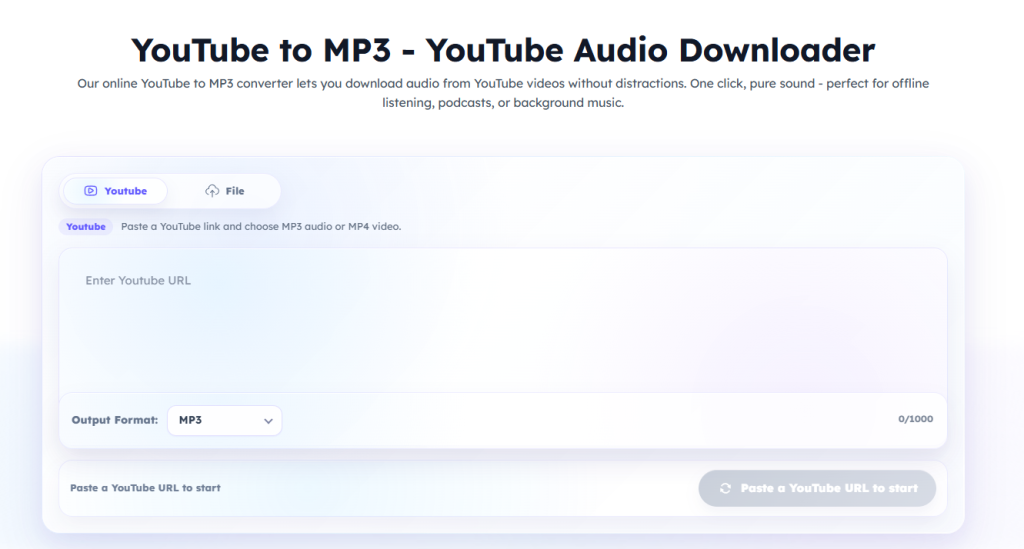
AudioCleaner AI is different from many traditional downloaders because it is more audio-focused. It can help users save YouTube Music playlist content for offline listening, especially when they mainly care about songs, spoken audio, or podcast-style content. It is a practical option for users who want a quick online method rather than a full desktop program. However, it may be better for smaller playlists than large music libraries.
- Focuses on audio content.
- Suitable for songs, podcasts, and listening materials.
- Easy to use from a browser.
- No installation required.
- May not be ideal for large playlists.
- Advanced customization is limited.
- Download speed can be inconsistent.
10KeepVid
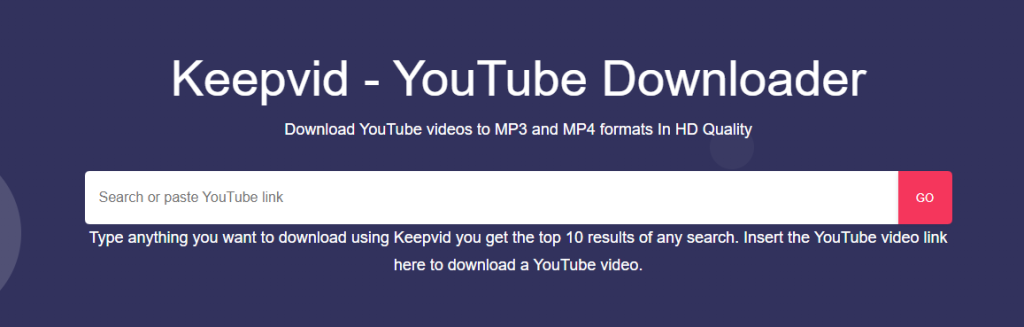
KeepVid works well for users who want a lightweight online solution for saving music from YouTube playlists. Instead of offering a complicated dashboard, it focuses on a direct link-to-download experience. It can be useful when you quickly need to grab audio from a playlist, a music collection, or a podcast series. KeepVid is also suitable for users who prefer not to install anything on their device.
- Quick online access.
- Supports playlist-based downloading.
- Suitable for music and podcast audio.
- No desktop storage is taken up by software.
- Download stability may vary.
- Some playlist links may fail to process.
- Limited advanced settings.
How to Download YouTube Music to MP3 Losslessly?
Sometimes, after downloading YouTube Music, the audio quality might unexpectedly run into issues, and worst of all, it could become corrupted or incompatible in format. This can happen due to various reasons like unstable internet connections, unprofessional conversion tools, or errors during the download process. When faced with a corrupted or unplayable YouTube Music audio file, finding a lossless solution becomes essential.
MusicFre comes to the rescue when you want to securely obtain and convert your YouTube Music songs losslessly. It’s compatible with various audio formats like MP3, FLAC, M4A, and WAV, offering a user-friendly solution to directly convert files without losing quality. You can rely on this online tool as it doesn’t require an expert user; you can easily complete the lossless conversion in just a few minutes. What is good about this tool is that you can use your Mac and Windows devices to make some conversions.
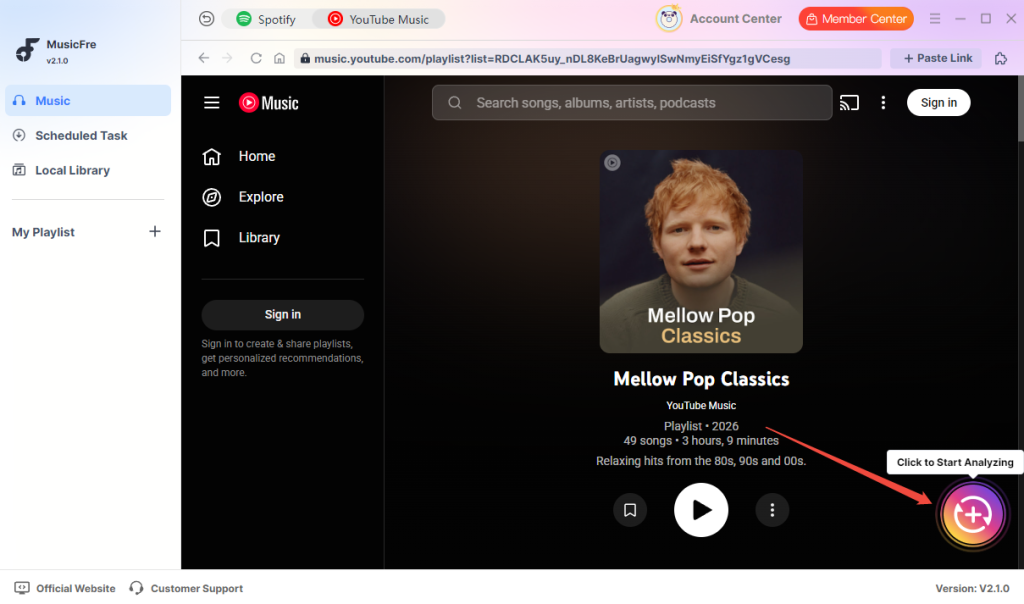
Step 1. First thing to do is tap on “YouTube Music” in the interface and select the songs you want to download. Click the “+” button to start analyzing.
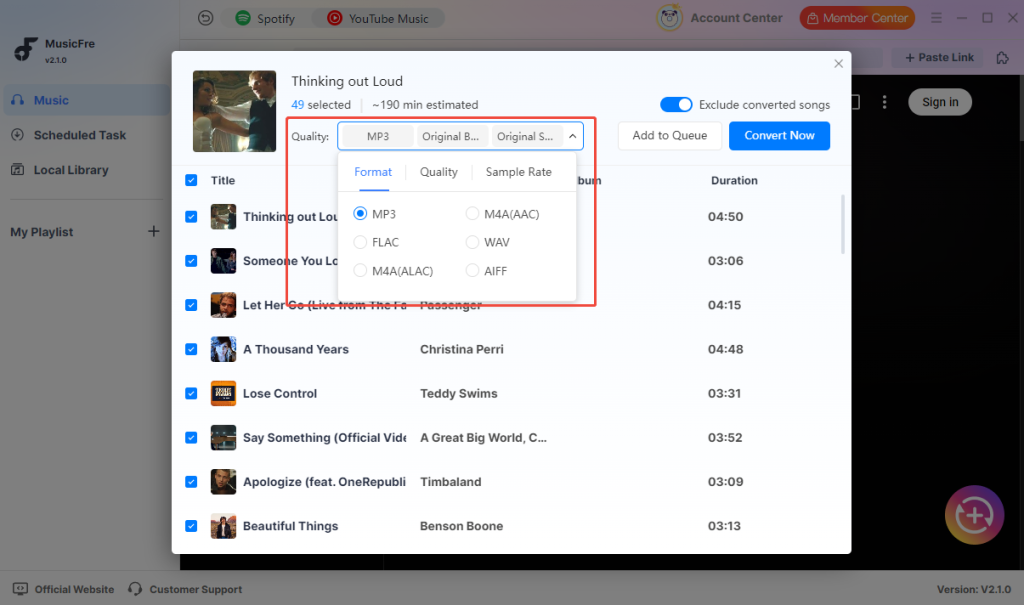
Step 2. On the conversion list, you can select MP3 as the output format and change the bitrate and sample rate according to your needs.
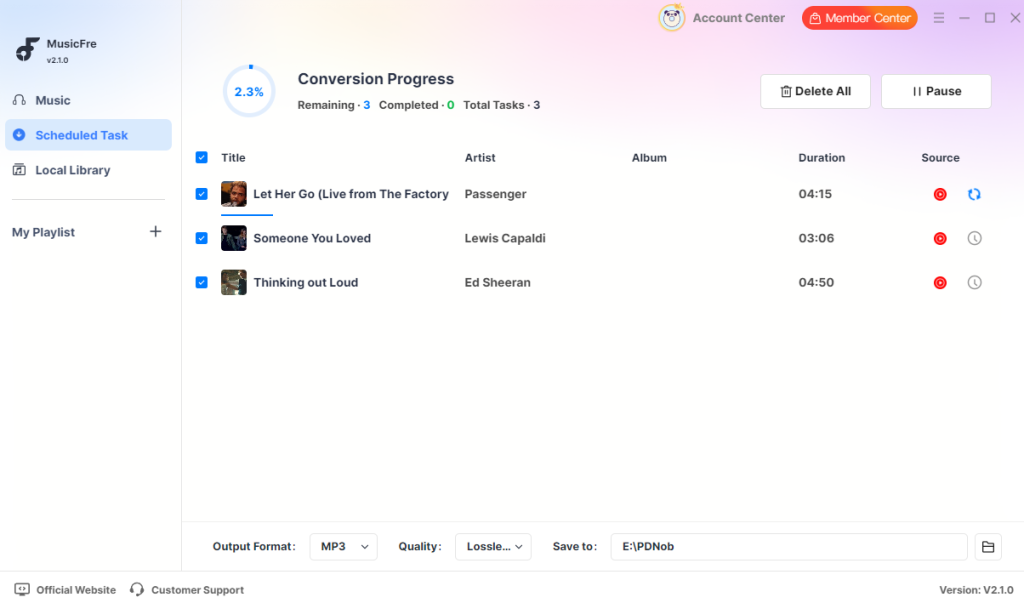
Step 3. Pick the song you want to convert and click on the “Convert Now” button. The conversion process will then start automatically.
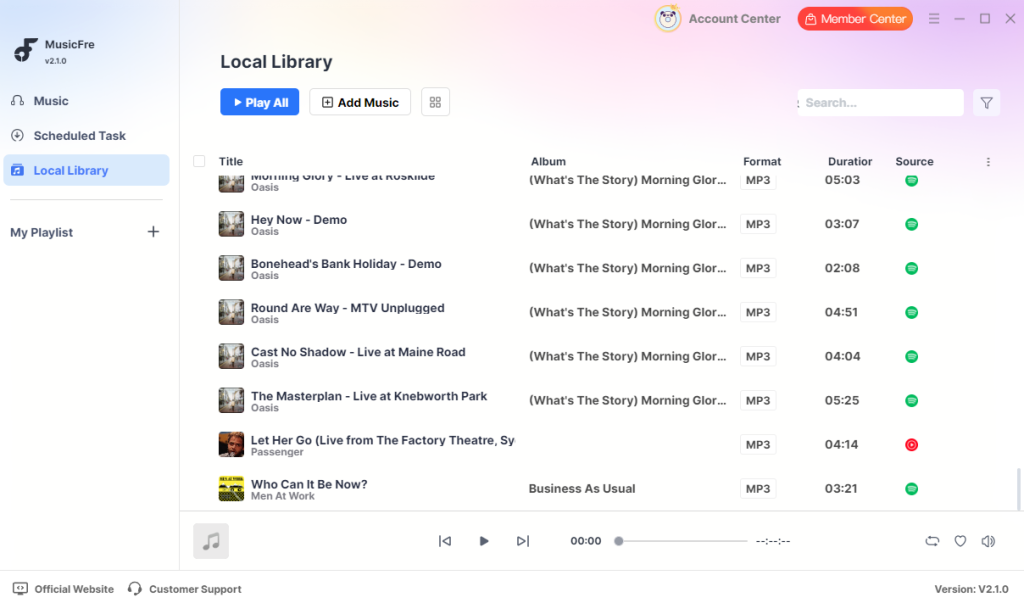
Step 4. Once the conversion is complete, you can find them on the “Local Library”.
Note: If certain YouTube Music tracks cannot be parsed directly online due to copyright or regional restrictions, or if you want a more professional and stable batch downloading experience, you can use MusicFre.
Final Thought
Looking to save YouTube Music playlists for listening when you’re not a subscriber? These 10 downloaders help you easily do that. Some work as highly convenient online converters, like Loader.to and Y2Mate. Others work as more robust software on your desktop or mobile devices, such as ByClick Downloader, SnapDownloader, and MusicFre, which focuses on lossless audio conversion. They all have different features for output audio quality, batch download speeds, and how easy they are to use.
However, when batch downloading and converting massive playlists, please make sure to maintain a stable internet connection to prevent audio files from getting corrupted during transmission. Also, remember to follow the rules about copyrights and check if downloading YouTube media content is legally permitted where you live. Enjoy listening to your high-quality downloaded YouTube Music responsibly!
FAQs About YouTube Music Playlist Downloaders
1. What is a YouTube Music playlist downloader?
A YouTube Music playlist downloader is a tool that helps you save multiple songs from a YouTube Music playlist for offline listening. Instead of downloading each track separately, you can paste the playlist link and download several songs at once.
2. What is the best YouTube Music playlist downloader?
It depends on your needs. If you want a stable desktop program, Musicfre is a good choice for downloading YouTube Music playlists. If you only need quick online downloads, tools like Loader.to may be more convenient.
3. Are online YouTube Music playlist downloaders safe to use?
Some online tools are convenient, but they may include ads, pop-ups, or unstable download links. For a safer and smoother experience, it is better to choose a trusted desktop downloader and avoid clicking suspicious buttons or notifications.
subscription
payment
guarantee