


 中文 (台灣)
  日本語
日本語  한국어
한국어  Italiano
  Français
  Português
  Español
 How to Uninstall MusicFre Software
Introduction
Sometimes you might need to uninstall MusicFre Software. Before this operation, please make sure that the MusicFre software is not running.
Step 1: Run the uninstaller for the MusicFre programs
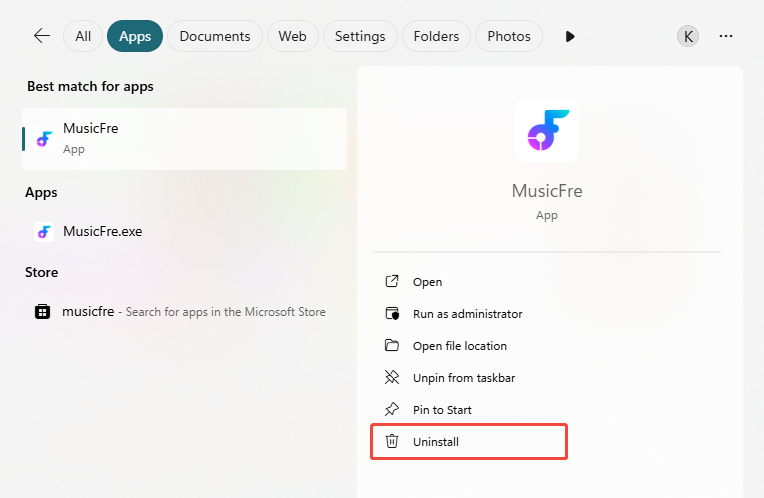
Open the Windows Start menu in the lower-left corner of your desktop. Type “MusicFre” in the search bar, then click “Uninstall”.
Step 2: Confirm the Uninstall
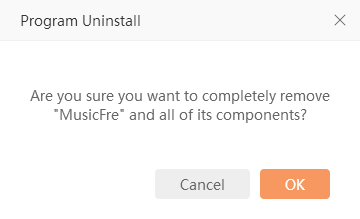
In the pop-up window, find the MusicFre program. Right-click it and select “Uninstall”. Then click “OK” to confirm. MusicFre will then be completely removed from your computer automatically.