
 中文 (台灣)
  日本語
日本語  한국어
한국어  Italiano
  Français
  Português
  Español

How to Download FLAC from YouTube [Online & Desktop]
- Category:YouTube Music Tips
- Xiny
- 2026-08-28
If you want to download FLAC from YouTube for a local music library, offline playback, or later editing, you have two main options: use a desktop music converter or an online YouTube-to-FLAC converter.
FLAC is a useful format when you want to avoid another lossy conversion after saving audio locally. However, it is important to set realistic expectations: converting YouTube audio to FLAC cannot restore detail that was already lost in the original stream. It simply preserves the available audio in a lossless file format for local use.
This guide shows you how to save YouTube Music as FLAC, which method works best for different situations, and how FLAC compares with MP3 and WAV.
Can You Download FLAC from YouTube Directly?
No. YouTube does not provide a built-in option to export videos or music tracks as FLAC files.
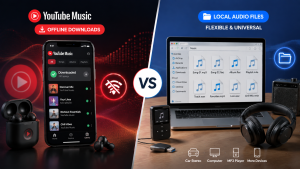
While YouTube Premium and YouTube Music Premium provide offline listening features, these downloads are designed for playback within the official apps rather than as regular FLAC files that you can transfer to another music player or audio library.
If you want an actual FLAC file on your computer, you need a tool that can process the available audio stream and save it in FLAC format.
For occasional one-file tasks, an online tool can be convenient. If you want to build and manage a local collection, a desktop YouTube Music to FLAC converter usually gives you more control over output settings, file organization, and batch processing.
Is YouTube to FLAC Really Lossless?
FLAC is a lossless audio format, which means that encoding an existing audio file as FLAC does not discard additional audio information.
However, YouTube audio is generally delivered through compressed streaming formats. If detail was removed during the original streaming process, converting that audio to FLAC cannot bring the missing detail back. Therefore, a FLAC file converted from YouTube is not necessarily equivalent to a native lossless studio master or CD-quality source.
A simple way to think about it is this:
| What happens | Result |
| YouTube streams compressed audio | Some original audio detail may already be unavailable |
| You save that stream as FLAC | The available signal is stored without another lossy conversion |
| You save it as MP3 again | The audio may go through additional lossy compression |
So, FLAC can still be a sensible choice. It helps you avoid turning already compressed audio into another compressed format, especially if you plan to keep, organize, edit, or convert the file later.
Why Save YouTube Music as FLAC?
There are several practical reasons to save YouTube music in FLAC format when you need a local audio file:
● Lossless storage: FLAC does not introduce additional lossy compression.
● Better for music libraries: FLAC supports rich metadata such as artist, album, title, and track information.
● Suitable for editing: Lossless audio is more appropriate for workflows that involve further processing.
● Flexible playback: FLAC is supported by many modern media players and music management applications.
That said, FLAC may not be the best choice for everyone. The files are much larger than MP3 files, making them less practical when storage space is limited. Later in this guide, you can compare FLAC with MP3 and WAV to choose the right format.
How to Download FLAC From YouTube
The right way to download YouTube audio as FLAC depends on how often you do it and what you want to save.
If you only need one file occasionally, an online solution may be the quickest route. If you want to save YouTube Music albums or playlists, control your output folder, and maintain a local library, desktop software is normally the better fit.
Desktop vs Online YouTube to FLAC Converters
| Feature | Desktop Converter | Online Tool |
| Installation | Requires a Windows or Mac installation | Works in a browser |
| Batch conversion | Usually better for multiple tracks | Often limited or unavailable |
| Metadata | Often preserves titles, artists, and cover art automatically | Can be limited or inconsistent |
| Output settings | More control over format, output folder, and available audio settings | Usually limited to one format and the default download location. |
| Ads and interruptions | Usually a cleaner, more stable workflow | Some sites may include ads or redirects |
| Best for | Songs, albums, playlists, and regular use | Occasional conversions |
Method 1: Save YouTube Music as FLAC with MusicFre
If you regularly work with YouTube Music and want a more convenient desktop workflow, MusicFre can save YouTube Music content as FLAC files while preserving available metadata. It is especially useful for processing multiple songs or playlists and keeping your local music library organized.
Follow the steps below to convert YouTube Music to FLAC:
Step 1. Download and install MusicFre from the official website, then launch the program on your Windows PC or Mac.






Step 2. Open the Music section and select YouTube Music to access the built-in YouTube Music interface.
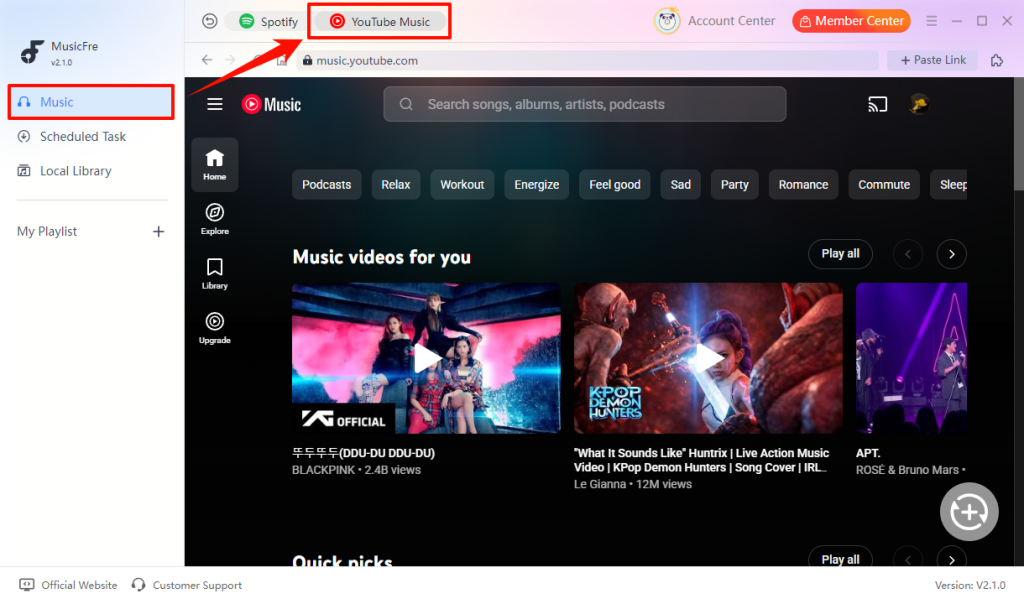
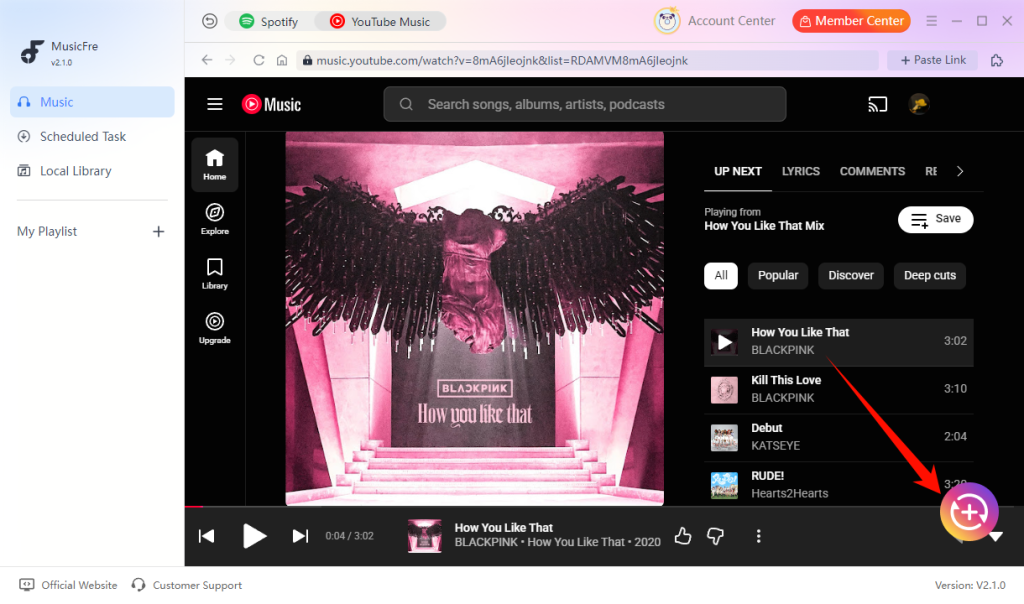
Step 3. Search for the song, album, or playlist you want to save, then click the “+” button to add to the conversion list.
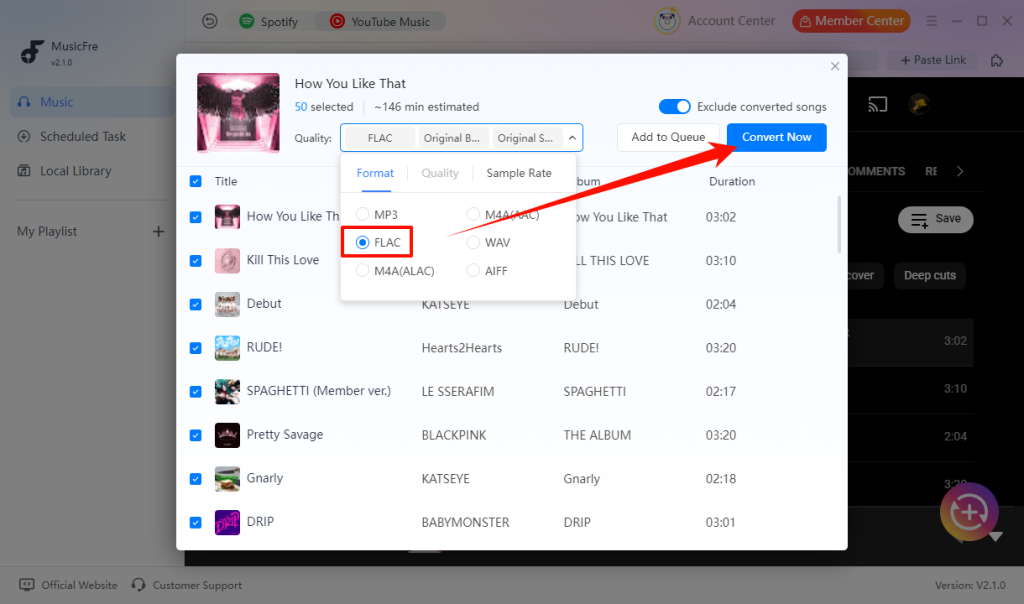
Step 4. Select FLAC as the target format, then click Convert Now to begin the process.
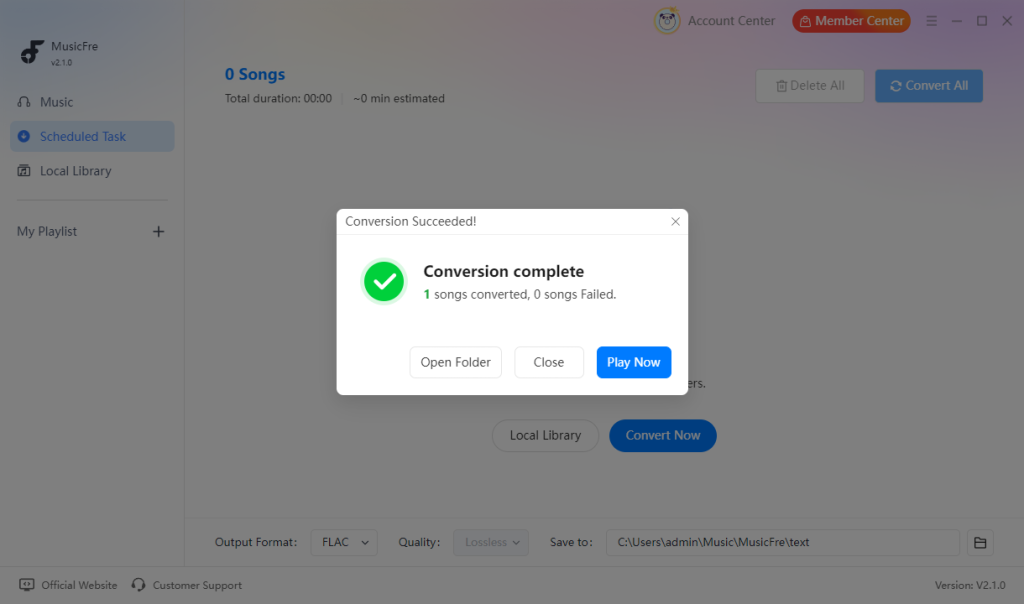
Step 5. When the conversion is complete, open the output folder and check the resulting FLAC files.
Note: Only download or convert content that you have the right or permission to use, and always comply with YouTube’s terms and applicable copyright laws.
Method 2:Use an Online YouTube to FLAC Converter
An online converter can be a simpler option when you only need to save a single file and do not want to install software.
The exact interface varies from site to site, but the basic process is usually similar:
Step 1. Copy the URL of the YouTube video you are permitted to use.
Step 2. Open an online converter in your browser.
Step 3. Paste the YouTube link into its input field.
Step 4. Choose FLAC as the output format if it is available.
Step 5. Start the conversion and save the generated file.
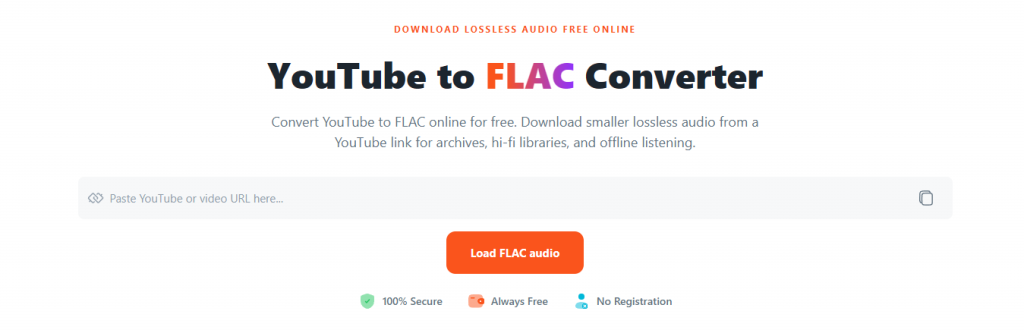
This approach can be convenient, but it also has some trade-offs. Some online tools have file-length limits, slower queues, pop-up ads, and limited playlist support. Before using any web service, check that it is reputable, review its privacy policy, and avoid entering unnecessary account details.
FLAC vs MP3 vs WAV: Which Format Is Best for YouTube Audio?
There is no single best format for everyone. The right choice depends on whether you value storage space, audio-editing compatibility, local library management, or broad device support.
| Format | File size | Compression | Best for | Limitation |
| FLAC | Medium | Lossless | Music libraries and high-quality storage | Uses more storage than MP3 |
| MP3 | Small | Lossy | Everyday listening and easy sharing | Re-encoding can reduce audio information further |
| WAV | Large | Uncompressed | Audio editing and some professional workflows | Takes up more storage space and has limited metadata support |
Go with FLAC if you want good sound quality and plan to keep your music in a local library. It’s lossless, so you can convert it to other formats later when needed.
MP3 is the better pick if you want smaller files that are easy to store and play almost anywhere. It’s a simple option for everyday listening, especially when storage space matters.
WAV is mainly worth using for editing or working with audio in a DAW. The format is uncompressed, which means the files take up a lot more space than FLAC or MP3.
How to Get the Best Possible Audio Quality From YouTube
The output format is only one part of the audio-quality picture. The original stream is the main limitation, so selecting FLAC cannot make a low-quality source sound like a native high-resolution recording.
FAQs About YouTube to FLAC
1Can I play FLAC files on my phone?
Yes, but support depends on your device and music app. Most Android players support FLAC, while iPhone users may need a FLAC-compatible app.
2Will the FLAC file keep song titles and album artwork?
It depends on the converter and the available source information. If details are missing, you can update the title, artist, or cover art later with a tag editor.
3Why is my downloaded FLAC file larger than expected?
FLAC uses lossless compression, so its files are naturally larger than MP3 files. File size can also increase when the track is long or includes embedded album artwork and metadata.
4Does downloading as FLAC also save the YouTube video?
No. When you choose FLAC as the output format, the result is an audio file only. If you need the video itself, select a video format in a tool that supports video downloads.
Conclusion
If you want to download FLAC from YouTube, you can use either a desktop converter or an online tool. Online converters are convenient for occasional downloads, while desktop software is a better fit for playlists, batch processing, and keeping your local music library organized.
Just keep in mind that FLAC preserves the audio available from the source—it cannot restore details that were already lost in the original stream.