

 中文 (台灣)
  日本語
日本語  한국어
한국어  Italiano
  Français
  Português
  Español

5 Best Ways to Download Music from Spotify to Computer in 2026
- Category:Spotify Music Tips
- Kate
- 2026-05-13
Takeaways
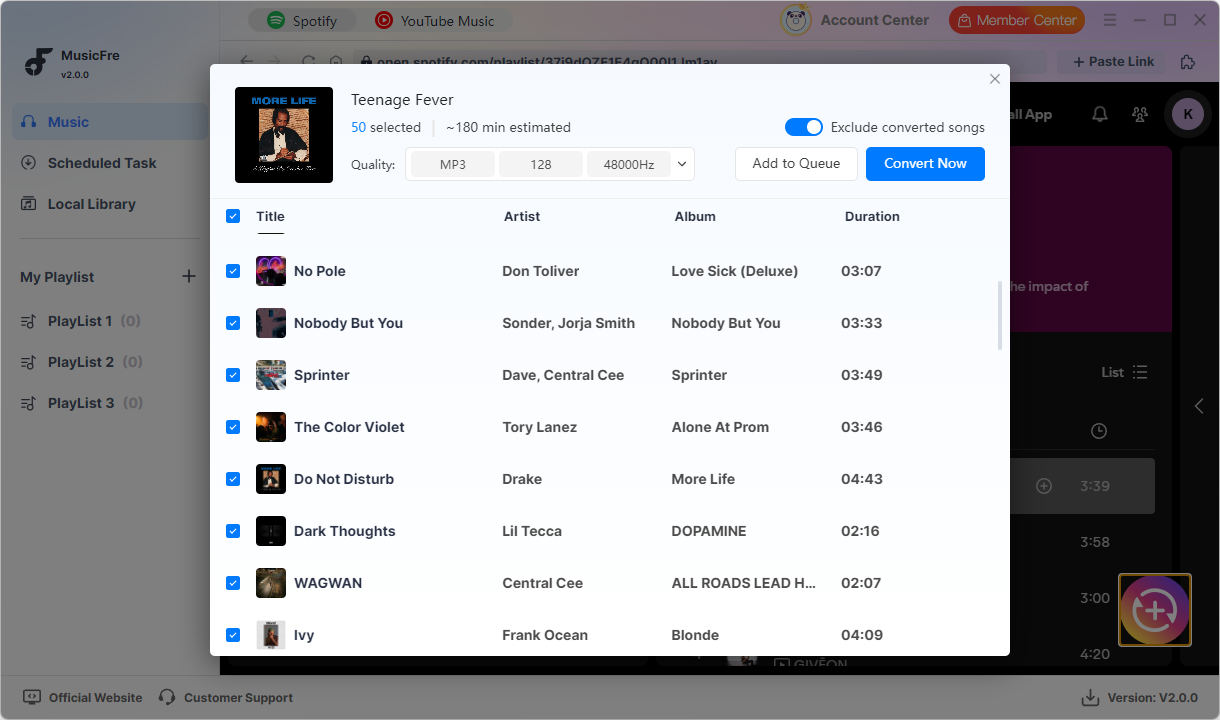
If you’ve saved countless songs, playlists, or albums on Spotify but can only play them within the app, it might be time to find a more flexible way to enjoy your music. In this post, we’ll guide you through 5 ways to download music from Spotify to your Windows or Mac computer – whether you prefer a powerful music downloader, an online conversion tool, or another practical option. Ready to save your favorite Spotify tracks to a PC or laptop? Let’s dive in.
5 Main Methods to Download Music from Spotify to a Computer
There are five main methods to download music from Spotify to a computer, each with its own workflow, advantages, and limitations.
Comparison Table of Spotify Music Download Methods
| Solution | Ease of Use | Format Support | Download Quality |
| MusicFre | Easy (All-in-One optionl) | Excellent (MP3/FLAC/WAV) | Excellent (Batch Download) |
| Spotify Official Download | Easy (Official) | Limited (In-App Playback Only) | Good (Premium Required) |
| Online Spotify Converters | Medium (Web-Based) | Average (Usually MP3) | Varies |
| Audio Recording | Medium (Real-Time Recording) | Good (Depends on Software) | Average (Time-Consuming) |
| Browser Extensions | Easy (Plugin-Based) | Limited | Unstable (Poor Compatibility) |
Way 1Convert Spotify Music to MP3/WAV/FLAC Using MusicFre
For users who want to keep Spotify music on their Windows or Mac more reliably, MusicFre offers a direct solution. You aren’t limited to playing songs only inside the Spotify app; you can convert Spotify music into common audio formats that can be played locally on your PC.
MusicFre has become a practical choice for this method because it supports Spotify music conversion to MP3, WAV, FLAC, and more. More importantly, it helps preserve the original audio quality and music information as much as possible.






You just need to launch MusicFre on your PC, add the Spotify songs, albums, or playlists you want to download, and choose an output format. MusicFre will convert the music and save it to your computer. After that, you can play it offline or transfer it to your phone, music player, USB drive, or other devices.
Key Features of MusicFre:
- Download Spotify music to a computer
- Support MP3, WAV, FLAC, AAC, M4A, AIFF, and more
- Batch convert songs, albums, and playlists
- Keep ID3 tags, including title, artist, album, and cover art
- Play converted music offline without the Spotify app
Since the music is saved as local audio files, you are no longer limited by the Spotify app or an internet connection. For users who want to keep Spotify songs on their computer for long-term use, MusicFre is a more convenient choice.
The detailed steps you are required to follow:
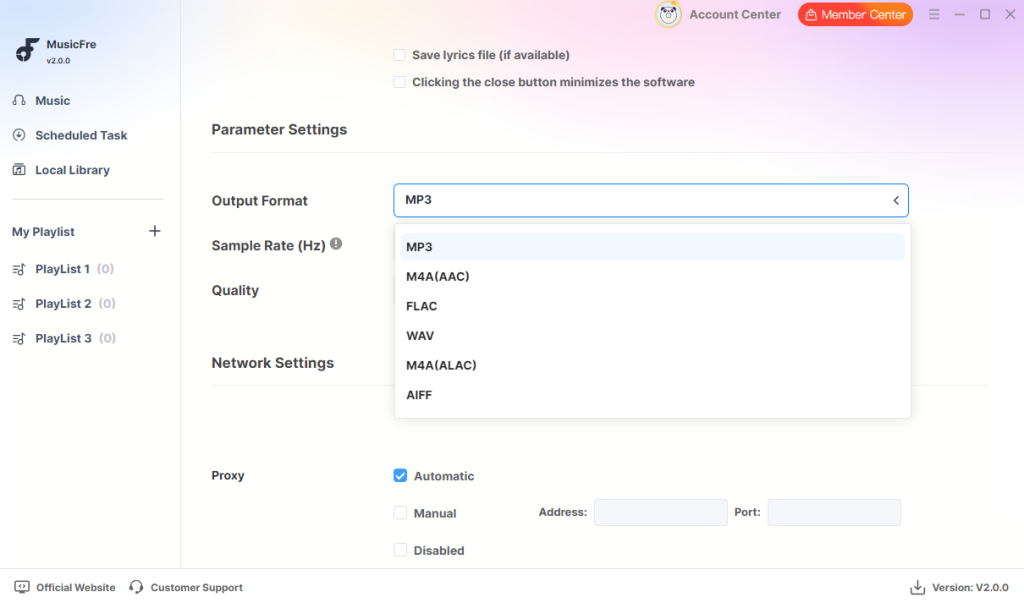
Step 1. Launch MusicFre on your PC and click on the hamburger menu in the top-right corner, then select “Preferences”.
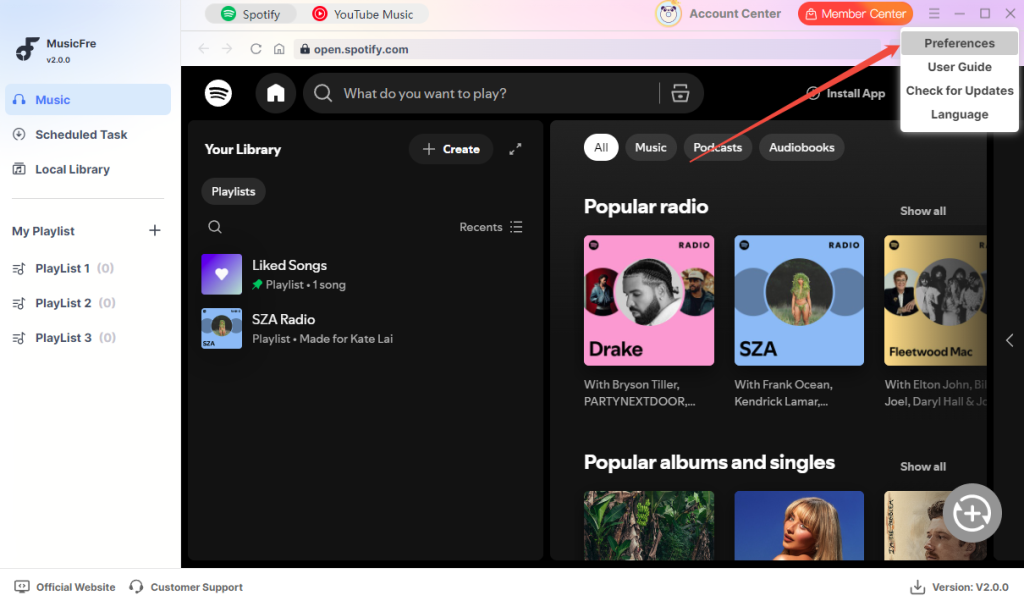
Step 2. Scroll down to find “Output Format”, then select the audio format you want to save, such as “MP3”.
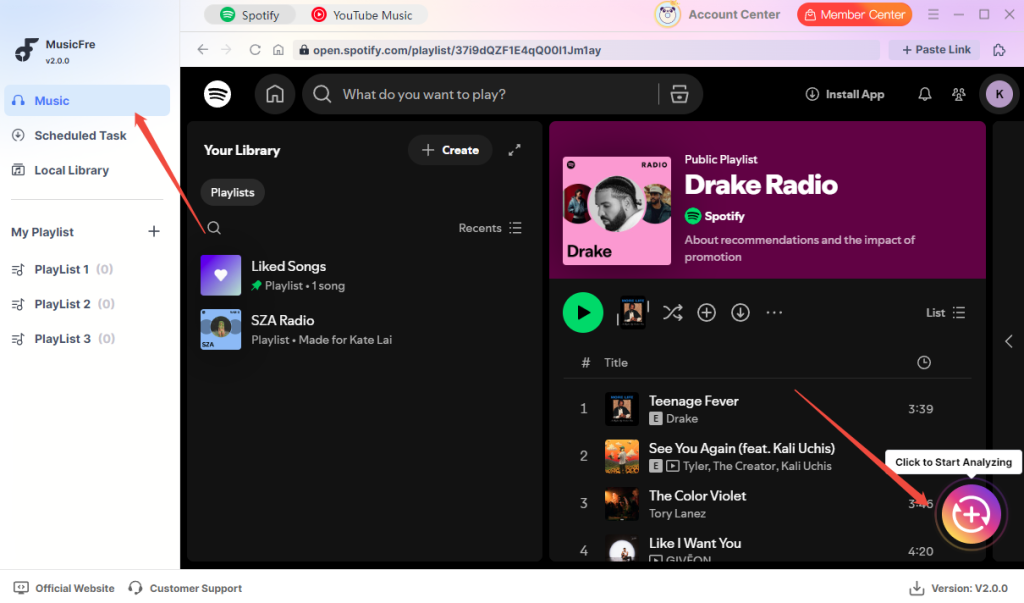
Step 3. Go to the “Music” tab. Select the songs, playlists, or albums you want to convert, then click the “+” button to start analyzing.
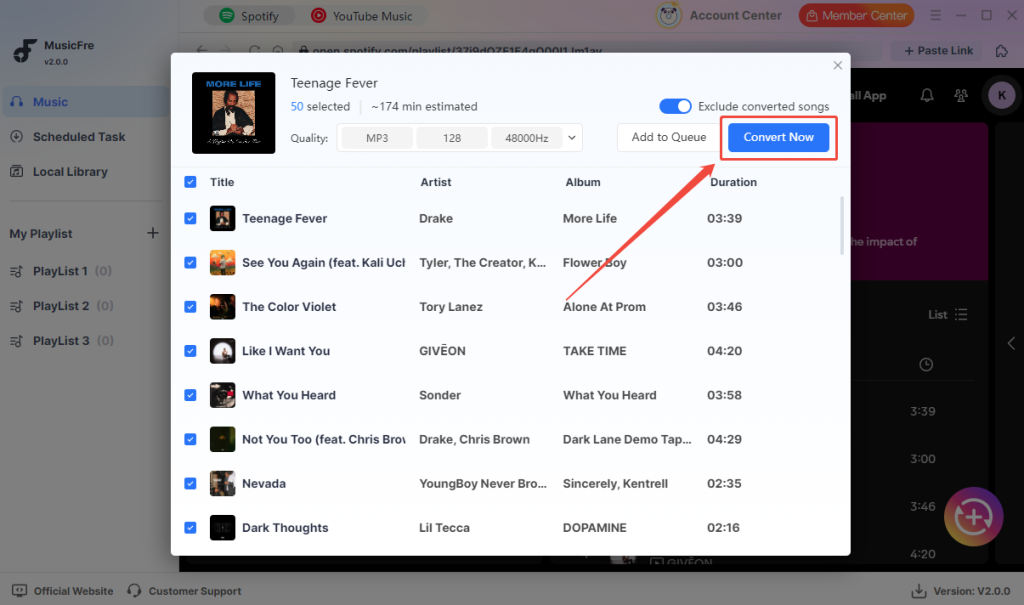
Step 4. After the songs are loaded, click “Convert Now” to start converting Spotify music to MP3.
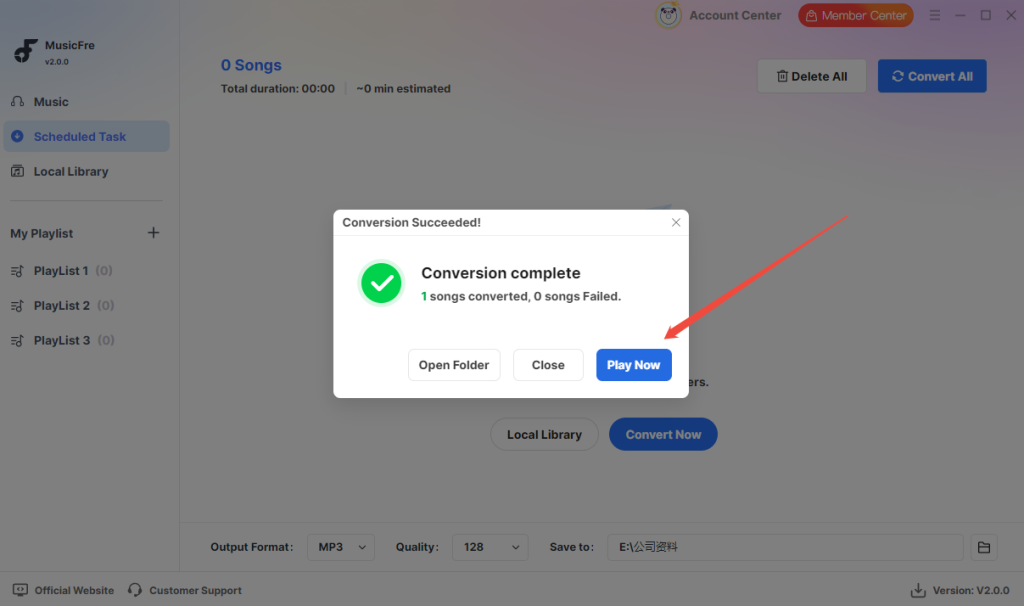
Step 5. Once the conversion is complete, click “Play Now” or open the output folder to enjoy your converted music.
Way 2Use an Official Way to Download Spotify Music
Spotify’s official download method represents the platform’s direct support for offline listening for Premium users.
The official method is designed for ease of use. You open the Spotify app, log in with your Premium account, find the songs, playlists, or albums you want, and download them. There is no need to install a third-party tool or configure output formats. However, in practice, it works more like an in-app caching feature rather than a true local music download, evidenced by the fact that downloaded Spotify music cannot be exported as common audio files like MP3, FLAC, or WAV.
While official, Spotify downloads require an active Premium subscription and a periodic internet connection for content verification.
● Pros: Provides a safe and stable offline listening experience without third-party tools.
● Cons: Downloaded music can only be played within the Spotify app and cannot be exported to a computer folder or opened with other local players.
Attention Point: If you only need offline playback inside Spotify, the official method works well. If you want to save Spotify music as regular audio files and manage it on a PC, laptop, or other devices, this method might be a limitation.
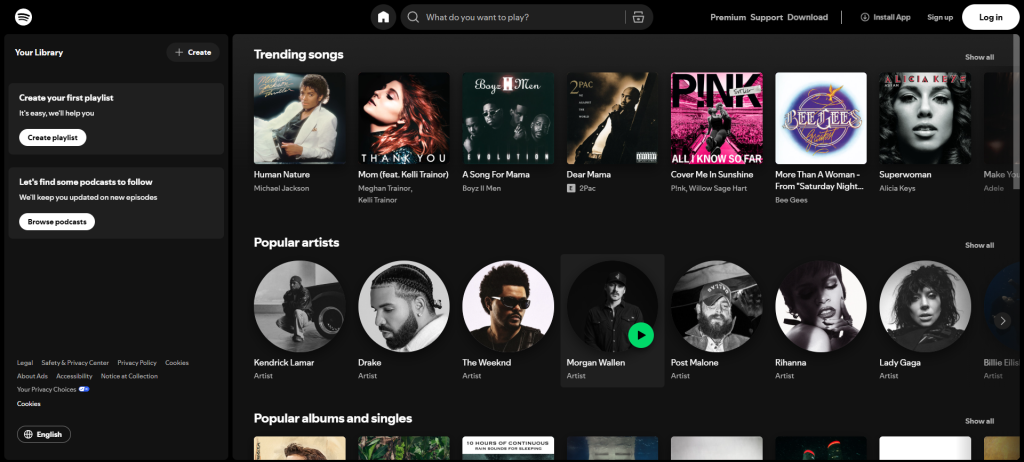
Way 3Convert Spotify Music with Online Spotify Converters
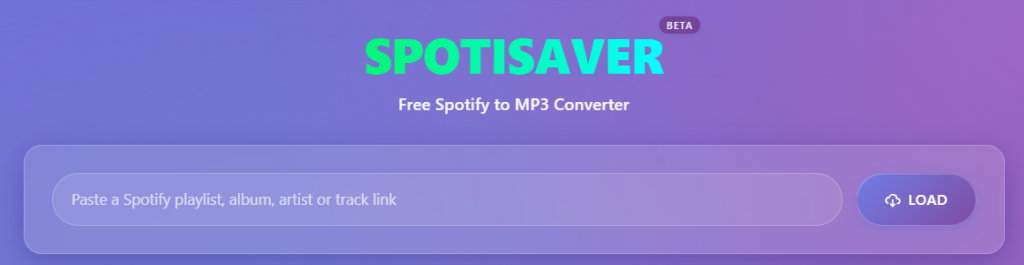
Online Spotify converters have emerged as a convenient way to handle Spotify music directly in a browser. As a no-install option, they are usually better suited for users who only need to convert a small number of songs occasionally.
For users prioritizing convenience, online Spotify converters can be a lightweight choice. They usually run on the web, with no need to install a desktop program or configure complex software settings. This allows you to convert Spotify music through a web page, something that may feel easier for users who do not want to rely on dedicated desktop tools.
However, online tools are not always consistent. Their performance often depends on the specific website, and some platforms may come with ads, slow processing speeds, limited audio quality, or unstable link parsing. This makes them more suitable for temporary use rather than long-term batch Spotify music downloads.
User Experience & Limitations:
● Convenience: No installation required, suitable for quick web-based conversion.
● Format Support: Mostly supports MP3, while some sites may offer other audio formats.
● Stability: Works for a few songs, but may be unreliable for playlists, batch downloads, or high-quality output.
Important Note: If you only need to convert one or two Spotify songs occasionally, an online Spotify converter can be a simple option. If you need stable downloads, higher audio quality, or batch saving, a professional desktop converter is usually a better fit.
Way 4Save Spotify Music on PC with Audio Recording Software
Before dedicated Spotify music downloaders became popular, recording software was one way to save Spotify music on a PC. It remains useful for users who prefer to capture the audio playing on their computer.
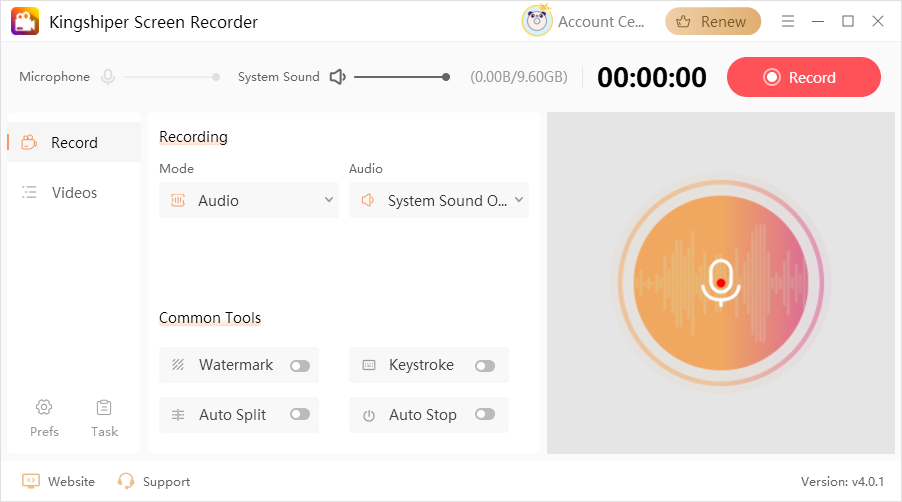
Kingshiper Screen Recorder is one option for this method.
Kingshiper Screen Recorder: Known for its screen recording and audio recording features. It can capture system sound from your computer and save the music currently playing on Spotify.
Note: Kingshiper Screen Recorder does not directly parse or download Spotify music. While it can record the audio playing from Spotify, it works in real time. If you record a 4-minute song, you usually need to play the full 4 minutes. If system notifications, network lag, or incorrect volume settings occur during recording, the final audio quality may be affected.
Only use recording software if you need to save a small number of Spotify songs or prefer a recording-based method. Always turn off unnecessary notification sounds and keep Spotify playback stable.
Way 5Download Spotify Music on PC through Browser Extensions
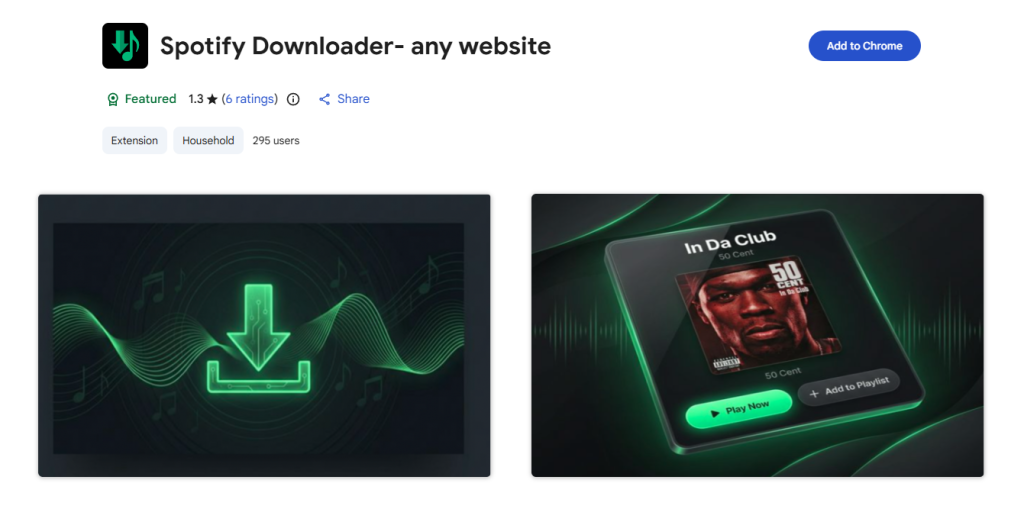
The Spotify music download method available through browser extensions is often a quick add-on option for users. These tools are usually installed directly in Chrome or other browsers.
What’s included: You can use the extension to process some Spotify music links, and certain plugins may allow you to save songs as common formats like MP3. It is suitable for users who prefer a browser-based tool instead of a full desktop program.
The Drawbacks: This method is essentially an “extension-based” solution. Its performance depends heavily on the plugin itself and browser compatibility. It may not support full playlists, stable downloads, or high-quality output. Crucially, some extensions may stop working after browser or platform updates. You may also face privacy or security risks, making it an unreliable choice for long-term Spotify music downloads.
FAQs about Downloading Music from Spotify to a Computer
Q1. Can I save Spotify music directly as MP3?
Generally, no. Spotify official downloads can only be played within the app. However, using a music downloader like MusicFre is a more suitable route if you want to save Spotify music as MP3.
Q2. Can I download Spotify music without Spotify Premium?
The options are available, but they vary. You can try third-party tools, online converters, or recording software, though audio quality, stability, and format support may differ depending on the method.
Q3. Which method is best for batch downloading playlists?
MusicFre. It supports songs, playlists, and albums, and can save them as common formats like MP3, FLAC, and WAV.
Q4. Are online Spotify converters safe?
Not always. Some online tools may include ads, parsing failures, or privacy risks. They can be a temporary option for a few songs, but they are not ideal for long-term use.
Q5. Can I play downloaded Spotify music on other players?
It depends on the method. Spotify official downloads cannot be exported. However, if the music is saved as MP3, FLAC, or WAV, you can play it on other players or devices.
Conclusion
Choosing how to download Spotify music to your computer depends on your needs. Ultimately, investing a little time in choosing the right Spotify music download solution will pay off in greater flexibility, efficiency, and long-term convenience for your music management. Download smart, save smoothly, and enjoy your favorite Spotify songs more freely on your PC or laptop.
subscription
payment
guarantee