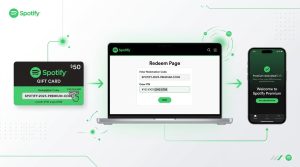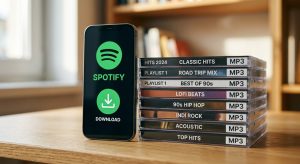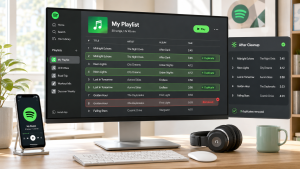

 中文 (台灣)
  日本語
日本語  한국어
한국어  Italiano
  Français
  Português
  Español

Top 5 Methods to Convert Spotify Playlist to MP3 (2026)
- Category:Spotify Music Tips
- Kate
- 2026-06-16
- Using MusicFre Spotify to MP3 Converter: Select the Spotify platform, find the songs you want to convert, click the “+” button, and tap on the “Convert Now” to save Spotify tracks as MP3 files.
- On Spotify app via Offline Mode: Select songs, click the “Download” button, and enable “Offline Mode” to play in-app without a network connection (note that this does not directly export MP3 files).
- Using Local Audio Converter: Prepare your owned local audio files, import them into the converter, choose a target format such as MP3, WAV, or AAC, and start converting.
- Via Creator-Provided Download Links: Visit the music creator’s authorized release page, find the official download channel, and directly obtain the audio in MP3 or WAV format.
- Online Spotify Downloader: Copy the playlist URL, paste it into the online downloading site, and quickly generate and download the MP3 files directly to your device (be aware of potential privacy and stability risks).
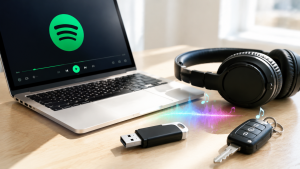
Spotify is one of the most popular music streaming platforms, giving users access to millions of songs, albums, podcasts, and playlists. However, many users still run into the same problem: Spotify downloads are mainly designed for offline listening inside the Spotify app, not as regular MP3 files that can be transferred to an MP3 player, USB drive, car stereo, or other devices.
That’s why many people are looking for a reliable way to download Spotify songs to MP3. If you also want to understand how to convert Spotify playlist to MP3, this guide will walk you through the key things you should know, practical methods, and a recommended tool called MusicFre.
Disclaimer: This guide is intended for personal and lawful use only. Please respect copyright laws, Spotify’s terms, and the rights of artists and content owners. Only convert or download music you own, have permission to use, or are legally allowed to save.





Can You Convert Spotify Playlist to MP3?
Yes, in some cases, you can convert a Spotify playlist to MP3, but it depends on the content source, your usage purpose, and whether you have the right to process the audio.
Spotify Premium allows users to download albums, playlists, and podcasts for offline listening inside Spotify. According to Spotify Support, Premium users can download up to 10,000 tracks on each of up to 5 devices, but those downloads are kept within the Spotify app environment. They are not regular MP3 files that you can freely move to another device.
This means if you want to download from Spotify to MP3, you need to understand the difference between:
- Spotify offline listening inside the app;
- Regular MP3 files stored on your computer;
- Music you own or have permission to convert;
- Copyrighted songs that should not be redistributed or used without authorization.
So, while a Spotify playlist to MP3 converter can be useful, it should be used carefully and legally.
Why Spotify Downloads Are Not MP3 Files
Many users think that once they download music with Spotify Premium, they can find the songs as MP3 files on their computer or phone. In actual use, this is not how Spotify offline downloads work.
Spotify is a streaming service. When you download music from Spotify, the songs are stored for offline playback within the app. These files are not designed to be transferred to an MP3 player, USB drive, or another music app. Spotify also requires users to go online regularly to keep downloads available.
That’s why users often look for a Spotify playlist downloader or a way to download a Spotify playlist to MP3. A standard MP3 file gives users more flexibility, but you should only create MP3 copies when you have the legal right to do so.
Quick Overview of All Spotify Playlist to MP3 Methods
Here’s a quick comparison table of the top 5 Spotify to MP3 methods, including official downloads, third-party music converters, online free solutions, and more.
| Method | Best For | Output Format | Feasibility | Limitation |
| Spotify Premium Offline Mode | Listening offline inside Spotify | In-app offline playback | Limited | Does not export MP3 files |
| MusicFre | Batch convert, download, and save Spotify playlist to MP3 for authorized content | MP3, M4A(AAC), FLAC, WAV, M4A(ALAC), AIFF | High | Use only for lawful personal purposes |
| Local Audio Converter | Converting owned local audio files | MP3/WAV/AAC | Moderate | Requires local files first |
| Creator-Provided Download Links | Music released with permission | Usually MP3/WAV | Moderate | Depends on creator availability |
| Online Spotify Downloader | Quick link-based conversion | MP3 | Low to Moderate | May have privacy, stability, and legal risks |
Recommended Spotify Playlist to MP3 Converter: MusicFre
If you want a simpler way to manage Spotify playlist to MP3 conversion for personal and lawful use, MusicFre can be a practical option to consider. It is designed for users who want an easier workflow when handling music conversion tasks without dealing with complicated settings.
Compared with random online tools, a desktop streaming music converter is usually more stable and safer because you do not need to rely on unknown websites full of pop-ups, redirects, or unclear privacy practices. For users who want to download Spotify songs to MP3 or organize playlist audio more conveniently, MusicFre can help make the process more straightforward.
Key Features to Look for in MusicFre:
- Spotify Playlist to MP3 Conversion: A useful converter should help users process playlists and save audio in MP3 format for easier playback on common devices.
- Batch Playlist Handling: When converting a full playlist, batch processing can save more time than converting songs one by one.
- Simple Interface: A beginner-friendly interface helps users finish conversion tasks without complicated technical steps.
- Audio Quality Options: Provides six output formats, including MP3, M4A, FLAC, etc. You can choose between a smaller file size and better listening quality.
- Local File Management: Saving files locally makes it easier to organize music folders, rename files, and move MP3s to supported devices.
Now, get MusicFre MP3 Downloader for free here!
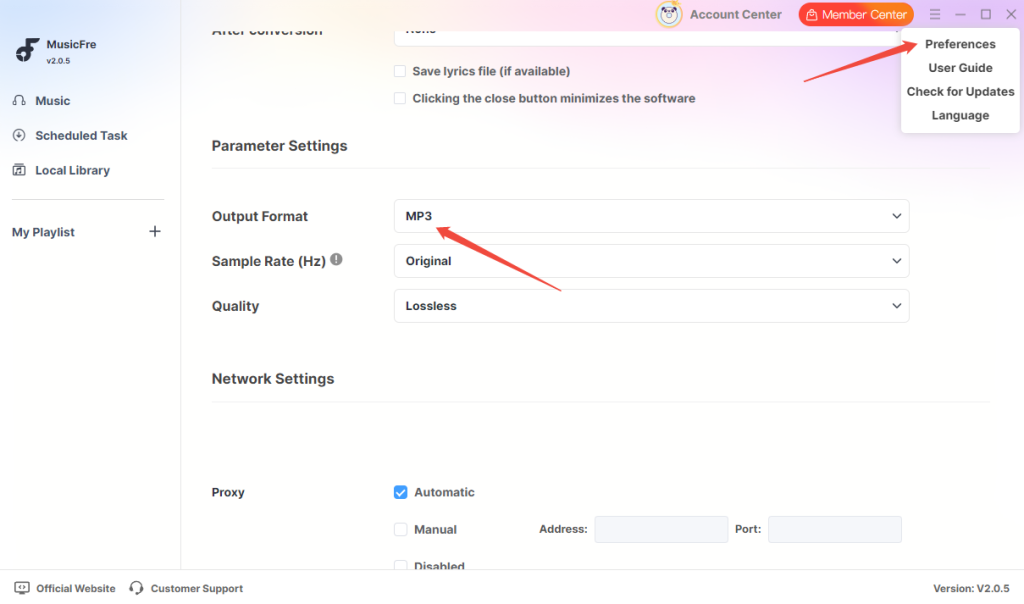
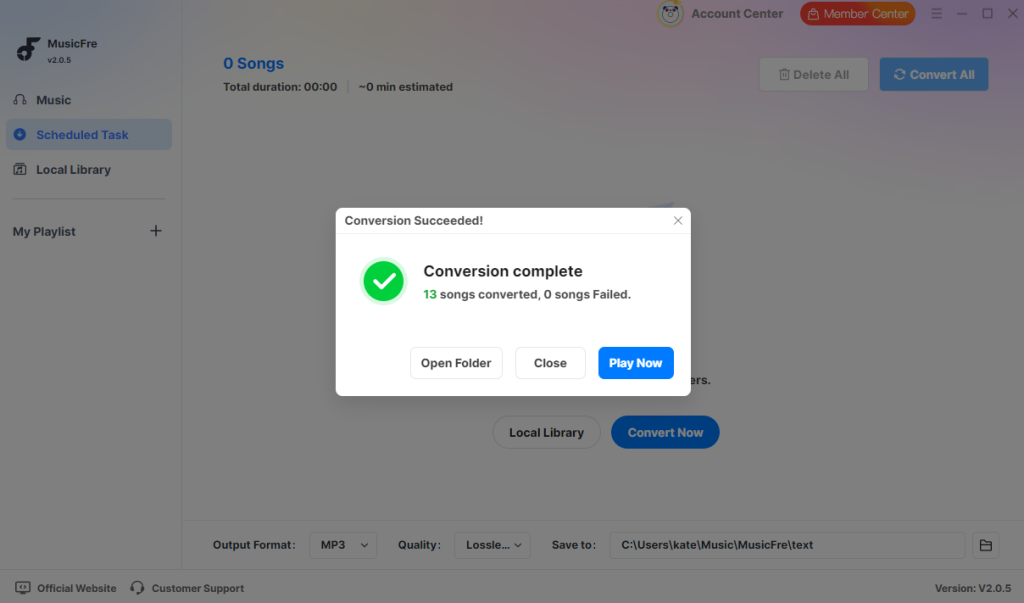
Step 1. Download and install MusicFre on your computer. Launch the program and click on the “Menu” icon -> “Preferences”, to set the MP3 as the output format.
Step 2. Go to the “Music” tab and choose the playlist you want to convert.
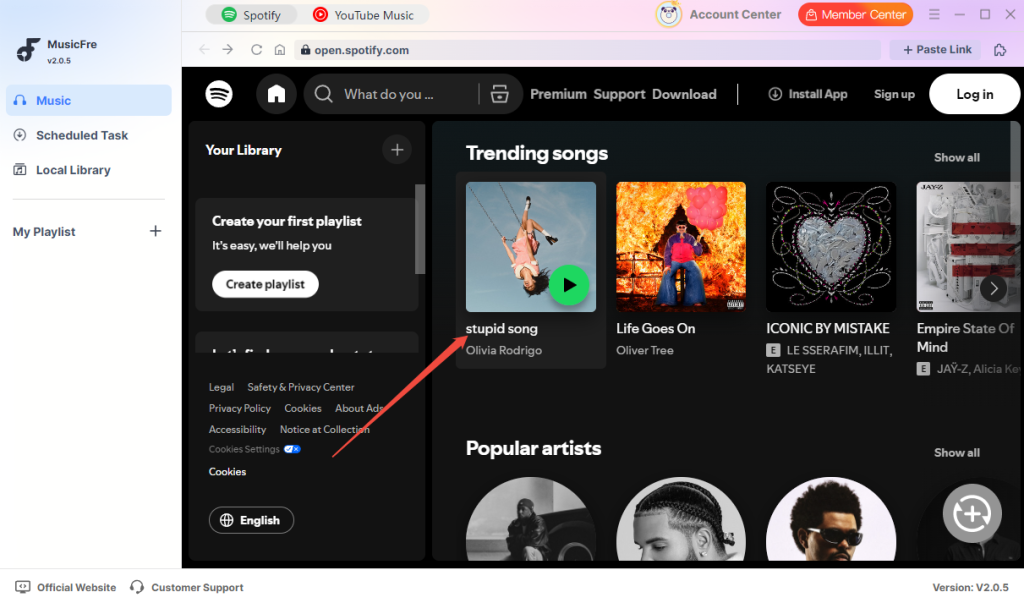
Step 3. Click on the “+” button, and it will analyze the playlist. Then, tap on the “Convert Now” button.
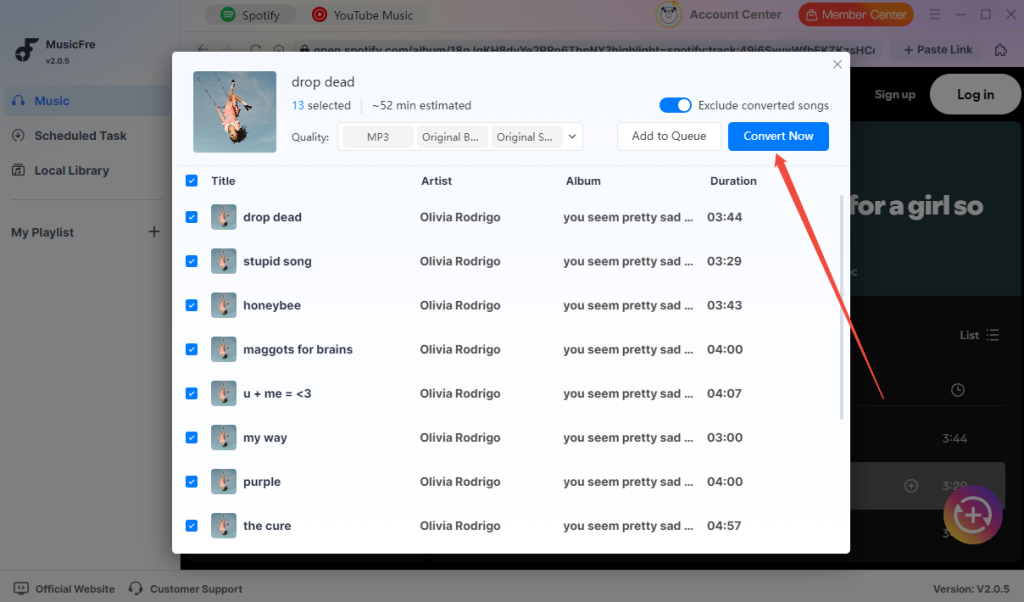
Step 4. Once finished, open the “Output Folder” or click “Play Now” to check your MP3 files.
Disclaimer: This guide is compiled for personal fair use ONLY. MusicFre is in no way collaborated or affiliated with Spotify and never advocates any copyright infringement action, please confirm the copyright before use.
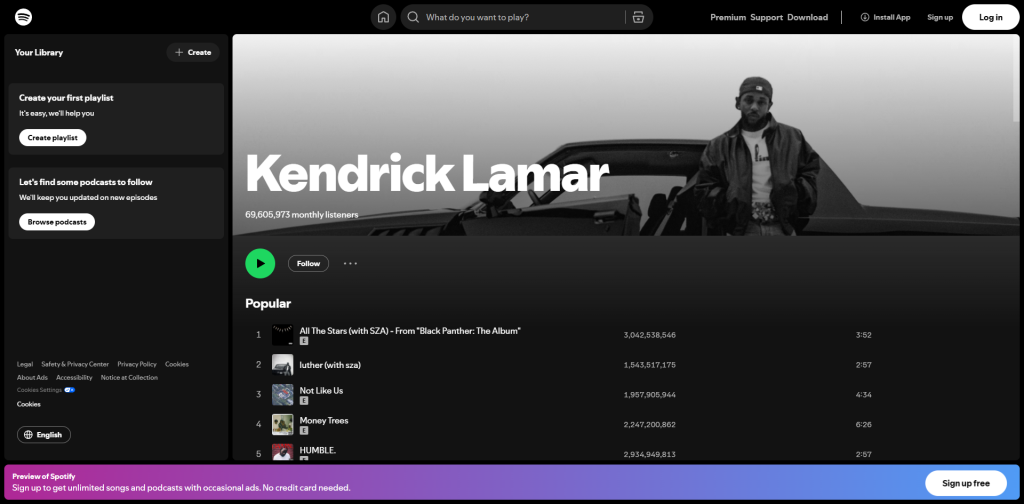
Method 2. Use Spotify Premium for Offline Listening
If your real purpose is only to listen to Spotify music offline, Spotify Premium is the official method. With Premium, you can download playlists, albums, and podcasts inside the Spotify app. But what you should notice is that this method is safe and official, but it does not create MP3 files. If you need MP3 files for an MP3 player or USB drive, Spotify Premium downloads alone will not meet that need.
Follow these steps to download Spotify songs to MP3:
Step 1. Open Spotify on your mobile device or desktop.
Step 2. Find the playlist or album you want to listen to offline.
Step 3. Click or tap the “Download” button and wait until the download is complete.
Step 4. Go to your library and play the content offline inside Spotify.
Method 3. Convert Local Music Files to MP3
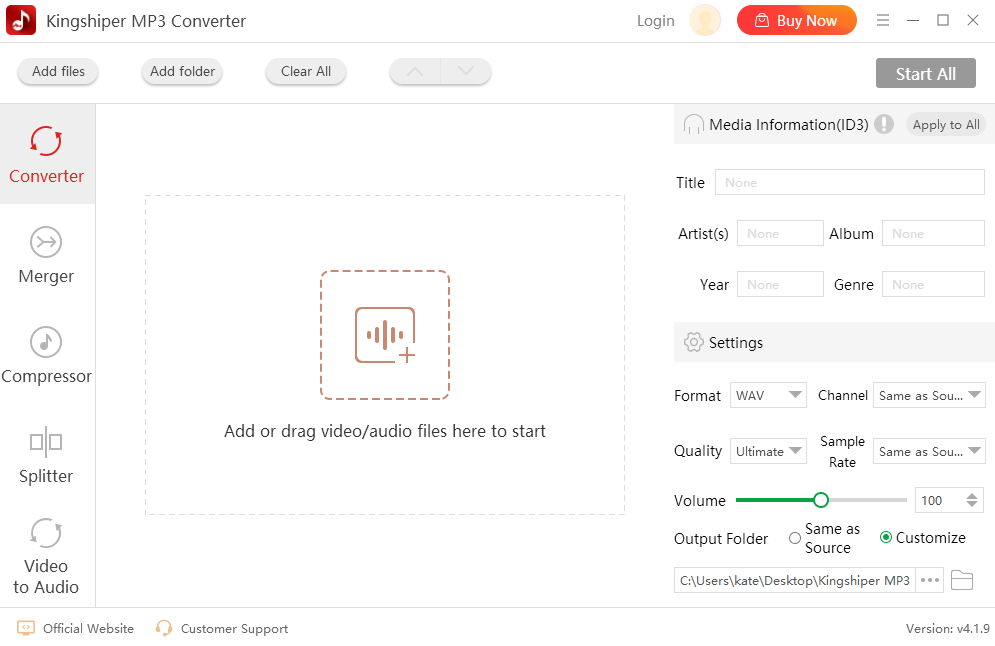
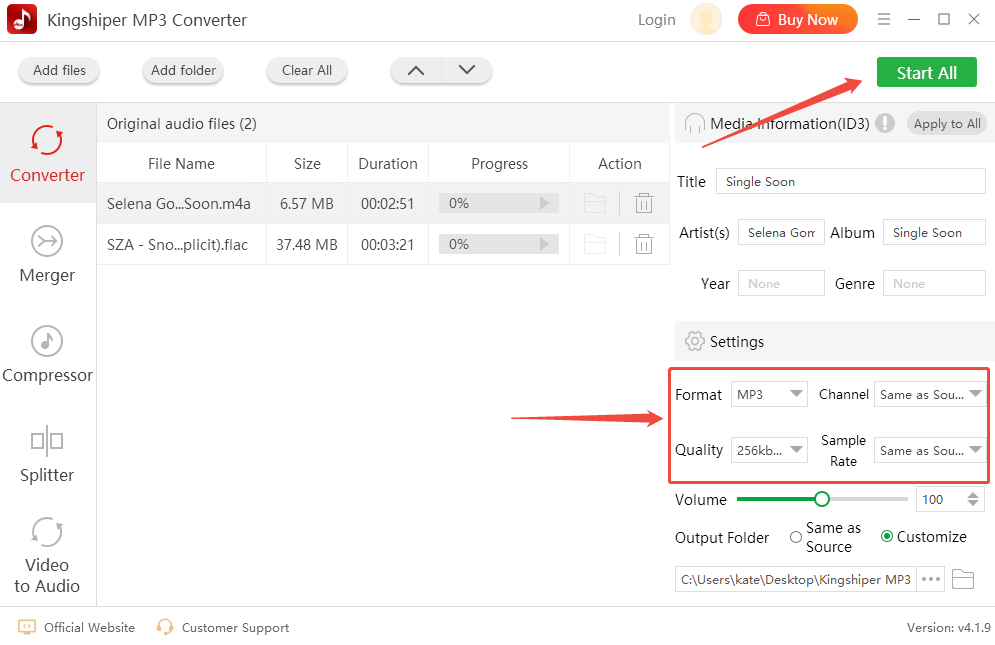
If you already own local music files or have legally downloaded audio, you can convert those files to MP3 with a regular audio converter, like Kingshiper MP3 Converter. This is often the safest and cleanest way to create MP3 files.
Let’s see how to do this.
Step 1. Open your audio converter on your Windows PC and import the local music files.
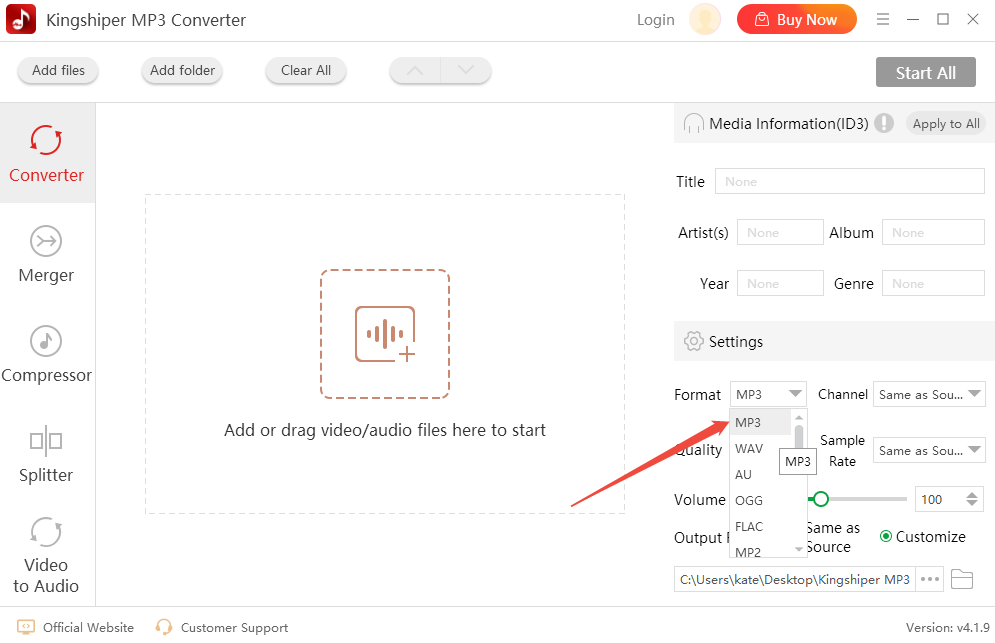
Step 2. Choose “MP3” as the output format.
Step 3. Select the audio quality and output folder. Click “Start All” to start the conversion.
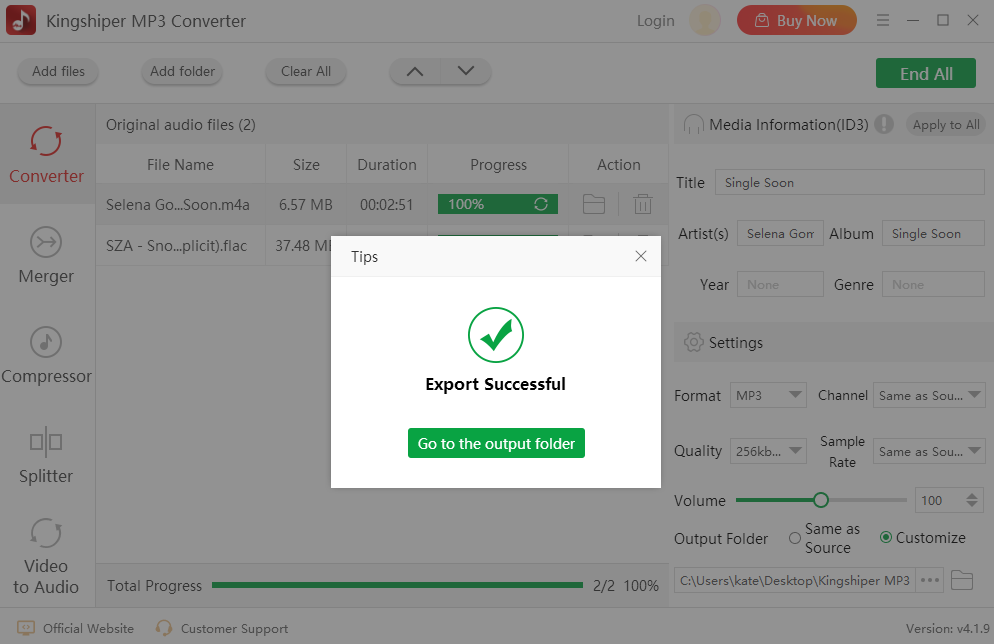
Step 4. Go to the output folder and check the converted files.
Method 4. Use Creator-Provided Download Options
Some artists, podcasters, and creators provide official download links for their music or audio content. These links may appear on their websites, social media pages, Bandcamp pages, podcast pages, or video descriptions. It is especially useful for royalty-free music, podcasts, independent artists, educational audio, and music released under clear download permission.
If the creator clearly allows downloading, this is a safer way to get MP3 files.
Step 1. Visit the creator’s official page. Check whether they provide MP3, WAV, or ZIP download links.
Step 2. Review the usage permission or license and download the file from the official source.
Step 3. If needed, convert it to MP3 using a local converter.
Method 5. Download Spotify Playlist to MP3 Online Free
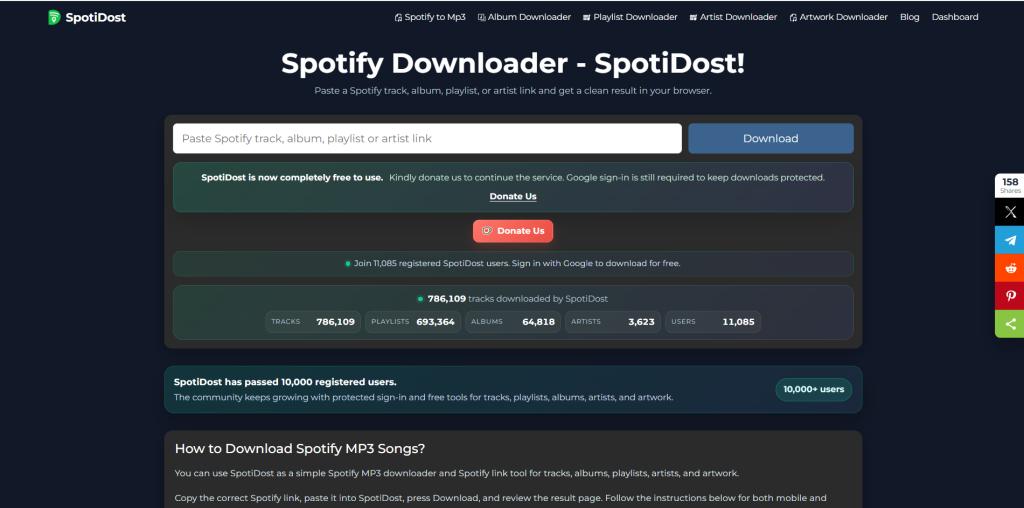
If you don’t want to install desktop software, using an online Spotify playlist downloader can be another option. SpotiDost is an online music converter that is designed to convert Spotify tracks, albums, and playlists into MP3 files. However, online Spotify downloaders may have limitations in batch download stability, output quality, privacy, and long playlist processing. Therefore, they are more suitable for users who only need a fast and temporary solution.
Here’s how to download a Spotify playlist to MP3 online with SpotiDost:
Step 1. Open the SpotiDost website in your browser.
Step 2. Go to the Spotify to Mp3 tab and copy the playlist, album, or song link you want to process.
Step 3. Paste the Spotify link into the search or download box.
Step 4. Click the “Download” button to start processing the playlist.
Step 5. Once the conversion is finished, download the MP3 files to your device.
Are Online Spotify Playlist Downloaders Safe?
Online Spotify playlist downloaders may look convenient because they usually ask you to paste a Spotify link and wait for the MP3 file. However, they also come with possible risks.
Some online tools may include:
- pop-up ads;
- misleading download buttons;
- unstable playlist parsing;
- failed downloads;
- low audio quality;
- redirects to unrelated pages;
- unclear privacy policies;
- limited batch downloads;
- possible copyright or platform-term concerns.
If you use any online Spotify playlist downloader, make sure you understand the risks. Do not enter your Spotify password on unknown websites. Do not download suspicious installers. Do not use the tool for unauthorized redistribution or commercial use.
For better stability and privacy, a desktop tool like MusicFre can be a more practical choice for users who prefer a controlled workflow.
How to Choose a Good Spotify Playlist to MP3 Converter
Before choosing a Spotify playlist to MP3 converter, you should check more than just whether it can download files. A good converter should also be safe, stable, easy to use, and suitable for your actual purpose. Here are some points to consider:
Output Format: The tool should support MP3 because MP3 is widely compatible with phones, computers, car players, MP3 players, and other devices.
Batch Conversion: If you have a long playlist, batch conversion is important. It helps you process multiple songs at once instead of repeating the same steps.
Ease of Use: A good tool should have a clear interface. Beginners should be able to add music, choose MP3, and start conversion in a few clicks.
Audio Quality: Look for flexible audio quality settings. Higher quality usually means larger file size, while lower quality saves storage space.
Metadata Support: If possible, the converter should preserve basic song information such as title, artist, album, and cover art. This makes your music library easier to organize.
Privacy and Safety: Avoid tools that ask for unnecessary account information. A local converter is often safer than unknown online websites.
FAQs About Spotify Playlist to MP3
1Is it legal to convert Spotify playlist to MP3?
It depends on the content and how you use it. Converting music you own or have permission to use is safer. Downloading copyrighted Spotify songs as MP3 without permission may violate copyright laws or Spotify’s terms.
2Can Spotify Premium download songs as MP3?
No. Spotify Premium allows offline listening inside the Spotify app, but it does not export songs as regular MP3 files.
3How to download songs from Spotify to MP3?
For lawful personal use, you can use a tool like MusicFre to manage authorized music conversion, or download music from official creator-provided sources and convert local files to MP3.
4How to download music from Spotify to MP3 safely?
Use trusted tools, avoid suspicious online downloaders, do not enter your account password on unknown websites, and only process music you have the right to use.
5What is the best Spotify playlist to MP3 converter?
A good Spotify playlist to MP3 converter should be easy to use, stable, support playlist handling, provide MP3 output, and protect user privacy. MusicFre can be a practical option if you want a simple and straightforward workflow.
6Is an online Spotify playlist downloader better than desktop software?
Online tools are convenient, but they may have ads, redirects, unstable performance, and privacy concerns. Desktop software is usually more stable for repeated use.
The Bottom Line
This article shares five ways to convert a Spotify playlist to MP3. Whether you are searching for a tool to batch download Spotify songs to MP3 or save your favorite playlists in different audio formats, MusicFre comes to the rescue. If you don’t want to be troubled by desktop software, you can choose an online Spotify downloader, Spotify Premium offline mode, or creator-provided download links.
subscription
payment
guarantee