

 中文 (台灣)
  日本語
日本語  한국어
한국어  Italiano
  Français
  Português
  Español

How to Convert Spotify Music to MP3 on Windows (Free & Easy)
- Category:Spotify Music Tips
- Xiny
- 2026-07-31
Do you want to convert Spotify music to MP3 on your Windows PC? You are in the right place!
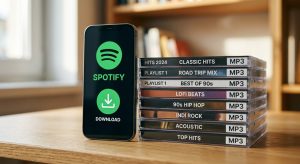
Spotify lets users download music for offline listening. However, these downloads are not standard MP3 files. They only work in the Spotify app.
A Spotify MP3 music converter can help you save music in a format that works on more devices. In this guide, you will learn how to convert Spotify music to MP3 in two ways.
Note: Only save music that you own or have permission to use. Always follow local laws and the terms of the music service.
Why Convert Spotify Music to MP3?
Spotify provides millions of songs, but the downloaded music from Spotify is not a normal audio file. Even with Spotify Premium, users cannot access downloaded songs outside the Spotify app. This is why many people look for a way to convert Spotify music to MP3.
Here are some common reasons:
- Listen to Spotify music offline without restrictions
- Play Spotify songs on more devices
- Create your own music library
Can You Convert Spotify Music to MP3?
Yes, you can convert Spotify music to MP3 with a professional Spotify converter.
However, Spotify itself does not provide an official MP3 export option. The download feature in Spotify only saves encrypted files that can be played inside the Spotify app. To get regular MP3 files, you need a third-party Spotify to MP3 converter.
A good converter should provide:
- High-quality audio output
- Fast conversion speed
- Support for playlists and albums
- Simple operation
When choosing a tool to convert Spotify music to MP3, users usually have two options: desktop converters and online Spotify converters. Both methods can help convert Spotify songs, but they are different in terms of stability, audio quality, and user experience.
Here is a quick comparison:
| Feature | Desktop Spotify Converter | Online Tool |
| Stability | More stable and reliable | May stop working or change frequently |
| Conversion Speed | Faster conversion with better performance | Usually slower due to server limits |
| Audio Quality | Supports high-quality MP3 output | Audio quality may be reduced |
| Batch Conversion | Supports multiple songs and playlists | Usually limited to single tracks |
| User Experience | Clean interface with more control | Often contains ads and pop-ups |
How to Choose a Spotify MP3 Converter on Windows?
Before choosing a tool, think about how often you want to convert Spotify music to MP3 and what you plan to do with the files afterward. An online tool and a desktop Spotify MP3 music converter can meet different needs on a Windows PC.
Are You Converting Individual Songs or Full Playlists?
If you only need a few individual tracks, an online option may be enough. If you want to process albums or playlists and keep files organized on a Windows PC, a desktop converter may be a better fit.
Do you want to install software?
Online Spotify to MP3 converters can be convenient for occasional browser-based use. Desktop tools require installation, but they may provide more control over batch tasks, output settings, and local file management.
Do you need to choose the output folder?
If you want to build a local music library on Windows or transfer files to supported devices, a desktop tool can be a better choice because it often gives you more control over the output folder and format options.
Recommended Spotify MP3 Music Converter on Windows: MusicFre
If you are looking for a reliable way to convert Spotify music to MP3 on Windows, MusicFre is a desktop option to consider.
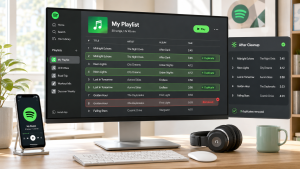
MusicFre is a professional Spotify MP3 music converter designed for Windows users. It allows you to convert Spotify songs, playlists, and albums into common audio formats. Therefore, you can enjoy your favorite music on more devices without being limited to the Spotify app.
Features:
- Convert Spotify music to MP3 and more formats.
- Handle multiple tracks in one workflow.
- Convert songs, albums, and playlists in batches.
- It can preserve available music metadata, such as song title, artist, album, and cover information.
Limitations:
- MusicFre requires installation on a Windows PC.
- If you only need a quick browser-based task, an online tool may feel more convenient.
Best For:
MusicFre is a good fit for Windows users who want to convert Spotify music to MP3 more regularly. It is also a better match for users who want to choose where files are saved and keep their local music library organized.
How to Convert Spotify Music to MP3 with MusicFre?
With MusicFre, you can convert your favorite Spotify songs into MP3 files quickly. The process is simple, even for beginners.






Follow these steps:
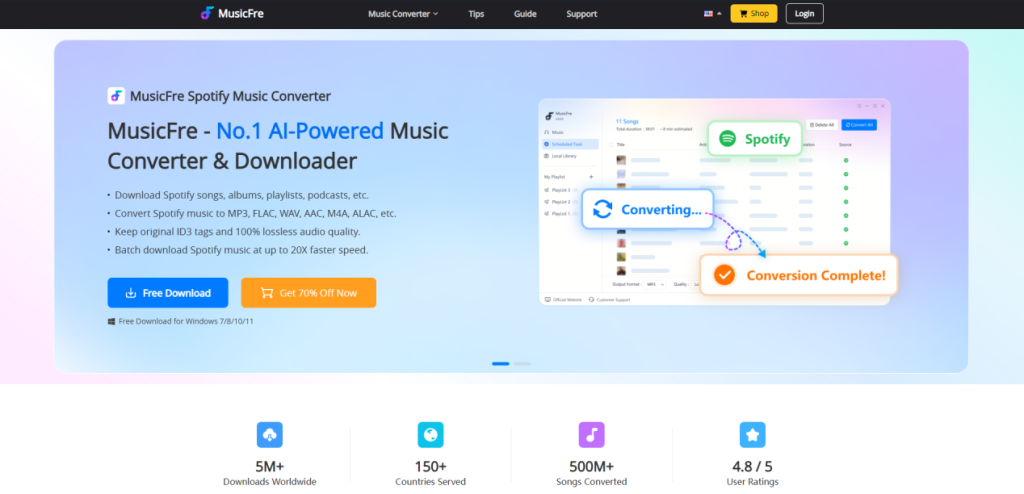
Step 1. Go to the official MusicFre website. Download and install MusicFre on your Windows PC.
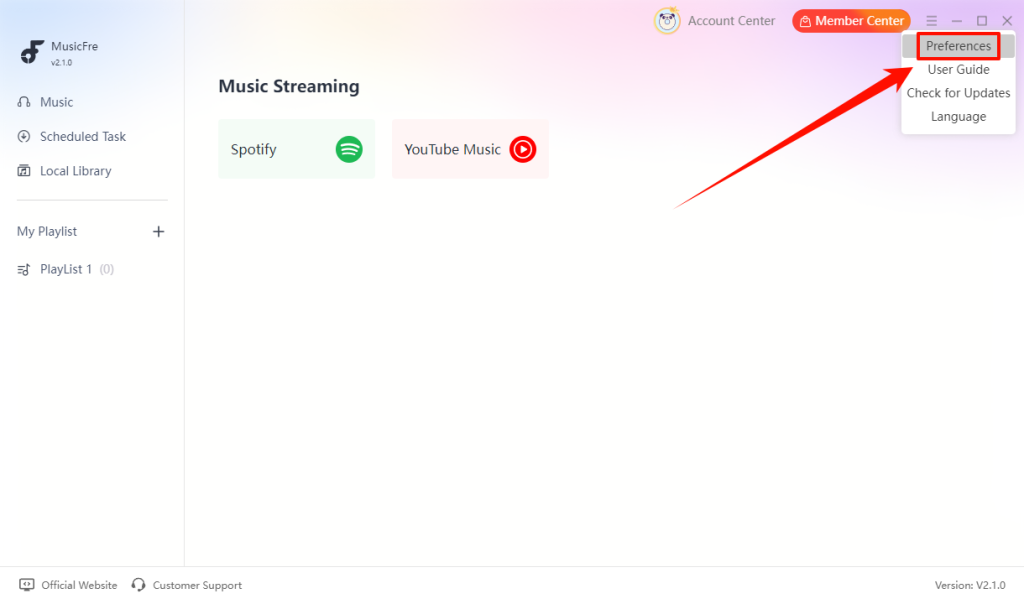
Step 2. Log in to MusicFre. Click the “menu” icon in the top-right corner and select “Preferences”.
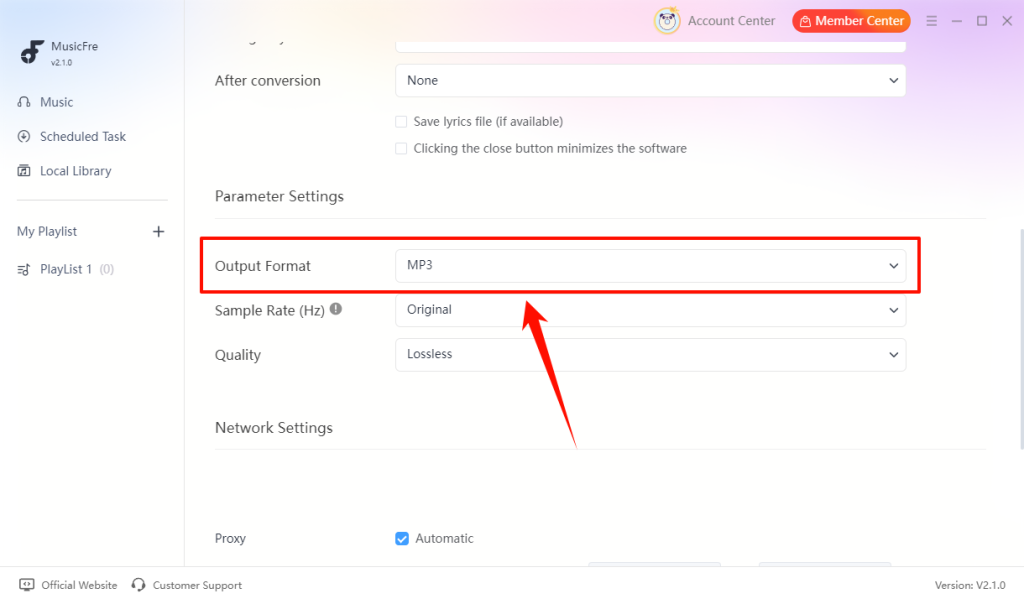
Step 3. Scroll down to the Parameter Settings section, then set the “Output Format” to “MP3”.
Step 4. Go to “Music” -> “Spotify”, click the “+” button to add the Spotify songs that you want to convert to MP3.
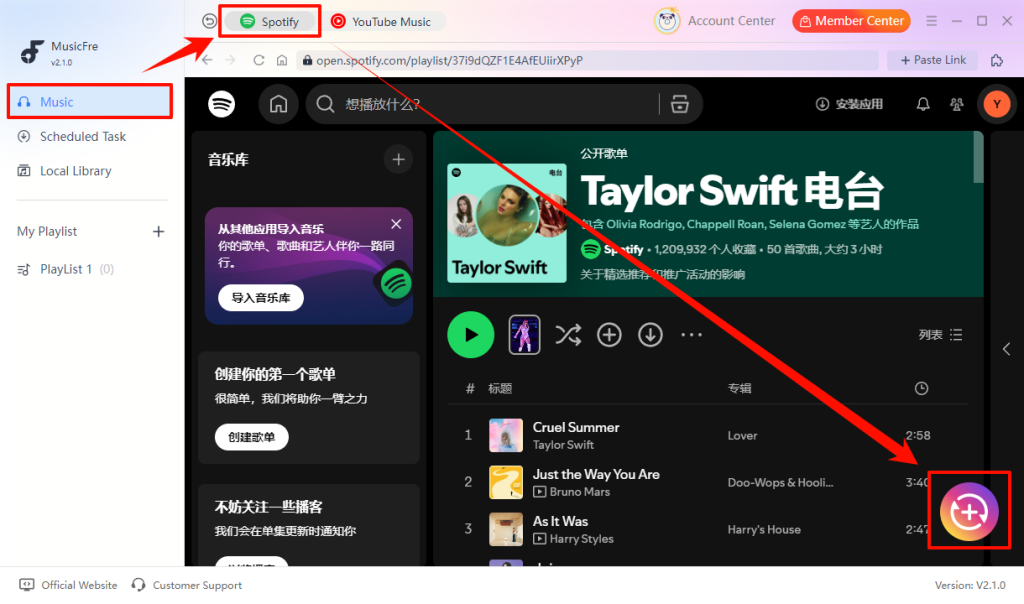
Step 5. After adding the music, click the “Convert Now” button to start converting Spotify music to MP3.
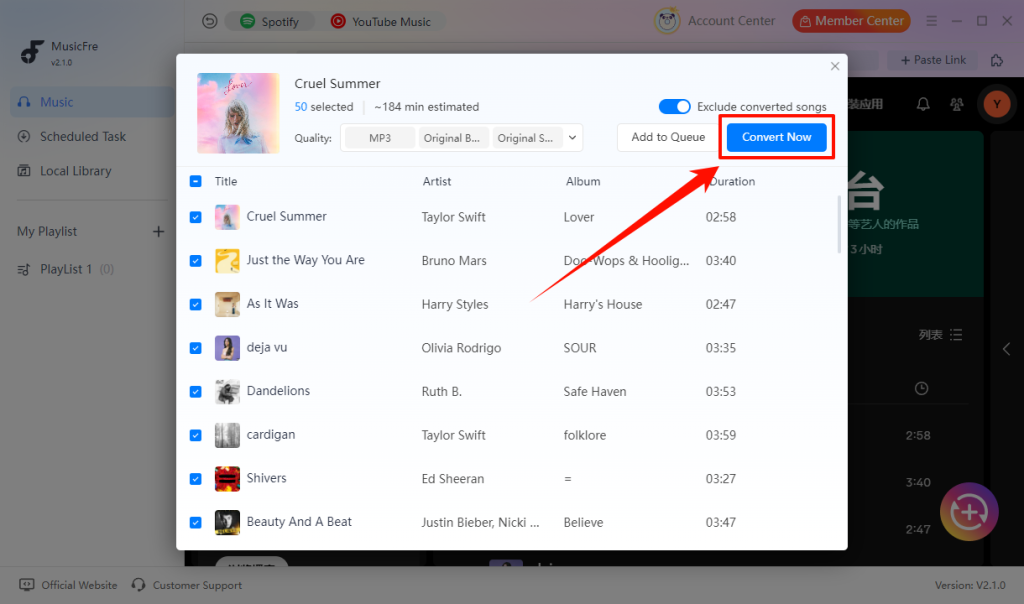
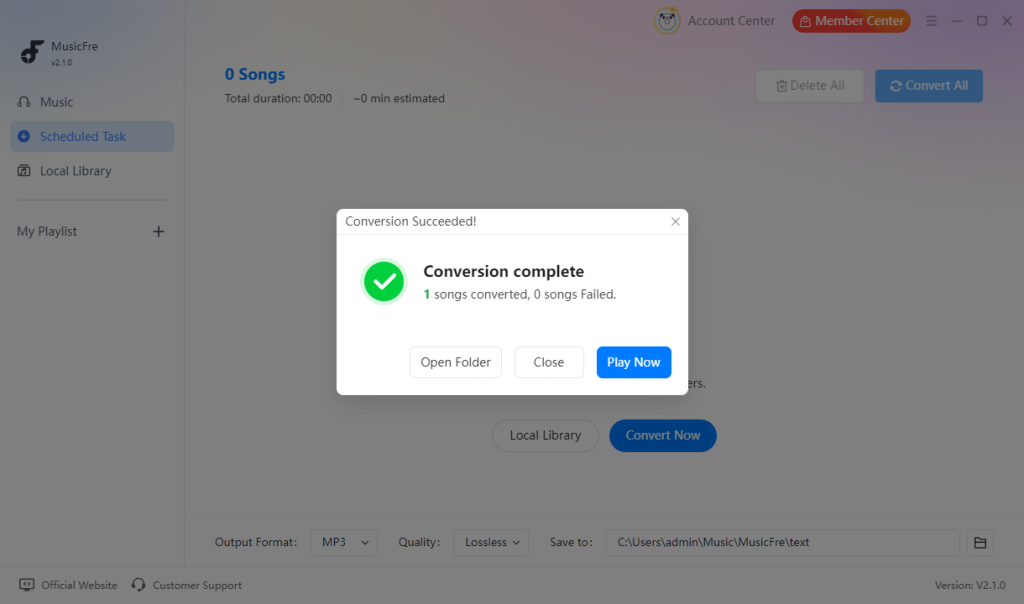
Step 6. Wait until you see the “Conversion complete” message. Your Spotify music has now been converted to MP3.
Online Tools to Convert Spotify Music to MP3
For users who do not want to install software, online Spotify converters can be a quick option. They usually work by pasting a Spotify link and downloading the converted audio file directly from a browser.
SpotifyMate
SpotifyMate is a popular online Spotify download tool, designed for users who want to convert Spotify music to MP3 quickly. Users can simply copy a song, album, or playlist link from Spotify, paste it into the SpotifyMate website, and start the conversion process.
Features:
- No software or browser extension is required.
- It can be accessed from a computer or mobile browser.
Limitations:
- Output format and audio settings may be limited.
- Large playlists may take more time to process.
- It does not provide the same local file-management options as desktop software.
Best For:
SpotifyMate is a practical choice when you only need a few songs or a small playlist. If you need batch processing, detailed output settings, or better file organization, a desktop tool may be more suitable.

SpotiDown
SpotiDown is an online Spotify music download tool. It reads Spotify share links and converts them into audio files. It supports songs, albums, and playlists, offering a quick and straightforward way to convert Spotify music to MP3.
Features:
- The link-paste workflow is easy to understand.
- Available in multiple languages and works across devices.
Limitations:
- It may not be practical for a large playlist or a large music collection.
- Advanced options, such as output settings and file organization, may be limited.
Best For:
For occasional tracks, SpotiDown offers a low-setup browser workflow. It is less suitable when you need to manage many files or work with a large music collection.

SpotDown
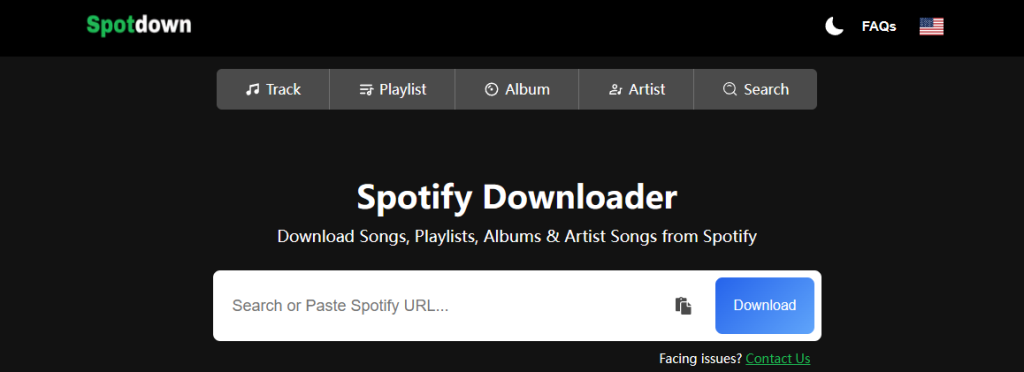
SpotDown is a web-based Spotify to MP3 converter with a simple interface. Users can submit a Spotify link through the website instead of dealing with complex software.
Features:
- Supports more content types, including artist pages.
- Useful for downloading several tracks from one playlist or album.
Limitations:
- Large playlists may take longer to process.
- Its availability depends on the website and internet connection.
Best For:
Consider SpotDown if you want to test a small number of supported links without installing software. Users who convert Spotify to MP3 on Windows regularly may need a tool with more output and file-management controls.
SpotRiff
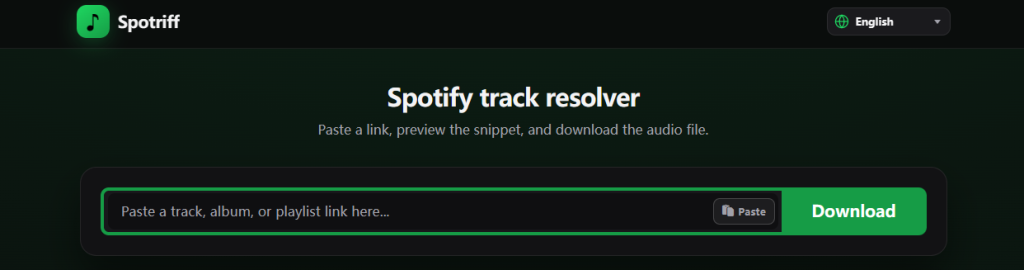
SpotRiff is an online Spotify conversion tool focused on convenience and easy access. Users can open the website directly in their browser, paste a Spotify link, and convert music without installing any software.
Features:
- The browser-based workflow is easy to access.
- It can be opened on computers and mobile browsers.
Limitations:
- Large conversion tasks can require repeated link submissions.
- It may offer fewer audio settings than a desktop Spotify to MP3 converter.
Best For:
SpotRiff suits users who need a simple online option for occasional use. It is not ideal for users who need advanced settings, large batch tasks, or a structured local music library.
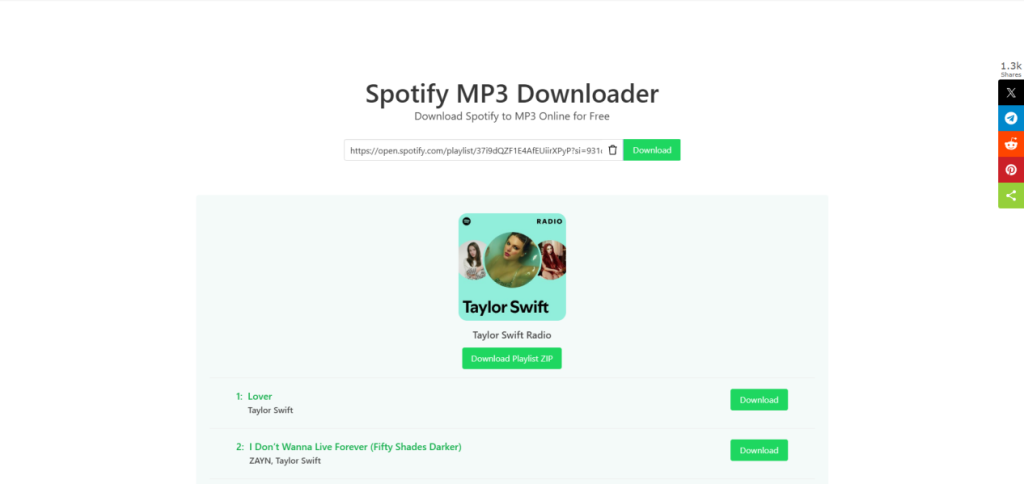
How to Convert Spotify Music to MP3 with an Online Tool?
Most online tools use a similar link-based workflow. The button names may be different, but the main steps are usually the same.
Step 1. Copy the Spotify link for the content you want to process.
Step 2. Open the online Spotify to MP3 converter in your browser.
Step 3. Paste the copied link into the input box on the website.
Step 4. Click the Convert, Download, or Submit button. Wait for the tool to process the link.
Step 5. Review the conversion result and save the file to your device.
FAQs About Converting Spotify Music to MP3
1Can I put Spotify music on an MP3 player?
Not directly. Spotify downloads can only be played inside the Spotify app. To listen to Spotify songs on an MP3 player, you need to convert them to MP3 first. Then, you can transfer the files to your device.
2Is it legal to convert Spotify music to MP3?
It depends on how you use the converted files. You should only save music that you own or have permission to use. Also, follow local copyright laws and Spotify’s terms of service.
3How do I turn Spotify songs into local files?
Spotify songs cannot be directly exported as MP3 files through the official Spotify app. To save Spotify songs as local MP3 files, you need a Spotify music converter that can convert tracks into common audio formats.
4What is the best Spotify to MP3 converter?
A good Spotify to MP3 converter should be easy to use, support high-quality MP3 output, and convert songs quickly. MusicFre is a reliable option that helps users convert Spotify music to MP3 with ease.
5Where are the converted files saved?
MusicFre saves files in the output folder that you choose in Preferences. You can change this folder before conversion.
Conclusion
The best way to convert Spotify music to MP3 depends on your needs. An online tool can be useful for a few tracks. A desktop Spotify to MP3 converter may be more practical if you want to handle several songs, albums, or playlists on Windows. If that sounds like your situation, MusicFre is one desktop option to consider. Before choosing any tool, review its current features, limits, and supported content types to see whether it fits your needs.