
 中文 (台灣)
  日本語
日本語  한국어
한국어  Italiano
  Français
  Português
  Español

(2026 Tips) 5 Ways to Download Songs on Spotify Without Premium
- Category:Spotify Music Tips
- Xiny
- 2026-07-31
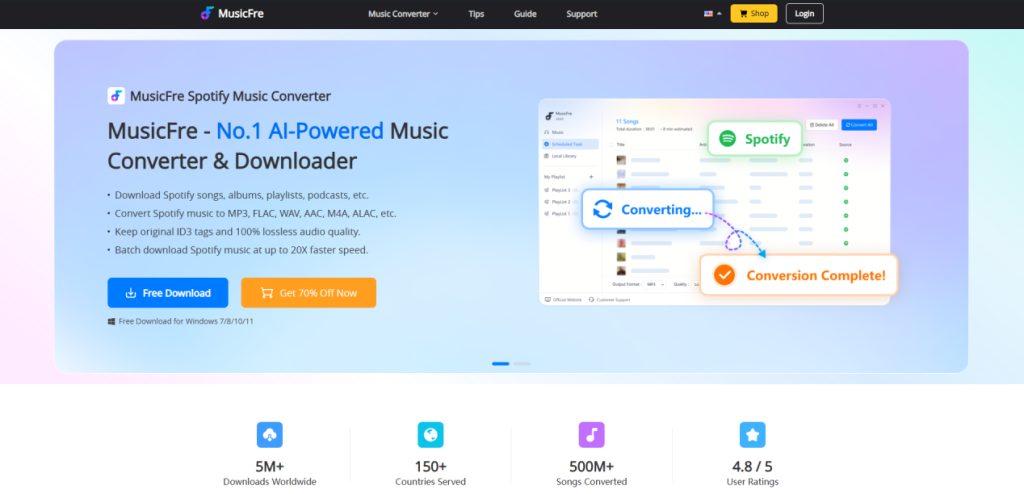
Looking for a Spotify songs downloader? You are not alone. Many people want to save songs, albums, and playlists for offline listening. Some also want music files that work on a computer, USB drive, or local media player. There are several ways to download Spotify songs. The best choice depends on your needs. This guide compares five ways to download Spotify songs. Keep reading below!






Can You Download Music from Spotify?
The answer depends on your Spotify plan.
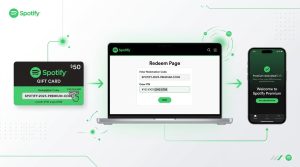
- Spotify Premium users: Yes. You can download albums, playlists, and podcasts for offline listening in the Spotify app. However, these downloads are not regular audio files. They are stored as encrypted cache files and can only be played through Spotify.
- Spotify Free users: No. Spotify Free does not support offline music downloads. You can only download podcasts.
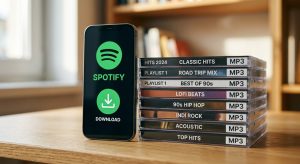
- Need Spotify songs as MP3 files? If you want to save Spotify songs as MP3 or other common audio formats, you need a Spotify songs downloader tool. A tool like MusicFre can help you convert Spotify music into local audio files, so you can listen to them on different devices.
Before You Choose a Spotify Songs Downloader
Before choosing a method, first decide what you need from the download. Spotify Premium downloads are for offline listening in the Spotify app. They are not regular audio files that you can move to a USB drive or open in another music player. If you want to download Spotify songs as local audio files, you may need a different type of tool or workflow.
Before selecting a method, consider the following:
- What you want to save: Do you need in-app offline access, or audio files you can keep in a local folder?
- Where you want to listen: Spotify only, or also on a computer, USB drive, car player, or another music app?
- How many songs you need: A single track may need a simple method, while albums and playlists may require a more practical desktop workflow.
- Whether you have Spotify Premium: Spotify Free does not offer official offline music downloads. If you want to download Spotify songs without Premium, compare the available methods carefully because their setup, reliability, and output can vary.
The five methods below are designed for different needs. Start with the option that best matches your device, listening habits, and preferred way of accessing the music.
5 Ways to Download Spotify Songs
Each method has a different use case. The table below gives you a quick overview.
| Method | Best For | Main Benefit | Main Limitation |
| MusicFre | Windows and Mac users | Local audio files and format options | Requires desktop software |
| Spotify Premium | Spotify app users | Official offline listening | Files stay in the Spotify app |
| Desktop audio recorder | Basic one-off recording | Can record playing audio | Slow and time-consuming |
| spotdl | Advanced users | Open-source and command-line based | Requires technical setup |
| Online downloader sites | Quick web searches | No desktop installation required | May have privacy, safety, or stability concerns |
Method 1.Download Spotify Songs with MusicFre
MusicFre is designed for people who want a simple desktop workflow. It can help you save Spotify songs in audio formats such as MP3, WAV, or FLAC. This method is a good choice if you want to keep music in a local folder. It can also be useful for playlists and albums when you need to manage more than one song.
How to Download Songs on Spotify with MusicFre?
Step 1. Download and install MusicFre on your computer.
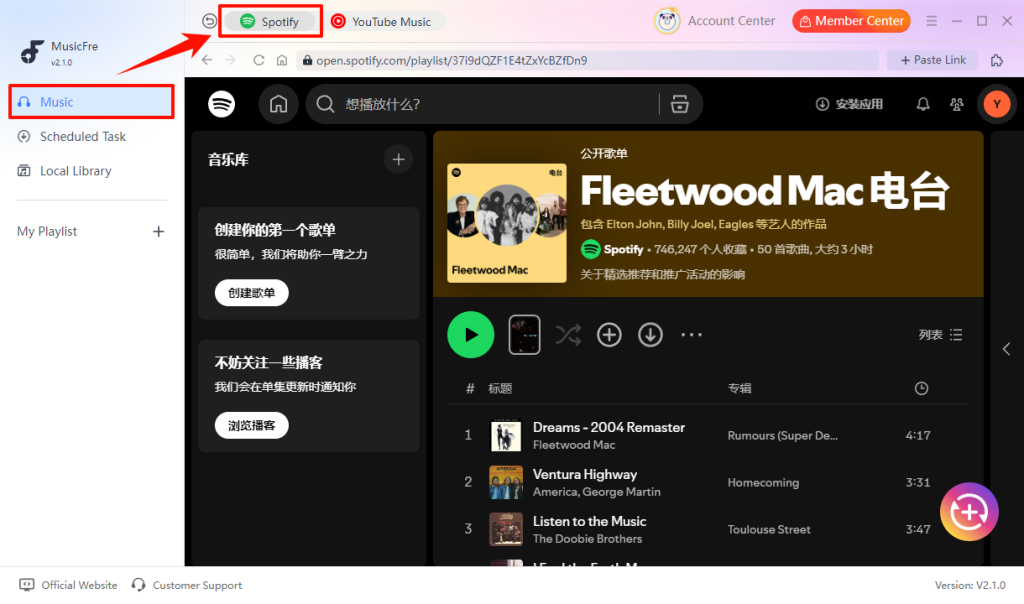
Step 2. Select “Music” -> “Spotify” from the left-hand panel.
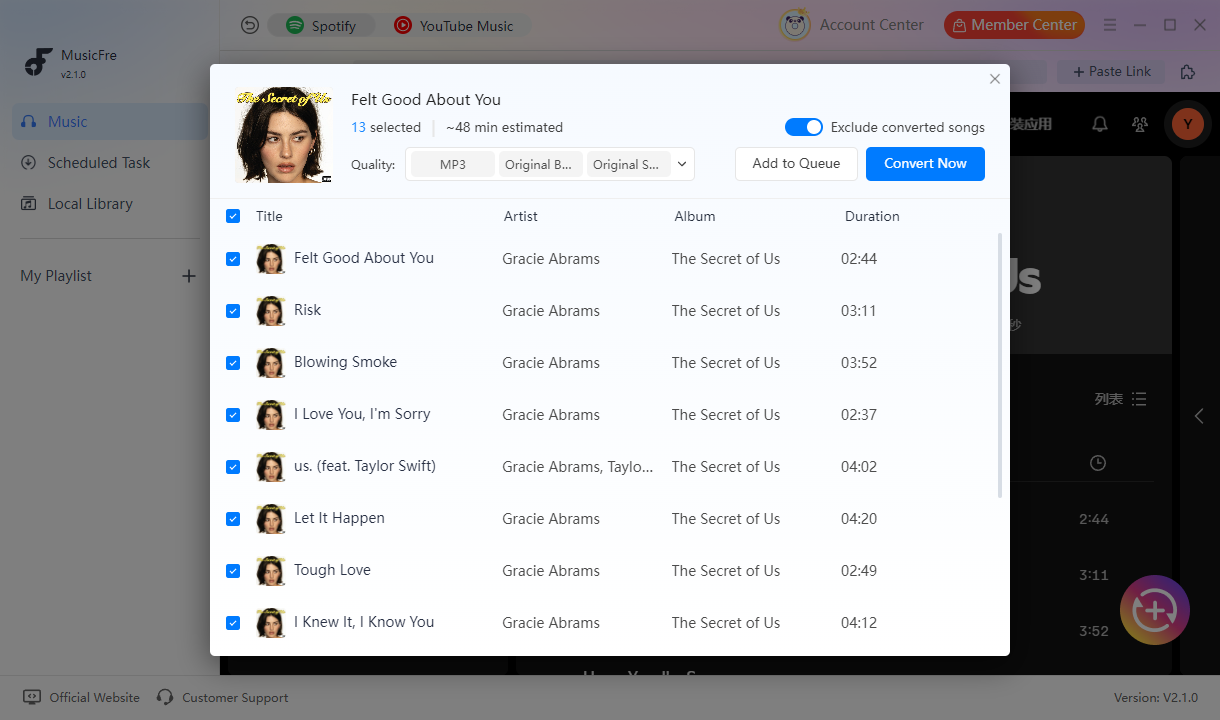
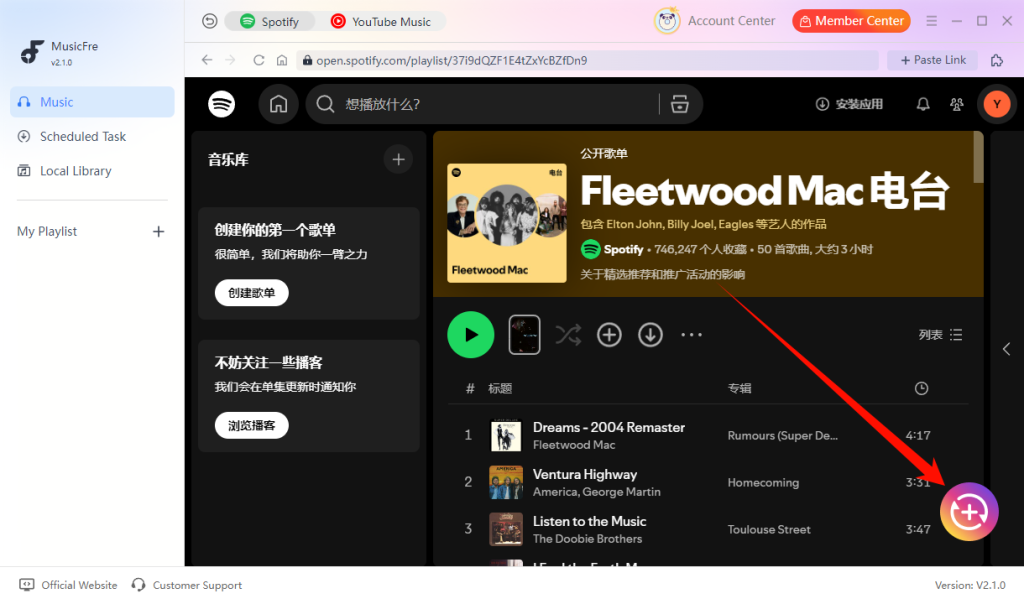
Step 3. After selecting songs or playlists, click the “+” button.
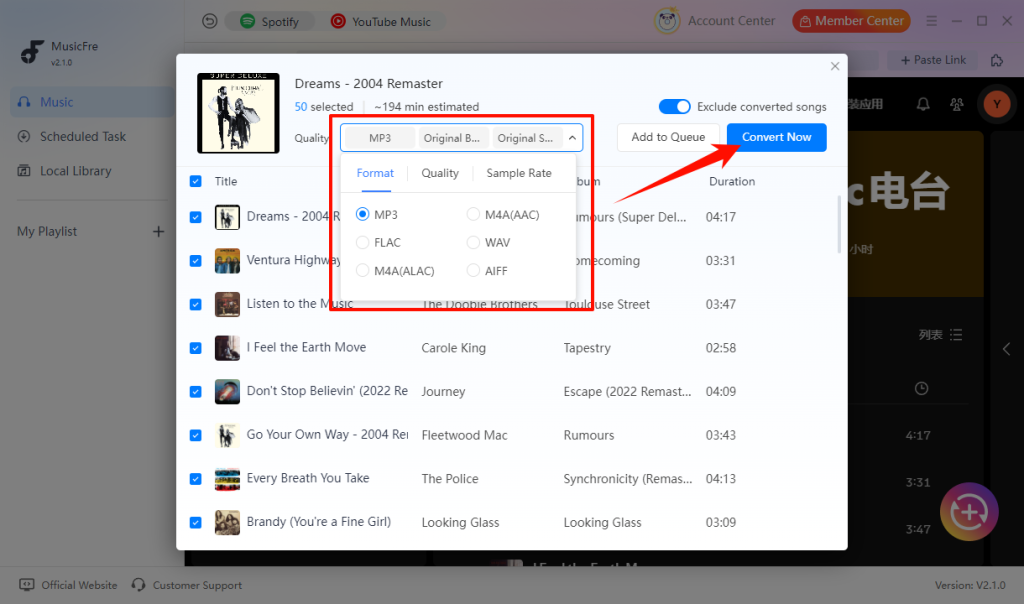
Step 4. Set the output format, quality, and other parameters, and click the “Convert Now” button.
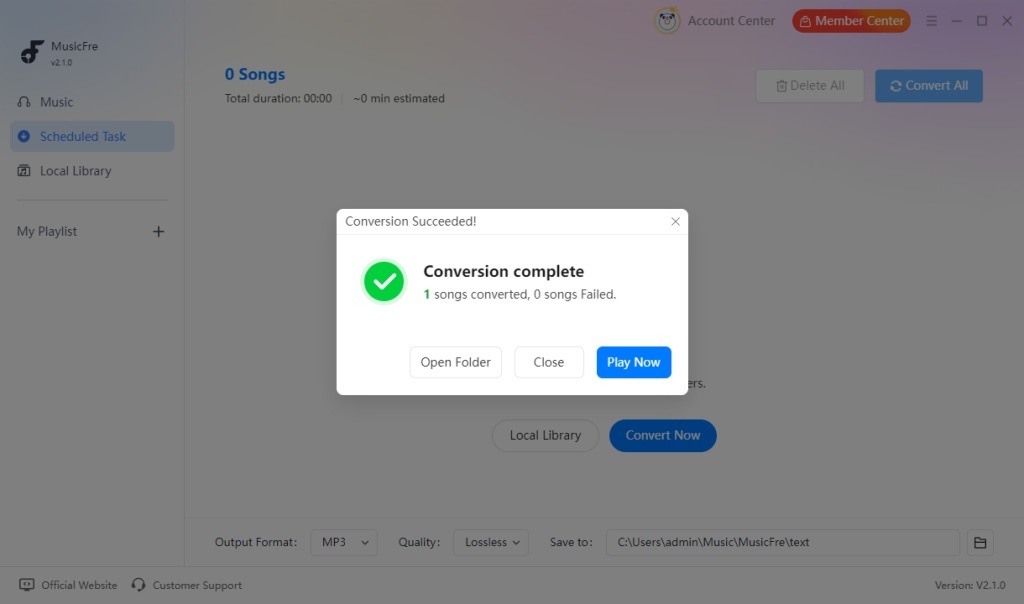
Step 5. Open the output folder when the task is complete.
Method 2.Use Spotify Premium Offline Download
Spotify Premium is the official way to download Spotify songs. It allows users to save music inside the Spotify app and listen without an internet connection. This method is suitable for users who only need offline listening.
How to use?
Step 1. Open Spotify on your phone, tablet, or computer.
Step 2. Find the playlist or album you want to save.
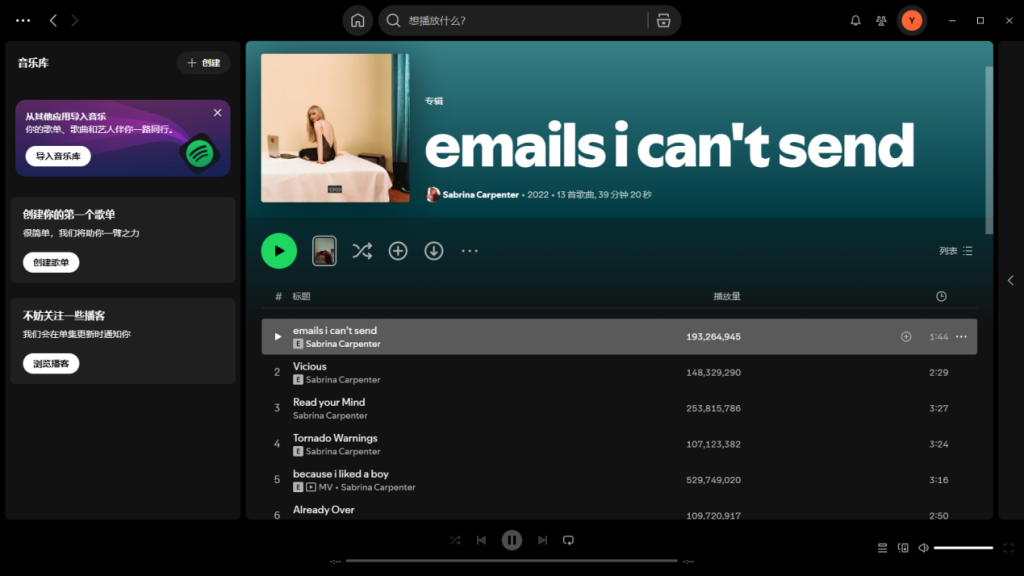
Step 3. Turn on the “Download” option.
Step 4. Wait for the download to finish.
Step 5. Open Spotify when you want to listen offline.
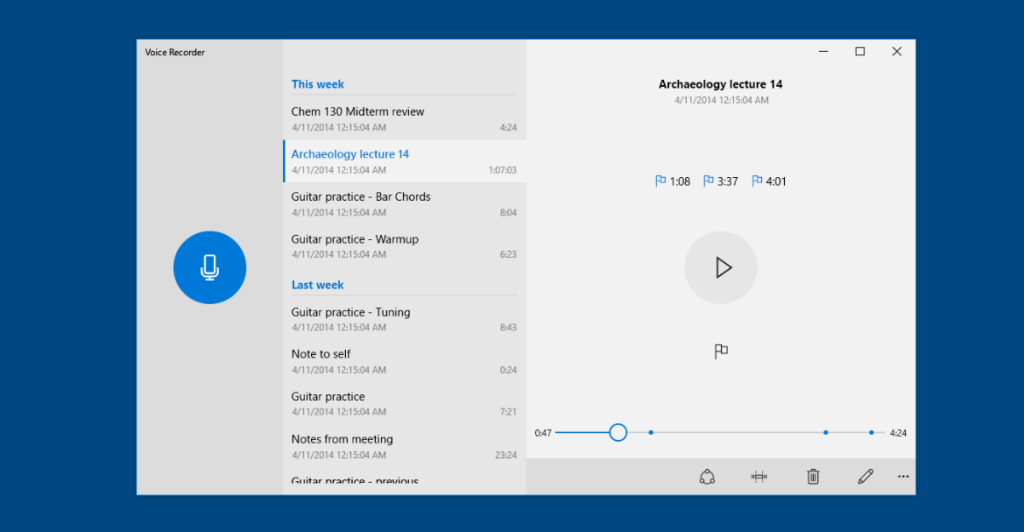
Method 3.Record Spotify Audio on Your Desktop
Another way to save Spotify songs is to use a desktop audio recorder. This method records the sound while a Spotify song is playing. After recording, you can save the audio file in formats such as MP3. However, it is not a good choice for large playlists. You need to wait for each song to play from start to finish.
How to use?
Step 1. Open your audio recording software.
Step 2. Choose the correct system audio source.
Step 3. Play the Spotify song you want to save.
Step 4. Start recording the audio.
Step 5. Stop the recording when the song ends.
Step 6. Export and name the audio file.
Method 4.Use spotdl for Spotify Downloads
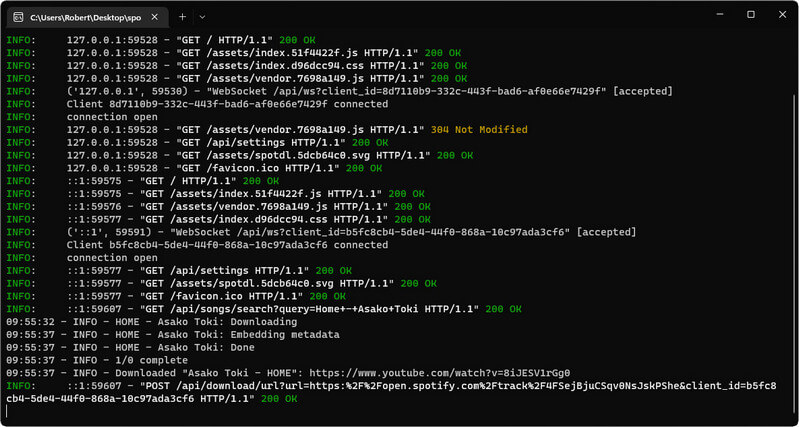
Spotdl is an open-source command-line tool. It is mainly for users who are comfortable with Terminal, Command Prompt, or similar tools. The tool requires installation, setup, and basic command-line knowledge. So it is not the easiest option for beginners.
How to use?
Step 1. Install spotdl on your computer.
Step 2. Copy a Spotify song or playlist link.
Step 3. Run commands to download the tracks.
Method 5.Try an Online Spotify Downloader
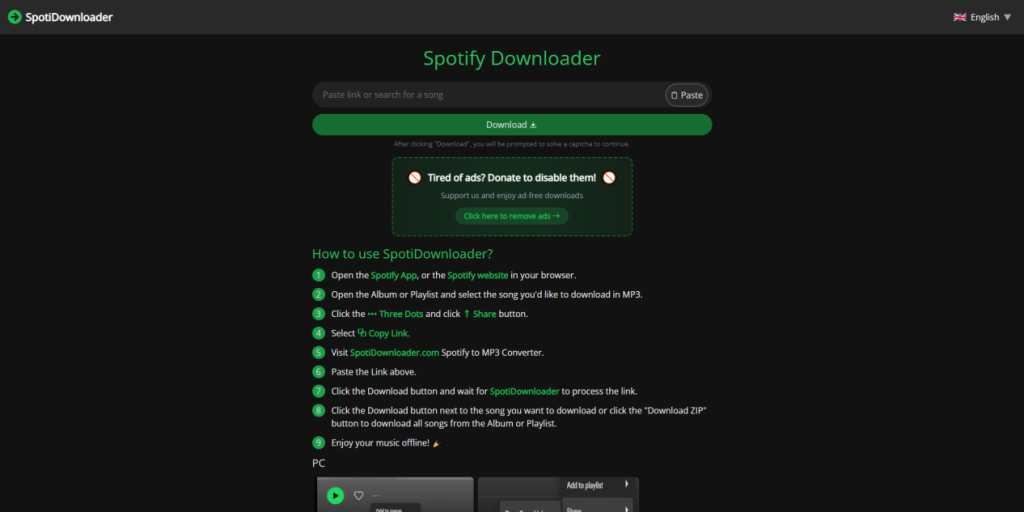
Online Spotify downloaders are another popular option. These tools usually work directly in a web browser, so users do not need to install software. However, some sites are slow, some have too many ads, and others may stop working without notice. Online tools are very convenient, but they are usually less reliable than established desktop software.
How to use?
Step 1. Open the Spotify web player or app, and copy the track/playlist share URL.
Step 2. Visit an online Spotify download site, paste the link into the input field.
Step 3. Select the output format, and click the Convert & download button to save audio files.
Which Method Should You Choose to Download Spotify Songs?
After comparing the five methods above, choose the one that best fits how and where you want to listen to music.
If you only want offline listening in the Spotify app
Spotify Premium is the best choice for official offline listening on your phone, tablet, or other supported Spotify devices. However, the downloaded music stays in the Spotify app and cannot be managed as regular local audio files.
If you want local audio files for a computer, USB drive, or another player
MusicFre is a suitable choice if you want a desktop workflow for saving music as local audio files. It may be more practical for users who want to choose an output format, save files to a specific folder, or manage playlists and albums outside the Spotify app.
If you only need to save one or two songs
A desktop audio recorder or an online tool may be enough for occasional use. Recording takes place in real time, while online tools can be convenient but may vary in reliability, speed, and safety.
If you are comfortable with Terminal or Command Prompt
A command-line tool such as spotdl can be useful for users who prefer a more configurable workflow. It is less suitable for beginners who want a simple click-and-download process.
If you want to download Spotify songs without Premium
Spotify Free does not provide official offline music downloads. If you do not have Premium, consider whether you need local files, a one-time recording, or a browser-based option, as each method has different limits in setup, output, and reliability.
FAQs About Spotify Songs Downloaders
1.Can I transfer Spotify offline downloads to a USB drive?
No. Spotify Premium downloads are stored as protected files for offline listening inside the Spotify app. They cannot be copied to a USB drive or played in another music player as regular audio files.
2.Which audio format should I choose?
MP3 is the most common choice because it works with almost all devices and music players.If you want better audio quality, formats like FLAC may be a better option.
3.Do Spotify downloads still work after I cancel Premium?
No. Spotify music downloads require an active Premium plan. When your plan ends, you lose access to offline music playback in the Spotify app.
4.What is the difference between Spotify offline downloads and local audio files?
Spotify offline downloads only work in the Spotify app. Local audio files are saved in a folder on your computer. You can manage them with compatible music players and devices.
5.Why can’t I find the Spotify music I downloaded?
Spotify Premium downloads do not appear as normal files in File Explorer or Finder. you can only find and play them in the app. If you used MusicFre, check the output folder in the app settings.
Final Thoughts
Different methods work for different users. Spotify Premium is best for official offline listening. Audio recorders and spotdl can work for specific needs. Online tools are simple but may have limitations. If you want a simple desktop workflow and local audio format options, MusicFre is a practical option to consider. Please choose the method that best suits your device and listening needs!