
 中文 (台灣)
  日本語
日本語  한국어
한국어  Italiano
  Français
  Português
  Español

How to Redeem a Spotify Gift Card: Step-by-Step Guide (2026)
- Category:Spotify Music Tips
- Xiny
- 2026-09-02
Have a Spotify gift card and want to know how to redeem it? The process is straightforward, but there are a few important conditions to check first, including your account region, Premium plan, card activation, and the maximum amount of Premium time you can stack.
This guide covers how to redeem a Spotify gift card, use your Premium benefits, fix common code issues, and manage offline downloads after Premium expires.
2026 Update: Spotify’s U.S. and Canadian Help Centers currently state that new Spotify gift cards are no longer available for purchase. However, previously purchased gift cards can still be redeemed. Rules, availability, and expiry terms can vary by market, so always check the terms for your card and region.
What Is a Spotify Gift Card?
A Spotify gift card is a prepaid card or digital code that can be redeemed for eligible Premium subscription time. It is important not to confuse a gift card with a general Spotify wallet balance.
When you redeem a Spotify gift card, its full value is applied to one account as eligible Premium time. You can’t keep part of the value as a balance, transfer it to another account, or use it for other Spotify purchases.
You may also see the term Spotify Premium code. A Premium code can come from a gift card, an in-store receipt, or an eligible promotion. The redemption process is similar, but the code’s own terms and local Spotify rules still apply.
Before You Redeem a Spotify Gift Card: 5 Essential Checks
Before entering your Spotify gift card code, take a moment to check the following.
1.Check Your Spotify Account’s Country or Region
Spotify gift cards are tied to the country or region where they were purchased, so your account’s country or region must match. Otherwise, the code may not be accepted. This is one of the most common reasons a Spotify gift card won’t redeem.
2.Make Sure You Have an Eligible Premium Plan
Spotify currently states that gift cards are for eligible Premium Individual time. They cannot be applied directly to discounted or group plans, including:
- Premium Student
- Premium Family
- Premium Duo
- Trial offers
- Basic plans
If your account is on one of these plans, do not assume that canceling or switching will immediately make the code work. Check Spotify’s current plan and payment guidance for your region before making changes.
3.Confirm That Your Physical Card Was Activated
If you purchased a physical Spotify gift card from a retail store, it needs to be activated by the cashier before it can be redeemed. If the card was never activated, entering the correct code may still result in an error.
4.Verify Your Spotify Gift Card Code
Spotify gift card codes use alphanumeric characters. Carefully check the code on the back of the card before entering it, especially for characters that can look similar.
5.Check Your Existing Premium Time
Spotify currently allows up to 18 months of Premium time to be stacked on one account. Additional time can be added before your current period ends, but anything exceeding the limit may not apply until your existing Premium time decreases.
How to Redeem a Gift Card on Spotify
Once you’ve confirmed that your account and card are eligible, you can redeem the gift card through Spotify’s website.
Step 1. Go to Spotify’s official gift card redemption page: spotify.com/account/redeem.
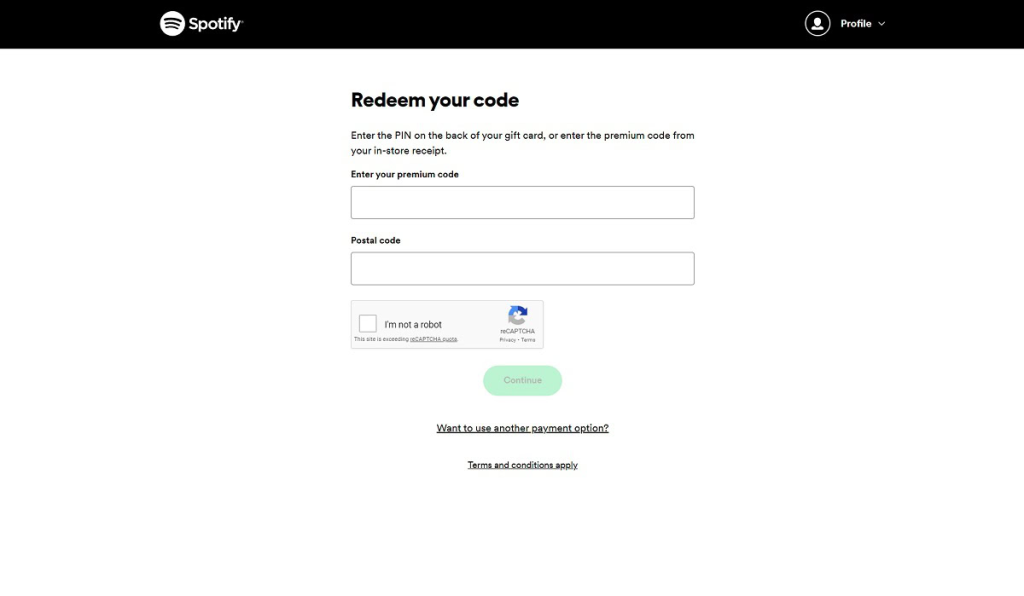
Step 2. Log in to the correct Spotify account before redeeming the code. Once redeemed, the Premium time generally can’t be transferred to another account.
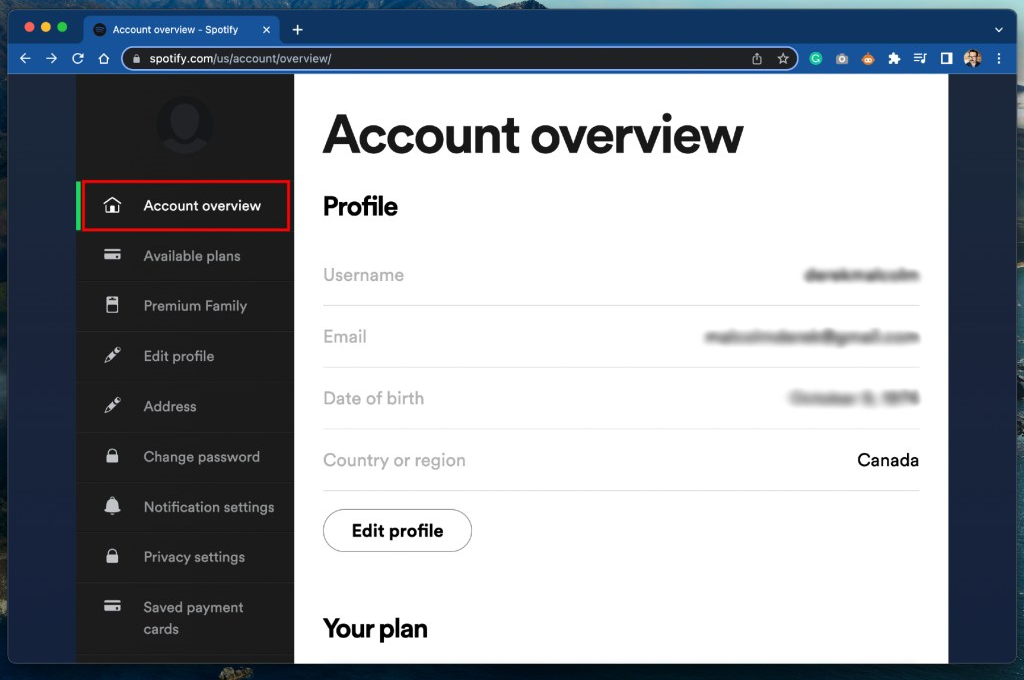
Step 3. Find the code on your physical or digital gift card, then enter it carefully in the redemption field.
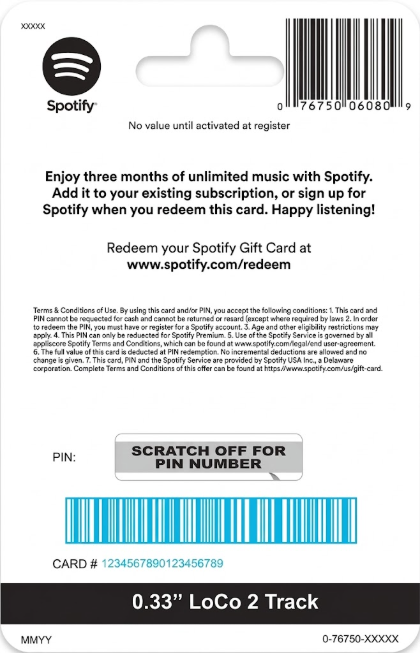
Step 4. After entering the code, select Continue and then Redeem.
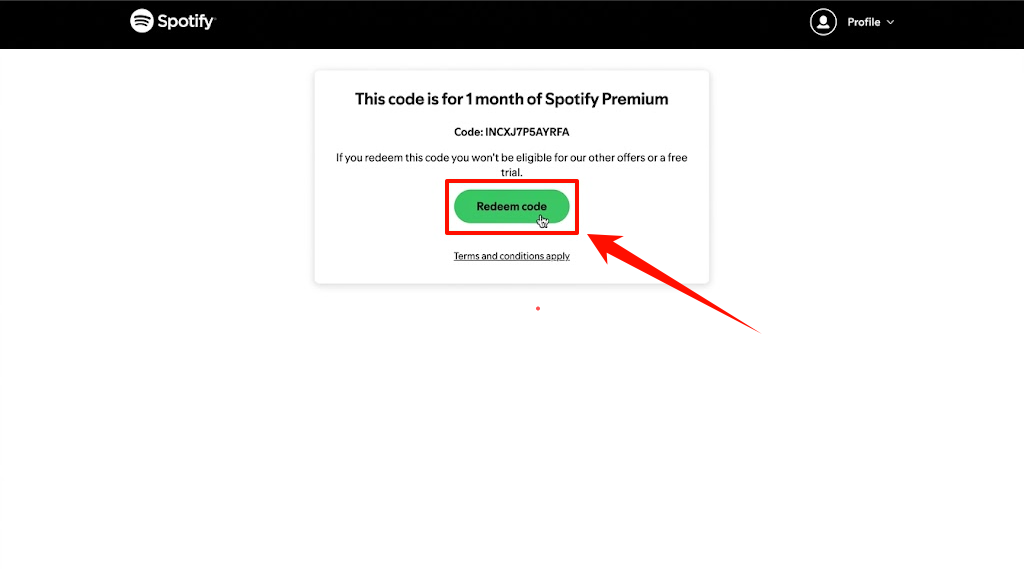
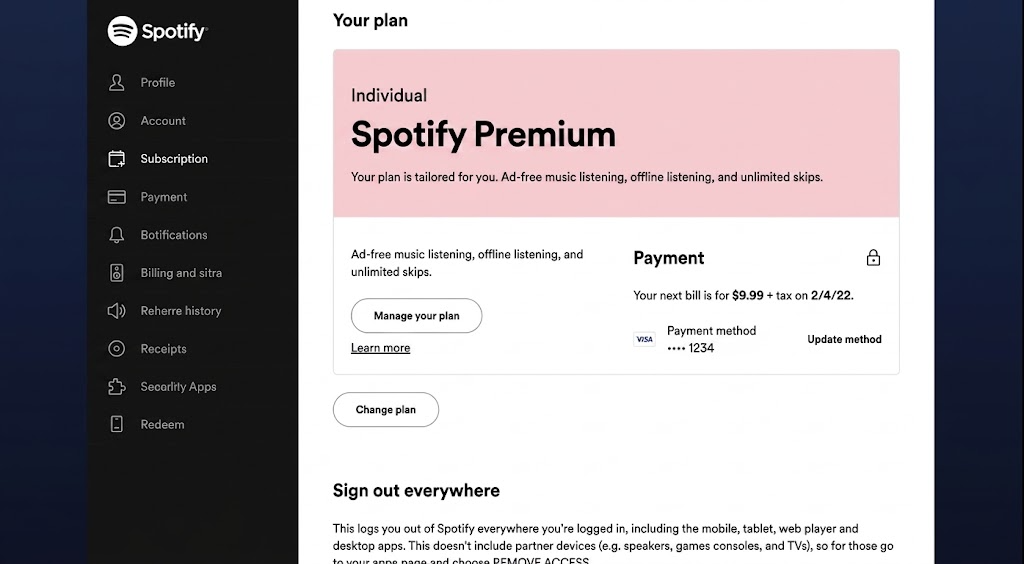
Step 5. After the redemption is completed, check your Spotify account to make sure the Premium time has been applied correctly.
Can You Redeem a Spotify Gift Card on Your Phone?
Yes. You can redeem a Spotify gift card from your phone, but the current official process is web-based.
On an iPhone, open Safari or another browser and go to Spotify’s redemption page. Sign in, enter your gift card code, and complete the redemption.
On Android, open Chrome or another supported browser and follow the same process.
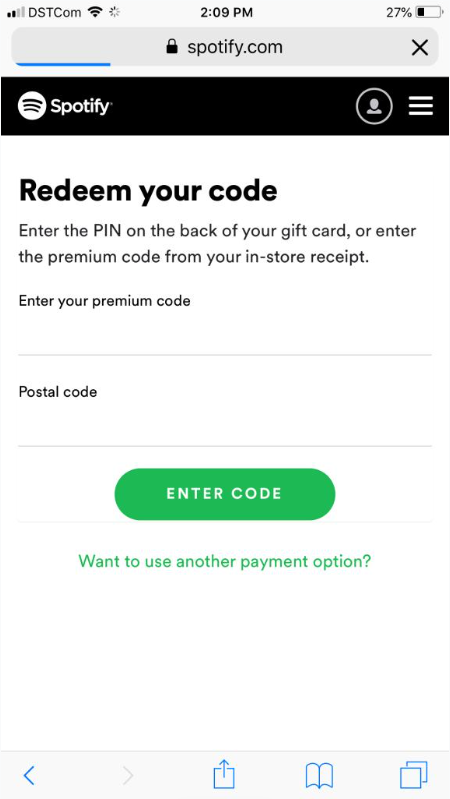
You don’t need to look for a separate “redeem gift card” option inside the Spotify mobile app. The simplest approach is to use Spotify’s official redemption page in your mobile browser.
How to Use a Spotify Gift Card After Redeeming It
Once redeemed, the gift card value is automatically applied to eligible Premium time. What happens next depends on your current plan:
If You’re Using Spotify Free
If you are currently on Spotify Free and your account is eligible, redeeming the card upgrades you to Premium Individual for the applicable period.
If You Already Have Premium Individual
If you’re already subscribed to Premium Individual, the gift card can provide prepaid Premium time. Spotify states that the gift card starts on your plan’s next payment date.
If You Have Family, Duo, or Student
If you’re currently on a Family, Duo, or Student plan, check your account eligibility before redeeming the gift card. You may need to switch to an eligible Premium plan.
Why Is My Spotify Gift Card Not Working?
If your Spotify gift card is not working, the issue is usually related to the code, account, region, plan, or card activation.
| Problem | Solution |
| The code appears invalid | Re-enter the code carefully and compare every character |
| You see a country or region error | Check your account country and the card’s purchase country |
| The plan is not eligible | Review Spotify’s current plan eligibility before changing anything |
| A physical card does not work | Keep the receipt and contact the retailer |
| You already have a lot of Premium time | Wait until the existing prepaid time decreases, then try again |
| You have tried the code several times | Wait 24 hours before trying again |
| The code was redeemed on another account | Confirm the account used and contact Spotify Support with proof of purchase if necessary |
Tip: Do not share the full PIN publicly. Support may ask for proof of purchase, but public forums, social media comments, and unofficial code-checking sites are not safe places to share it.
What Happens to Spotify Downloads When Your Gift Card Ends?
One common misunderstanding is that redeeming a Spotify gift card gives you permanent ownership of the songs you download for offline listening.
That is not the case. A Spotify gift card can pay for eligible Premium time, but it does not change how Spotify’s in-app offline downloads work. While you have Premium, Spotify lets you download supported music, podcasts, and playlists for offline listening inside the Spotify app. They are tied to your account and active Premium access, rather than being ordinary audio files that you permanently own or can freely transfer to another music player.
When your gift card balance runs out and your Premium access ends, you can no longer use Spotify’s offline listening feature unless you renew your Premium subscription.
If you want to keep your favorite tracks available after your Premium access expires, you’ll need to save them as regular audio files instead of relying on Spotify’s in-app downloads.
For this purpose, a desktop tool like MusicFre can be a more flexible option. It lets you convert Spotify music to common audio formats such as MP3, FLAC, WAV, AAC, and M4A, so you can manage and play the resulting files locally. MusicFre also supports batch conversion and retains available metadata, including titles, artists, albums, and cover artwork.
How to Save Spotify Music as Local Audio Files with MusicFre
Step 1. Go to the official MusicFre website and download the version for your computer.





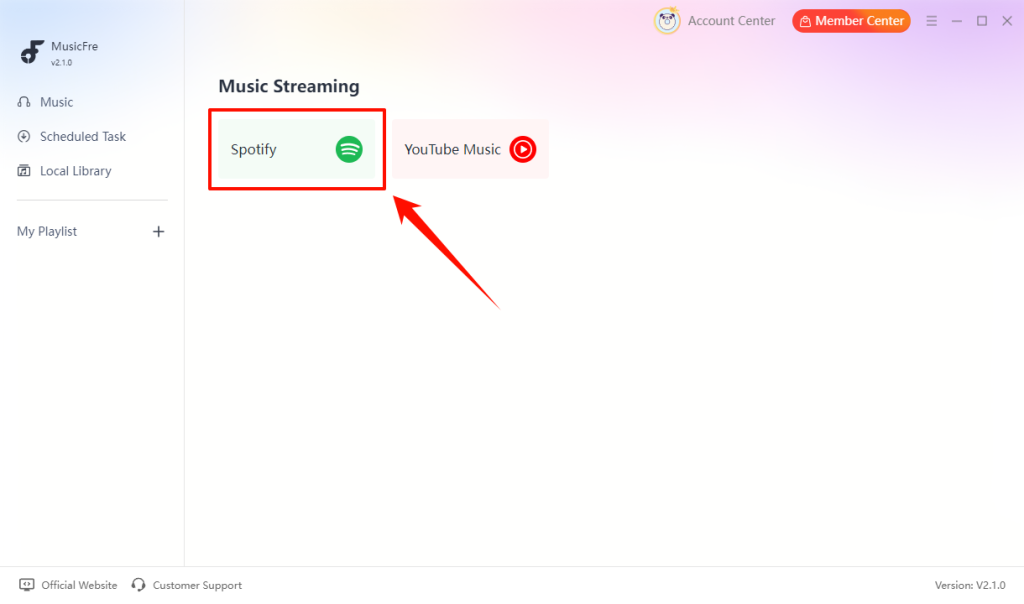
Step 2. Launch MusicFre and select Spotify on the Music Streaming screen.
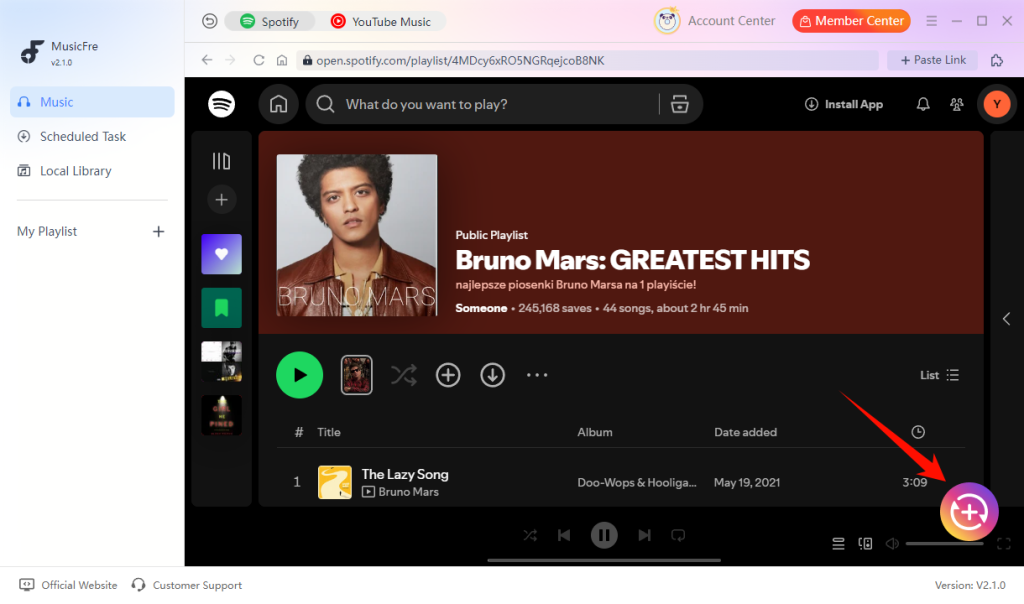
Step 3. Select the tracks you want and click the “+” button to add them to the conversion list.
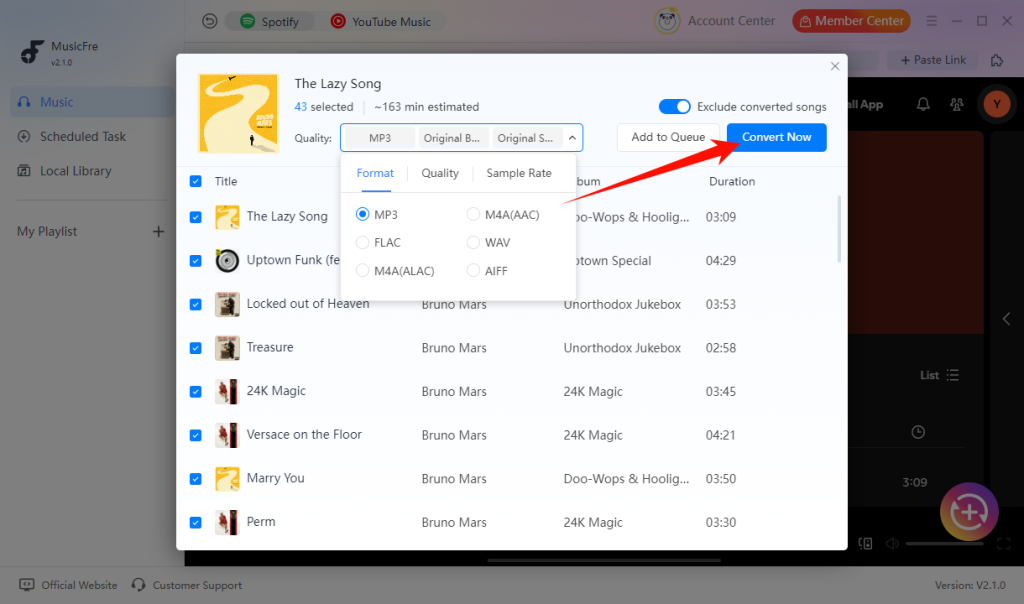
Step 4. Choose your preferred output format, then click Convert Now to begin.
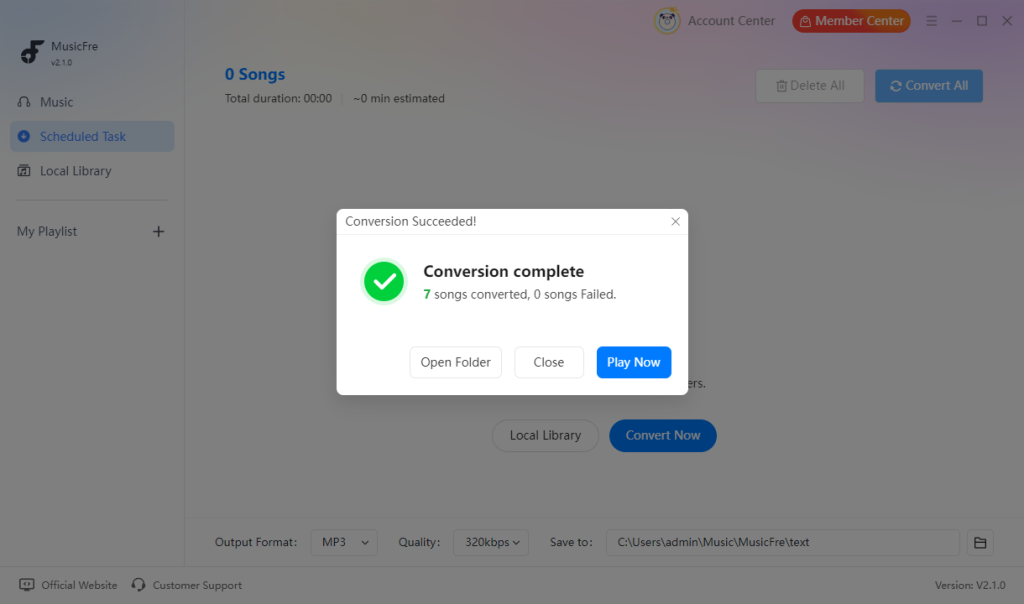
Step 5. After the process is complete, click Open Folder to access the converted files.
For a more detailed walkthrough, see the MusicFre User Guide for installation, output settings, and Spotify music conversion steps.
FAQs About Spotify Gift Cards
1Can I redeem more than one Spotify gift card?
Yes, as long as your account is eligible. However, Spotify currently allows up to 18 months of prepaid Premium time on one account.
2Do Spotify gift cards expire?
It depends on the country or region. For example, Spotify Canada states that cards are valid for 12 months from purchase, except in Quebec. Check the card terms and Spotify’s local Help Center for your market.
3Can I redeem the same Spotify gift card twice?
No. Spotify gift cards and Premium codes are single-use. Once redeemed, the full value is applied to the selected account.
4Why is Spotify getting rid of gift cards?
Spotify has stopped selling new gift cards in some markets, including the U.S. and Canada. However, previously purchased cards may still be redeemed as long as they remain valid. Spotify has not provided a specific reason for the change on its official Help Center pages.
In Conclusion
Redeeming a Spotify gift card is simple once you confirm that your account, region, and Premium plan are eligible. The key things to remember are that gift cards are intended for eligible Premium Individual plans, you can stack up to 18 months of Premium time under Spotify’s current support rules, and redemption and expiration rules can vary by country.
If your goal goes beyond temporary offline listening and you want to manage supported Spotify music as local audio files, a separate desktop solution such as MusicFre can provide a different workflow. Just remember that local audio conversion and Spotify Premium access are separate things.