English
 中文 (台灣)
 日本語
 한국어
 Italiano
 Français
 Português
 Español


Best spotDL Alternatives in 2026: 5 Tools Compared
- Category:Spotify Music Tips
- Xiny
- 2026-10-10
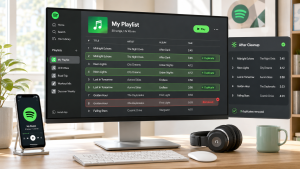
spotDL is a popular open-source tool for turning Spotify track, album, and playlist information into local audio files. It is free, cross-platform, and flexible, but it works mainly through the command line. Users typically need to set up Python, FFmpeg, and other dependencies before they can start using it.
While this setup works well for technically experienced users, it may feel less convenient if you prefer a graphical interface or an easier way to manage playlists and downloaded files.
In this guide, we’ll compare five spotDL alternatives, outline their key advantages and limitations, and help you choose the right tool based on your operating system, technical experience, audio needs, and budget.
Why Look for a spotDL Alternative?
spotDL remains a useful option for users who are comfortable with command-line tools. However, it may not be the best fit for every workflow.
1.Command-Line Setup and Dependency Requirements
spotDL relies on a command-line workflow and requires Python and FFmpeg. Depending on your environment and the version you’re using, you may also need to configure PATH variables and install additional dependencies.
Even if a command is correct, missing packages or configuration issues can prevent it from running properly. You may also need to update dependencies or troubleshoot errors when external audio sources change their format or availability.
For users who only download music occasionally, these setup and maintenance requirements may feel unnecessarily complicated.
2.No Built-in Graphical User Interface
A command-line interface offers flexibility for experienced users, but it can be challenging for beginners. You need to enter commands manually, manage file paths, and interpret terminal messages when something goes wrong.
Although spotDL offers a web interface, it has more limited functionality than its command-line version. Users who prefer a conventional desktop application may find a graphical alternative easier to use, with a more straightforward way to configure output settings and manage downloads.
3.Different Audio and Library Management Needs
Different tools cater to different needs. Some prioritize command-line automation, while others offer more features for organizing and managing local music libraries.
Audio matching and quality are also worth considering. spotDL uses Spotify metadata to find corresponding audio from external sources, so the selected recording may not always match the original track exactly. Audio quality also depends on the source, meaning that choosing a lossless output format does not guarantee lossless audio.
Depending on your priorities, another tool may be a better fit for downloading music or managing local audio files.
5 Best Alternatives to spotDL in 2026
The tools below are designed for different workflows. Some focus on Spotify-based local music management, while others are better suited to general media downloads, playlist migration, or mobile use.
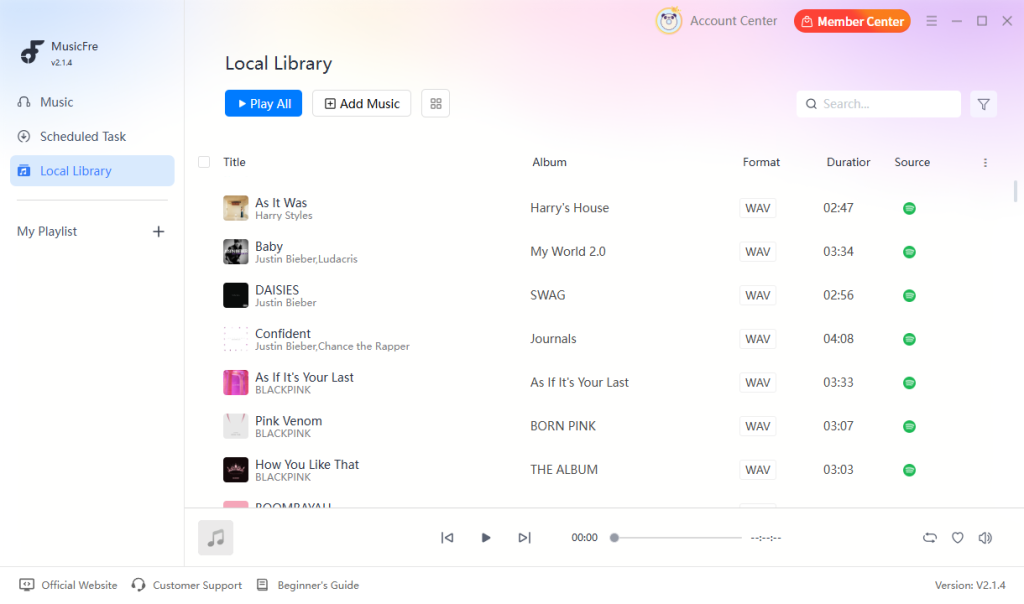
1.MusicFre – Best GUI Alternative for Windows and Mac
MusicFre is a desktop music converter for Windows and Mac, designed for users who prefer a graphical interface over command-line tools. It is particularly suitable for beginners who find terminal-based workflows inconvenient, as well as users who regularly convert Spotify playlists or organize music files for local playback.






Key advantages:
- Easier setup than a command-line downloader
- Visual controls for selecting music and managing conversion tasks
- Offers common output formats, including MP3, WAV, FLAC, and more
- Supports batch conversion and customizable output settings
- Preserves music metadata, including track titles, artists, album names, and cover art
Limitations:
- Requires desktop installation rather than browser-based access
- Available features and output options may vary by product version
2.SpotiFlyer – An Open-Source GUI Option
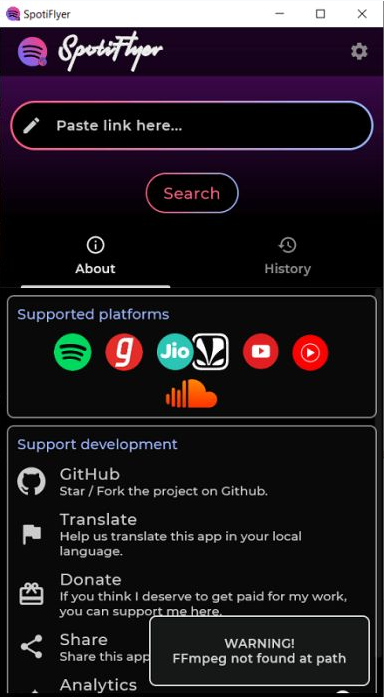
SpotiFlyer is often considered by users who want an open-source alternative with a graphical workflow. Compared with a command-line Spotify downloader like spotDL, it offers a more visual way to browse and select tracks and playlists. However, users should keep its maintenance status in mind, as the original project is no longer actively developed.
Key advantages:
- More approachable than a purely command-line tool
- Open-source project with a community-driven development model
- Supports Android, Windows, macOS, and Linux builds
Limitations:
- The original project is no longer actively maintained
- Download reliability may vary depending on the music source
- Podcast and episode downloads are not officially supported in the original project
3.yt-dlp – For Advanced Users Who Want More Control
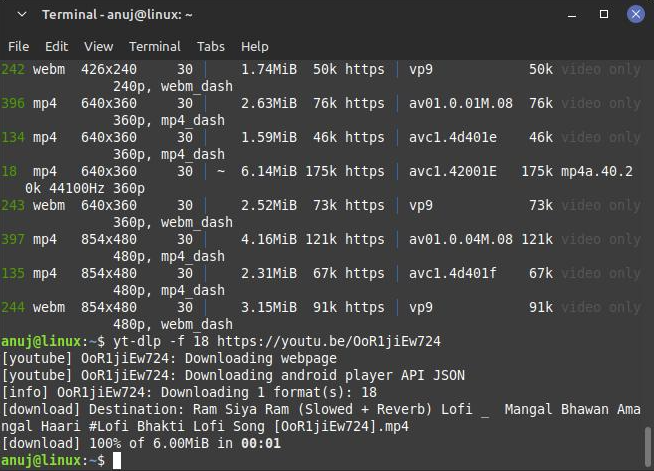
yt-dlp is a powerful command-line downloader that supports many online media platforms. It is popular among advanced users who want detailed control over downloads, output templates, formats, and automated workflows. However, yt-dlp is not a direct replacement for spotDL. It downloads media from supported websites rather than handling Spotify links in the same way as a Spotify-focused tool.
Key advantages:
- Useful for automation and batch workflows
- Offers flexible configuration and scripting options
- Open-source with extensive documentation
Limitations:
- Requires command-line knowledge
- Setup and troubleshooting can be technical
- Not designed as a simple Spotify playlist converter
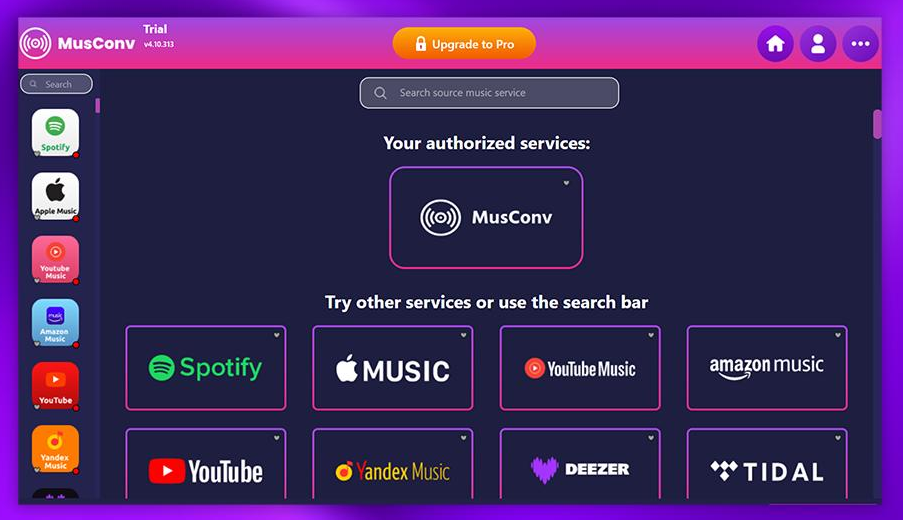
4.MusConv – For Transferring Music Between Platforms
Not everyone searching for a spotDL alternative actually needs local MP3 or FLAC files. Some users simply want to move their playlists from Spotify to another music service.
MusConv focuses on playlist and music library migration. It is designed to transfer playlists, albums, and saved tracks between supported streaming platforms rather than create local audio files.
Key advantages:
- Useful when moving from Spotify to another streaming platform
- Avoids manual searching and rebuilding of large playlists
- More suitable for service-to-service transfers than download tools
Limitations:
- Does not create local MP3, WAV, or FLAC files
- Track availability depends on the destination platform
- Available features and supported services may vary by plan
5.Seal – A Simple Android Alternative to spotDL
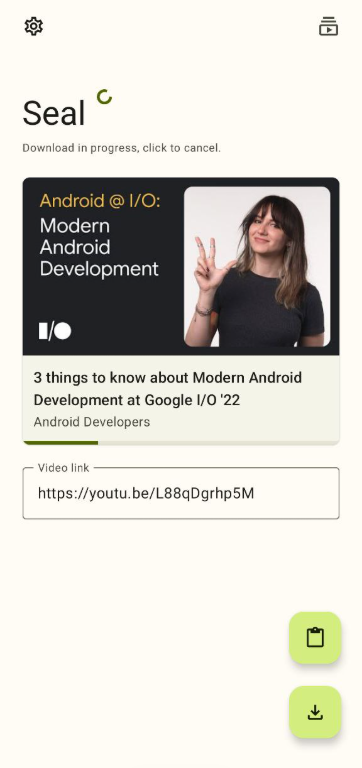
Seal is an Android application built around yt-dlp. It provides a mobile interface for downloading supported media, making it a practical option for users who prefer downloading on their phones rather than using desktop command-line tools. Unlike spotDL, Seal is designed for general media downloads rather than Spotify-specific music workflows.
Key advantages:
- Provides a user-friendly interface for Android devices
- Supports audio and video downloads from compatible sources
- Open-source and available through its official GitHub repository
Limitations:
- Designed primarily for Android devices, with no desktop version available
- Supported websites and download functions depend on yt-dlp
- Not a direct Spotify replacement for downloading full Spotify tracks
spotDL and Its Alternatives: Quick Comparison
Choosing the right spotDL replacement depends on what you want to accomplish. The table below summarizes the main differences between these tools.
| Tool | Main Purpose | Interface | Platforms | Best Use Case |
| MusicFre | Converts and organizes Spotify music through a desktop application | GUI | Windows, macOS | Beginners and users who want a simpler way to handle Spotify music |
| SpotiFlyer | Provides an open-source workflow for downloading music from supported sources | GUI | Android, Windows, macOS, Linux | Users who prefer a community-developed alternative with visual controls |
| yt-dlp | Downloads media from compatible online sources and supports advanced automation | Command line | Windows, macOS, Linux | Experienced users who need scripting, batch commands, or detailed configuration |
| MusConv | Moves playlists and saved music libraries between supported streaming services | GUI | Availability depends on the current service and plan | Users who are switching from Spotify to another music platform |
| Seal | Provides a mobile front end for downloading compatible media through yt-dlp | GUI | Android | Android users who want a lightweight mobile downloader for supported sources |
Among these alternatives, MusicFre and SpotiFlyer are worth considering if you prefer a graphical interface for Spotify-related music workflows. MusicFre is suited to users who want a more straightforward desktop experience, while SpotiFlyer may appeal to those who prefer open-source tools.
For other needs, yt-dlp and Seal focus on general media downloads, with yt-dlp offering greater command-line flexibility and Seal providing an Android-based interface. MusConv serves a different purpose, helping users transfer music libraries between streaming platforms rather than download local audio files.
FAQs About spotDL Alternatives
1Is spotDL still worth using in 2026?
Yes, spotDL is still useful for technical users who want a free, open-source command-line tool with flexible settings. However, Python, FFmpeg, and dependency issues can make it inconvenient for beginners. If you prefer a simpler desktop workflow, MusicFre provides a graphical alternative for managing Spotify music on Windows and Mac.
2Are spotDL alternatives free to use?
Some are free, especially open-source projects such as yt-dlp, SpotiFlyer, and Seal. Other alternatives may offer free trials or limited features while requiring payment for advanced functions. Check the official pricing and download page before choosing a tool.
3Does using a spotDL alternative guarantee better audio quality?
No. Audio quality depends on the original recording and the source from which the audio is obtained, not just the tool you use. Converting a low-quality source to FLAC or WAV will not restore lost audio details. For the best results, compare the available source quality and output settings rather than relying on the file format alone.
In Conclusion
The best spotDL alternative depends on what you need, from greater control over downloads to easier playlist management. Before making a choice, check each tool’s current features, platform compatibility, and usage terms.
For users who want a more convenient way to manage Spotify music on Windows or Mac, MusicFre is worth a try. Consider how each option fits your setup and choose the one that works best for you.