English
 中文 (台灣)
 日本語
 한국어
 Italiano
 Français
 Português
 Español


4 Best SoundCloud Playlist Downloaders Worth Trying in 2026
- Category:SoundCloud Music Tips
- Xiny
- 2026-11-11
SoundCloud is home to millions of tracks from independent artists, DJs, and music producers around the world. From underground releases and electronic mixes to remixes and DJ sets, the platform offers a wide variety of music worth keeping. However, downloading an entire SoundCloud playlist for offline use is not always straightforward.
Although SoundCloud supports downloads for selected tracks, it doesn’t offer a built-in way to download entire playlists as local audio files. Go and Go+ subscribers can save playlists for offline listening, but only within the SoundCloud app.
Third-party SoundCloud playlist downloaders offer an alternative, but their features and reliability vary. Some support only individual tracks, while others have download limits or struggle with larger playlists.
In this guide, we’ll explore several SoundCloud playlist downloaders, including desktop software, online tools, browser extensions, and command-line solutions to help you find the right option for your needs.
Can You Download a SoundCloud Playlist?
Yes, but the result depends on the type of playlist, track permissions, and the method you use.
SoundCloud provides official download and offline listening features, but they work differently from downloading an entire playlist as a collection of local audio files.
Downloading Music with SoundCloud’s Official Feature
SoundCloud offers two main ways to save music:
1.Download Individual Tracks
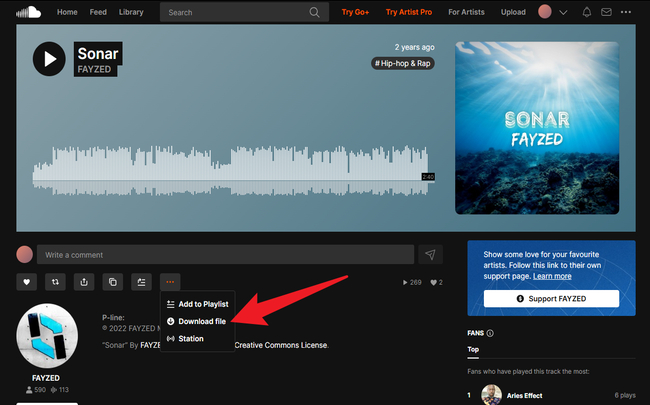
On the SoundCloud website, creators can enable downloads for their tracks. When this option is available, signed-in users can click the Download file button beneath the track’s waveform to save the uploaded audio file.
However, this feature comes with several limitations:
- Not all tracks are downloadable. The creator decides whether to enable this permission.
- SoundCloud supports individual track downloads rather than downloading an entire playlist at once.
- A playlist may contain both downloadable and non-downloadable tracks.
If a track does not display a download button, it means the creator has not enabled direct downloads for that track. If a playlist contains multiple downloadable tracks, you can save them one by one. However, this can become time-consuming when dealing with larger playlists.
2.Offline Listening with SoundCloud Go or Go+
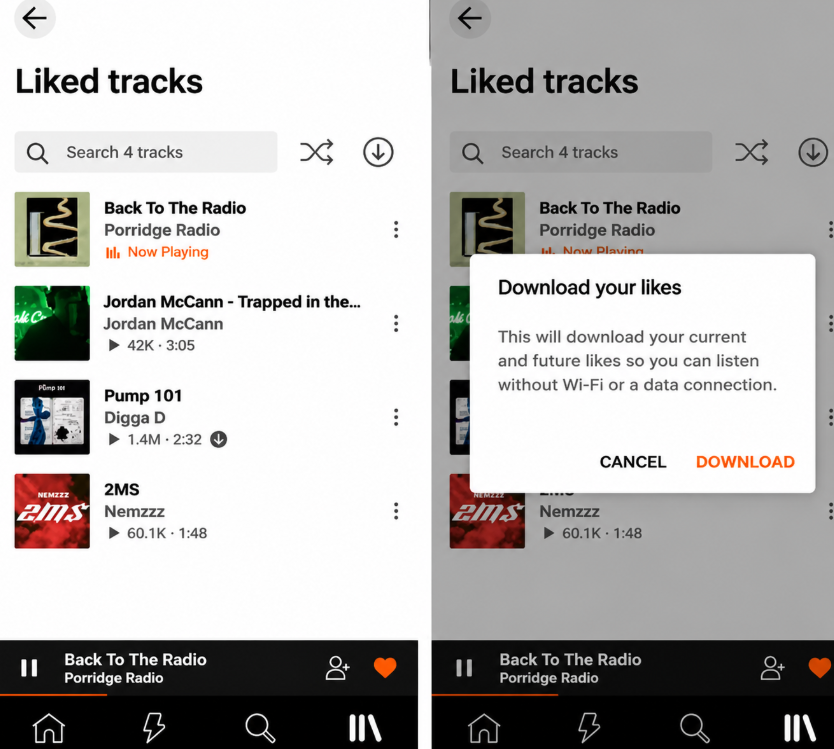
SoundCloud Go and Go+ subscribers can save eligible tracks, playlists, and Likes for offline listening through the SoundCloud mobile app. This is convenient when you want to listen without an internet connection. However, offline content is stored within the app rather than as regular MP3 files.
There are also a few conditions to keep in mind:
- An active SoundCloud Go or Go+ subscription is required.
- Only eligible tracks and playlists can be saved for offline listening.
- Offline access remains tied to the SoundCloud app and your account.
In short, SoundCloud supports individual track downloads and in-app offline listening, but does not offer a built-in option to save entire playlists as local audio files.
What to Look for in a SoundCloud Playlist Downloader?
Before choosing a SoundCloud playlist downloader, consider more than its ability to download individual tracks. A reliable tool should support the entire playlist workflow, handle unavailable tracks clearly, and keep downloaded files well organized.
Best SoundCloud Playlist Downloaders in 2026
1.MusicFre – Best Desktop SoundCloud Playlist Downloader
Best for: Users who want a reliable way to download complete SoundCloud playlists on Windows or Mac.
Rating: ★★★★★
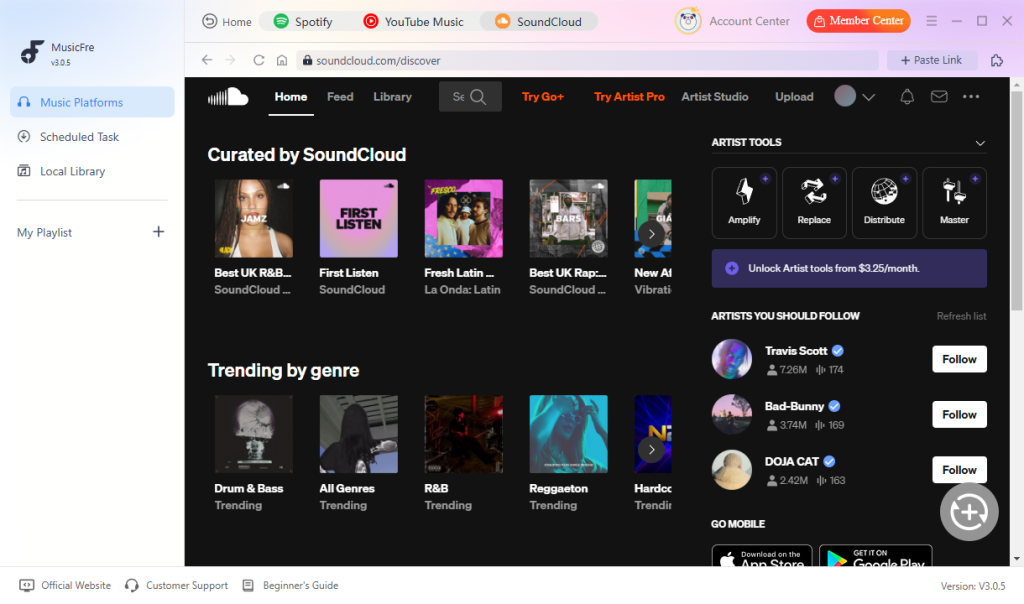
MusicFre is a desktop music converter that supports complete SoundCloud playlists, albums, and individual tracks. Instead of processing songs one by one, you can load an entire playlist, review the detected tracklist, and download multiple songs in batches.
It supports common output formats such as MP3, FLAC, and WAV, with available quality settings for different listening and editing needs. MusicFre also preserves useful metadata, including song titles, artists, album information, track details, and cover art, helping you keep downloaded files organized.
The desktop interface is straightforward: add a playlist, check the tracks, choose the output format, and start the conversion. Compared with many browser-based tools, this workflow is better suited to larger playlists and repeated downloads. It also avoids the pop-ups, redirects, and unknown bundled installers often found on free online downloaders.
Overall, MusicFre is a flexible choice for users who want complete playlist support, batch downloading, multiple output formats, organized music files, and a more stable Windows or Mac workflow.
2.Online SoundCloud Playlist Downloaders
Best for: Users who want to download a few public tracks or playlists without installing software.
Rating: ★★★☆☆
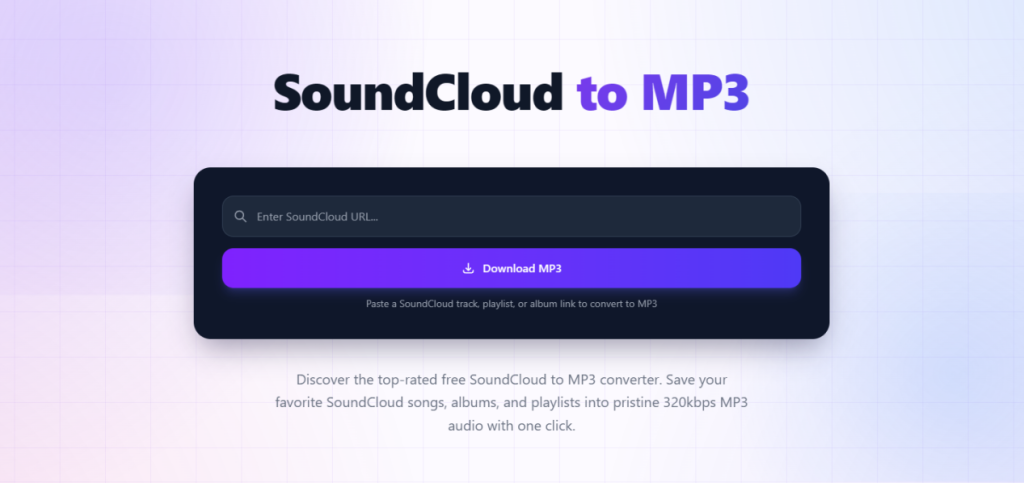
Online SoundCloud playlist downloaders work directly in a web browser. Typically, you copy a track or playlist URL, paste it into the website, and let the service analyze the link.
These tools are convenient for occasional downloads because they require no software installation and can be accessed from computers, tablets, and mobile devices.
However, online tools vary considerably in terms of playlist support. Some can recognize a complete playlist but still require you to download each track separately. Others may only detect individual tracks or process a limited number of songs. Large playlists may also take longer to analyze or fail before the process is complete.
Output formats and metadata support are often limited as well. Many tools offer only MP3, with few quality settings. Ads, pop-ups, redirects, and misleading download buttons can also affect the experience.
Online downloaders are suitable for quick, occasional tasks, but they may not be the best option for large playlists or regular use. If you need a more stable workflow with organized files and batch processing, desktop software such as MusicFre is usually more practical.
3.Browser Extensions for SoundCloud Downloads
Best for: Users who want to download tracks directly from SoundCloud pages.
Rating: ★★★☆☆
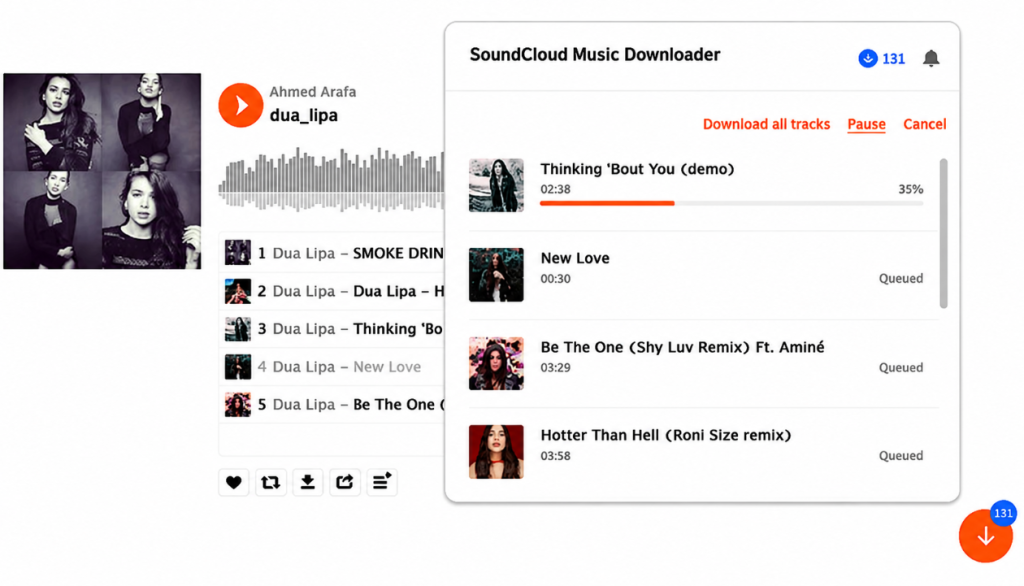
Browser extensions can add a download button directly to SoundCloud pages. This allows you to start a download without copying the URL to another website.
The main advantage is convenience. After installation, an extension may detect downloadable tracks while you browse SoundCloud. This can be useful when you want to save an individual track or a small number of songs.
Some extensions claim to support playlists, but their batch capabilities vary. An extension may identify several tracks without downloading them all automatically, or it may require you to start each download separately. Large playlists can also produce incomplete results.
Browser compatibility is another factor. Extensions depend on the structure of the SoundCloud website, so they may stop working after a platform or browser update. Some also require additional helper applications or broad permissions to access webpage content.
Before installing a browser extension, check its developer, update history, permissions, and download source. Extensions can be convenient for occasional track downloads, but a desktop downloader generally offers better control for complete playlists.
4.Open-Source and Command-Line Tools
Best for: Advanced users who want a free, flexible, and customizable solution.
Rating: ★★★★☆
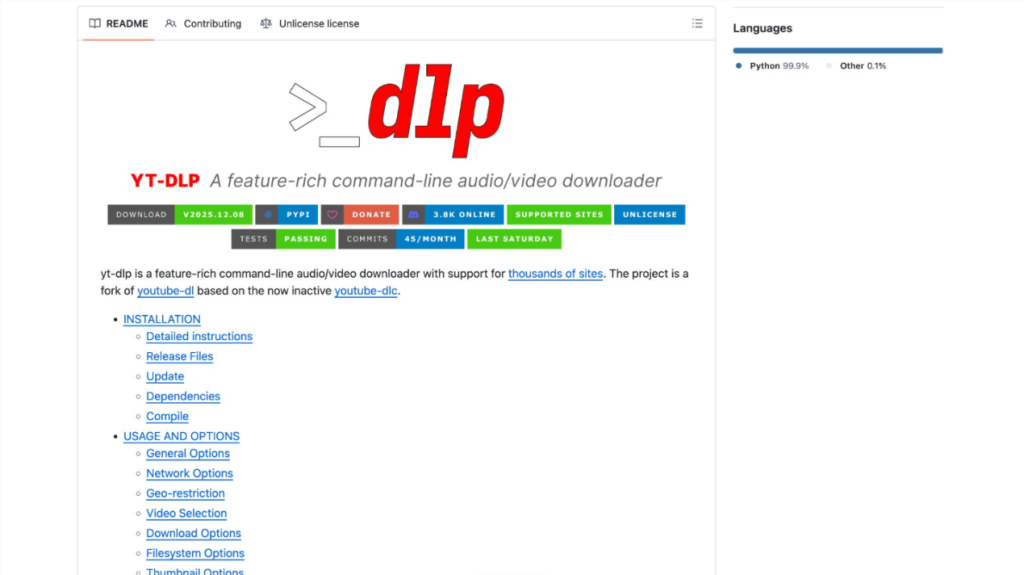
Open-source tools like yt-dlp offer another way to download SoundCloud tracks and playlists. Available for Windows, macOS, and Linux, these tools give users more control over downloads without relying on online converters or paid software.
With yt-dlp, you can download supported playlists, choose where files are saved, customize file names, and organize music into folders. It also supports scripts and automated tasks, making it particularly useful for users who regularly download large collections or manage multiple playlists.
However, getting started takes some technical knowledge. You need to install the tool and run commands through Terminal or Command Prompt. Additional software such as FFmpeg may also be needed for audio conversion.
Command-line tools are a good choice for technically experienced users. Beginners who prefer a graphical interface and a simpler workflow may find MusicFre easier to use.
Which SoundCloud Playlist Downloader Should You Choose?
The best SoundCloud playlist downloader depends on how often you download music, how many tracks you need to process, and how much control you want over the downloaded files.
Here is a quick guide to choosing the right option:
- For regular playlist downloads: MusicFre is a strong choice if you want a dedicated desktop application with batch conversion, multiple output formats, customizable audio settings, and music library management.
- For occasional downloads: Online SoundCloud downloaders are practical when you only need to save a few tracks or process a playlist without installing software.
- For downloading while browsing: Browser extensions are worth considering if you frequently explore SoundCloud and prefer download controls directly on music pages.
- For advanced users: yt-dlp offers extensive customization and playlist processing options, making it suitable for users comfortable with command-line operations.
How to Download a SoundCloud Playlist to MP3 with MusicFre
If you want to convert a SoundCloud playlist to MP3, MusicFre provides a straightforward desktop workflow. You can add an entire playlist, review the detected tracks, select MP3 as the output format, and convert multiple songs in one batch.
Follow the steps below to get started.
Step 1. Download and Install MusicFre
Download MusicFre from its official website and install it on your Windows PC or Mac. Once installed, launch the program to access its main interface.






Step 2. Open SoundCloud in MusicFre
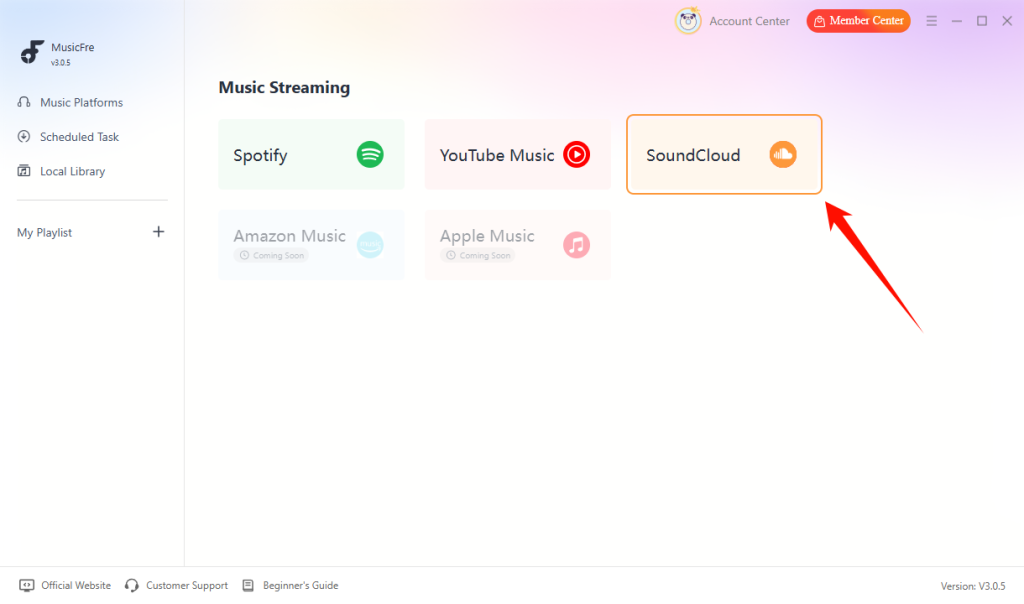
Select SoundCloud from the available music services. Use the built-in web player to browse SoundCloud and find the playlist you want to download.
Step 3. Add Your SoundCloud Playlist
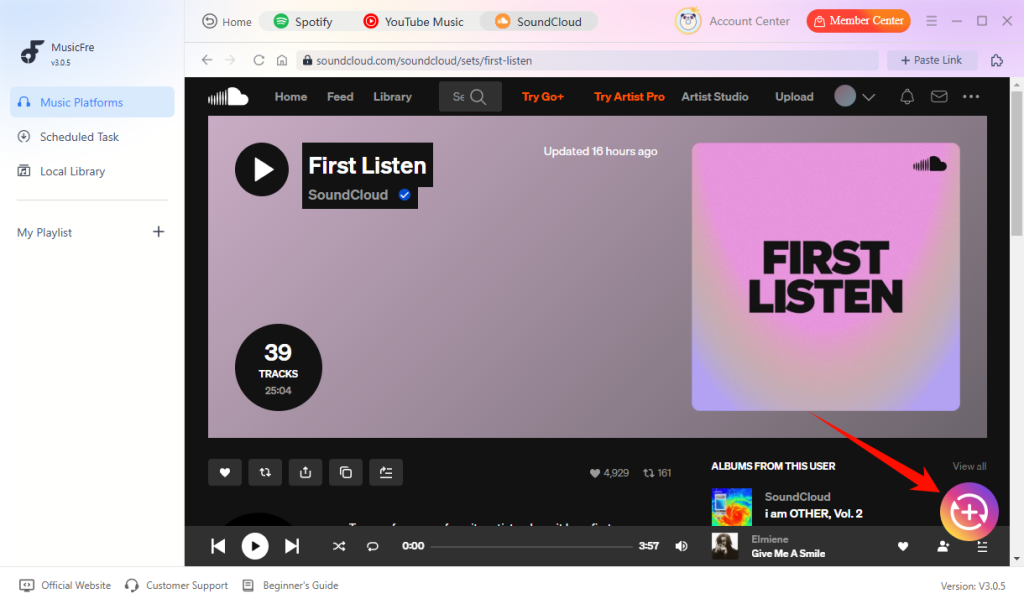
Open the target playlist and click the + button. MusicFre will analyze the playlist and display the detected tracks, allowing you to review the songs before proceeding.
Step 4. Choose MP3 and Customize Audio Settings
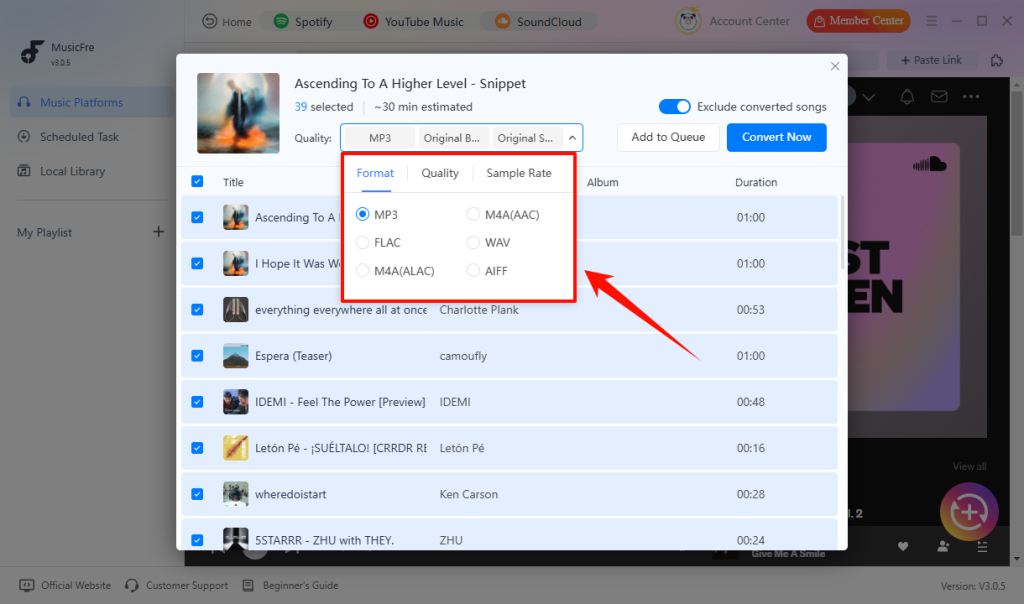
Select MP3 as your preferred format. You can also adjust the bitrate and sample rate settings according to your needs.
Step 5. Start Batch Conversion
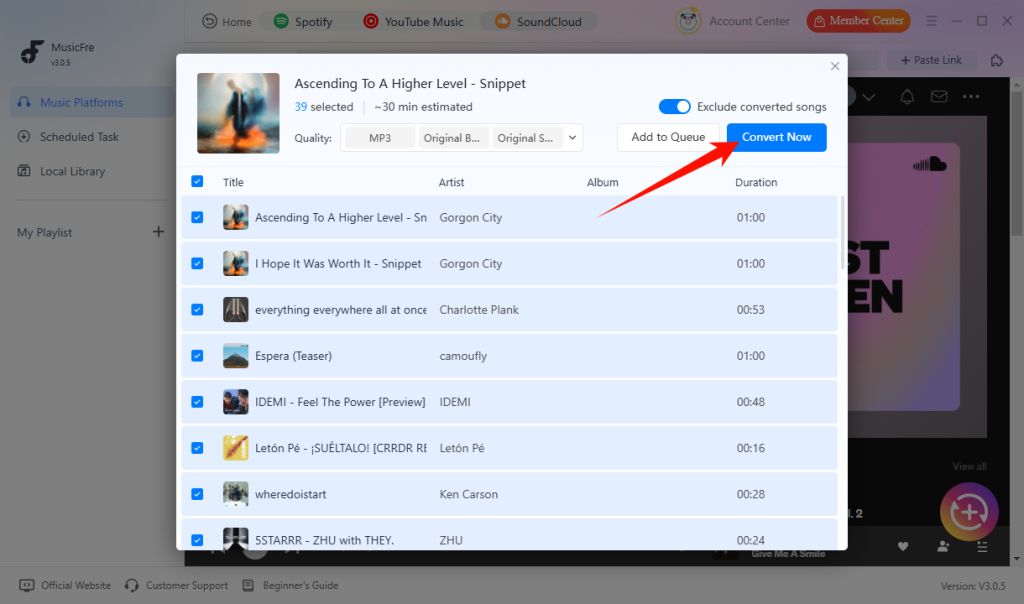
After confirming your selected tracks and output settings, click Convert Now to begin. Once the conversion is complete, open the output folder to access your MP3 files.
FAQs About SoundCloud Playlist Downloaders
1Can I download a SoundCloud playlist in 320kbps?
Some tools offer a 320kbps MP3 setting, but this does not guarantee that the source audio is actually 320kbps. The final result depends on the original audio available from SoundCloud.
2Why are some tracks missing from my downloaded playlist?
Some tracks may have been deleted, made private, restricted by the creator, or become unavailable in your region. Downloader compatibility can also affect which tracks are successfully processed.
3Are online SoundCloud playlist downloaders safe?
Safety varies between services. Avoid tools with excessive pop-ups, fake download buttons, suspicious redirects, or unknown installers. A reputable desktop application generally provides a more controlled workflow.
4Can I download SoundCloud playlists on Android or iPhone?
Some online services work on mobile browsers, but their playlist support may be limited. For large playlists and organized local files, Windows or Mac software is usually more practical.
Final Thoughts
Choosing the right SoundCloud playlist downloader depends on your downloading habits and what you expect from the tool. Online downloaders are suitable for occasional tasks, browser extensions offer quick access while browsing, and yt-dlp provides greater flexibility for users comfortable with command-line tools.
If you regularly download playlists and want more control over audio formats, quality settings, and file management, MusicFre is worth considering. With batch conversion, support for multiple audio formats, and ID3 tag preservation, it offers a practical way to build and organize your offline music library.
Remember to respect copyright laws and the rights of content creators when downloading music from SoundCloud. Only download tracks you have permission to use, and avoid unauthorized sharing or redistribution.