
 中文 (台灣)
  日本語
日本語  한국어
한국어  Italiano
  Français
  Português
  Español

How to Download Spotify Music to WAV: 4 Easy Methods in 2026
- Category:Spotify Music Tips
- Xiny
- 2026-08-15
WAV is a popular audio format for users who need local music files for editing, CD burning, DJ software, or playback on compatible devices. Unlike compressed formats such as MP3, WAV stores audio without additional compression, making it a practical choice for workflows where file compatibility and audio processing matter.
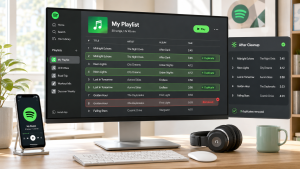
However, Spotify does not offer a direct way to download songs as WAV files. Fortunately, you can still save Spotify music in WAV format using third-party tools. This guide introduces four practical methods to help you choose the option that best fits your needs.
Can You Save Spotify Music as WAV Files Directly?
Not directly from the Spotify app.
Spotify uses encrypted streaming technology to protect its music library. Although Premium users can download songs for offline listening, these downloads are stored inside the Spotify app and cannot be accessed as regular audio files.
This means you cannot:
- Export Spotify downloads as WAV files
- Move Spotify offline songs to other music players
- Edit Spotify tracks in audio software
If you want to get editable WAV files from Spotify, you need another method, such as a Spotify WAV converter or an audio recording tool.
Why Convert Spotify Songs to WAV?
WAV, short for Waveform Audio File Format, is an uncompressed audio container commonly used on Windows, in audio production, and in professional editing workflows. Compared with MP3 or AAC, WAV files take up more space but are convenient when you want to avoid another lossy conversion step.
You may want to convert Spotify music to WAV when you need to:
- Create audio CDs or store local music files in a widely compatible format
- Prepare tracks for a WAV-compatible DJ application or media device
- Edit audio in video editors, podcast tools, DAWs, or waveform editing software
- Preserve audio quality by avoiding repeated conversions between lossy formats
4 Ways to Download Spotify Music to WAV
You can save Spotify music as WAV in several ways, depending on whether you need batch conversion, a free recording option, or a quick online solution. The methods below cover the most practical choices for different needs.
Method 1.Convert Spotify Music to WAV with MusicFre (Recommended)
For most users, using a professional Spotify converter is the easiest way to download Spotify songs in WAV format. MusicFre is designed to convert Spotify music to formats including WAV, MP3, FLAC, AAC, M4A, and ALAC. It supports songs, albums, playlists, and podcasts, allowing users to save WAV files for playback, audio editing, music production, and other applications.
Here is how to convert Spotify music to WAV with MusicFre:
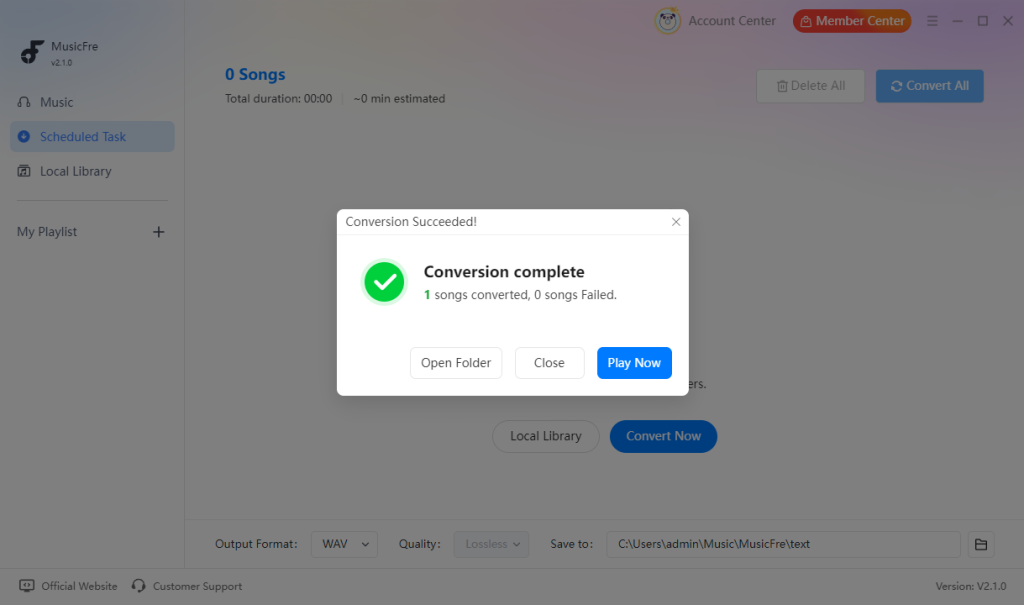
Step 1. Download MusicFre from the official website, then install and launch the program.






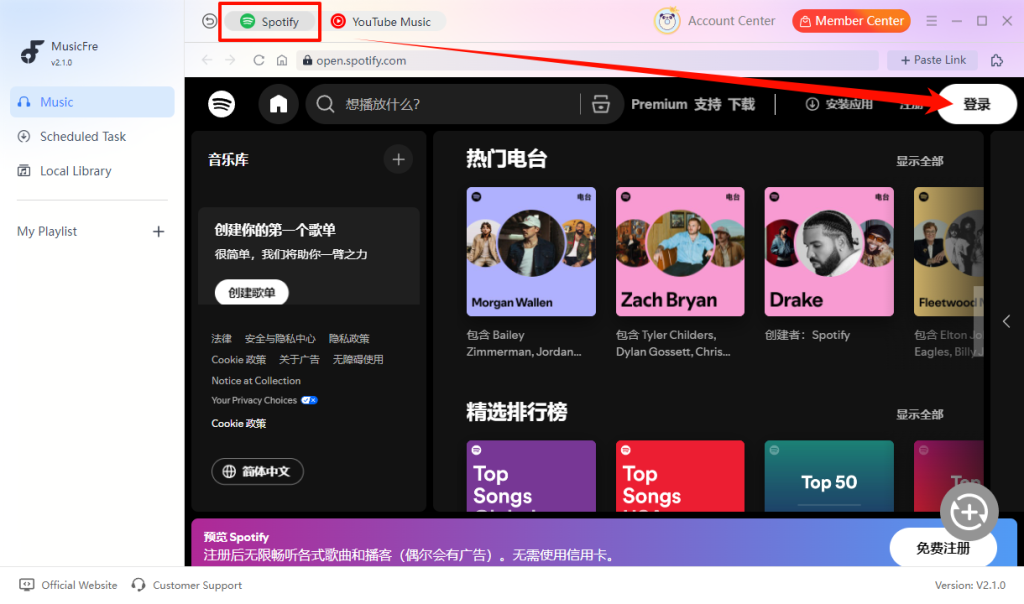
Step 2. From the MusicFre interface, open the “Spotify” music section and sign in to your Spotify account.
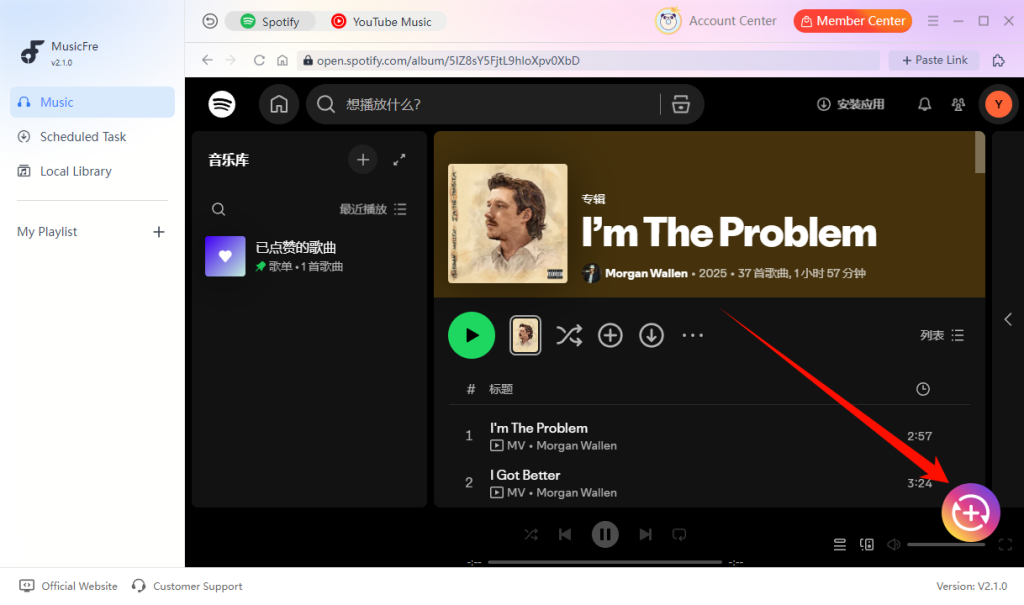
Step 3. Add the Spotify songs, albums, or playlists you want to get, then click the “+” button.
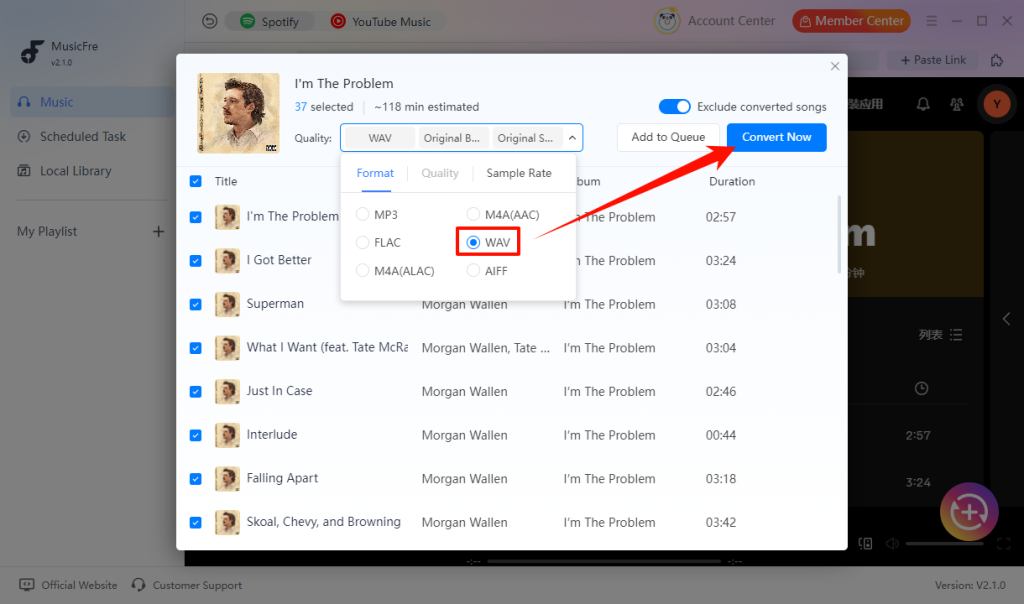
Step 4. Choose “WAV” as the output format, and tap the “Convert Now” button to start processing.
Step 5. When complete, open the output folder to find the local WAV files.
Method 2.Record Spotify Music as WAV with Audacity
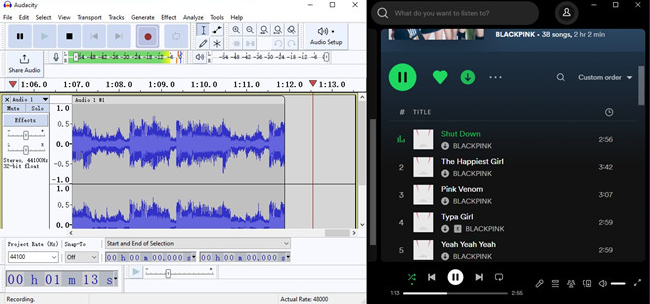
Audacity is a free and open-source audio editor that allows you to capture computer audio and export recordings as WAV files. It does not extract music files directly from Spotify. Instead, it records the audio while the song is playing.
How to record Spotify audio as WAV with Audacity:
Step 1. Download and install Audacity on your computer.
Step 2. Start recording in Audacity, then play the audio in Spotify.
Step 3. Stop the recording when playback is finished.
Step 4. Select “File” > “Export Audio”, choose “WAV”, and save the file.
Method 3.Capture Spotify Web Player Audio with a Browser Extension
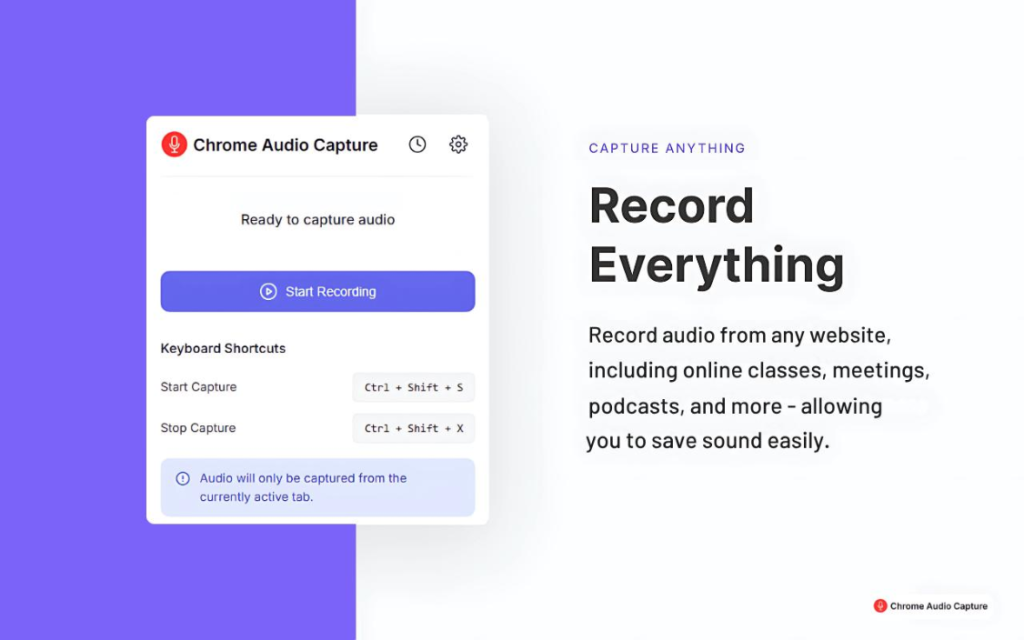
If you prefer not to install desktop software, capturing Spotify audio through a browser extension can be another simple option. This can be convenient for occasional use because it does not require installing a full desktop audio editor. However, extensions vary widely in reliability, privacy practices, supported browsers, and output formats.
How browser audio capture generally works:
Step 1. Install a trusted audio recording extension for your browser.
Step 2. Open Spotify Web Player and log in to your account.
Step 3. Configure the extension to capture browser audio.
Step 4. Start the extension’s audio capture before playback begins.
Step 5. Stop the capture after the selected audio finishes.
Step 6. Export the recorded file as a WAV file.
Method 4.Save Spotify Music to WAV Online
An Online Spotify to WAV converter can be a convenient alternative for occasional use. These browser-based tools usually let you paste a Spotify link, select an output format, and save the resulting file to your computer. However, online converters usually come with limitations, such as slower conversion speed, limited output quality, ads, and potential privacy risks.
How to get Spotify music to WAV online:
Step 1. Copy the link to the Spotify track you want to save.
Step 2. Open a Spotify online converter that supports WAV output.
Step 3. Paste the Spotify link into the input box.
Step 4. Select WAV as the output format if available.
Step 5. Click the convert button and wait for the process to complete.
Step 6. Save the converted WAV file to your device.

Spotify to WAV Methods Comparison
Each method has different strengths and limitations. The table below can help you choose the most suitable option based on your budget, preferred workflow, and the number of Spotify tracks you want to save.
| Method | WAV Output | Conversion Speed | Best For | Limitation |
| MusicFre | Supports direct WAV output with high-quality conversion | Fast, supports batch conversion of multiple songs, albums, and playlists | Converting songs, albums, playlists, and podcasts in batches | Requires desktop software installation |
| Audacity | Supports exporting recordings as WAV files | Slow, as it requires real-time recording during playback | Users who need a free tool to record Spotify playback | Each track must be recorded manually while it plays |
| Browser Extension | Depends on the extension and supported output formats | Medium, depends on recording speed and browser performance | Occasional recordings from Spotify Web Player | Output formats, stability, and privacy practices vary |
| Online Converter | May support WAV output depending on the service | Usually fast for individual songs, but may be slower for longer playlists | Quick, occasional conversions without desktop software | Ads, unstable availability, limited features, and potential security risks |
WAV vs. FLAC vs. MP3: Which Format Should You Choose?
Choosing WAV is not always the answer. The best audio format depends on how you plan to use the file.
| Format | Audio Quality | File Size | Best For |
| WAV | Lossless, uncompressed audio with the highest quality | Largest file size | Audio editing, CD burning, DJ software, and WAV-compatible devices |
| FLAC | Lossless audio quality with compression | Smaller than WAV, larger than MP3 | Building a lossless music library and long-term local storage |
| MP3 | Lossy compression with reduced file size | Smallest file size | Everyday listening, mobile devices, and sharing music |
FAQs About Spotify to WAV
1Does converting Spotify music to WAV improve the original audio quality?
No. WAV only preserves the available audio quality without additional lossy compression.
2How much storage space do Spotify WAV files need?
A standard 44.1 kHz / 16-bit stereo WAV file uses roughly 10 MB per minute.
3Which WAV settings should I choose?
For most users, 44.1 kHz and 16-bit stereo is a practical choice. Higher settings create larger files and are only useful when your project specifically requires them.
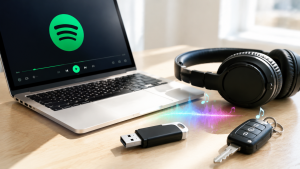
4Can I play WAV files on my phone, USB drive, or car stereo?
Many devices support WAV, but compatibility can vary by model. Check your device manual for supported audio formats.
Final Thoughts
Spotify does not include an option to export downloaded songs as WAV files, but you still have several options to save Spotify music in this format. Audio converters like MusicFre offer a convenient way to convert multiple Spotify songs, albums, and playlists, while recording tools and online methods can work for occasional use.
The best choice depends on your needs, such as conversion speed, file quality, and how you plan to use the audio files. Whether you need WAV files for editing, music production, or personal playback, choosing the right method can help you get the most suitable results.